Code: IU.01.09.0007
Version / Revision: 6.001
Page: 84 de 143
Ultrasonic washer
Model: E0201
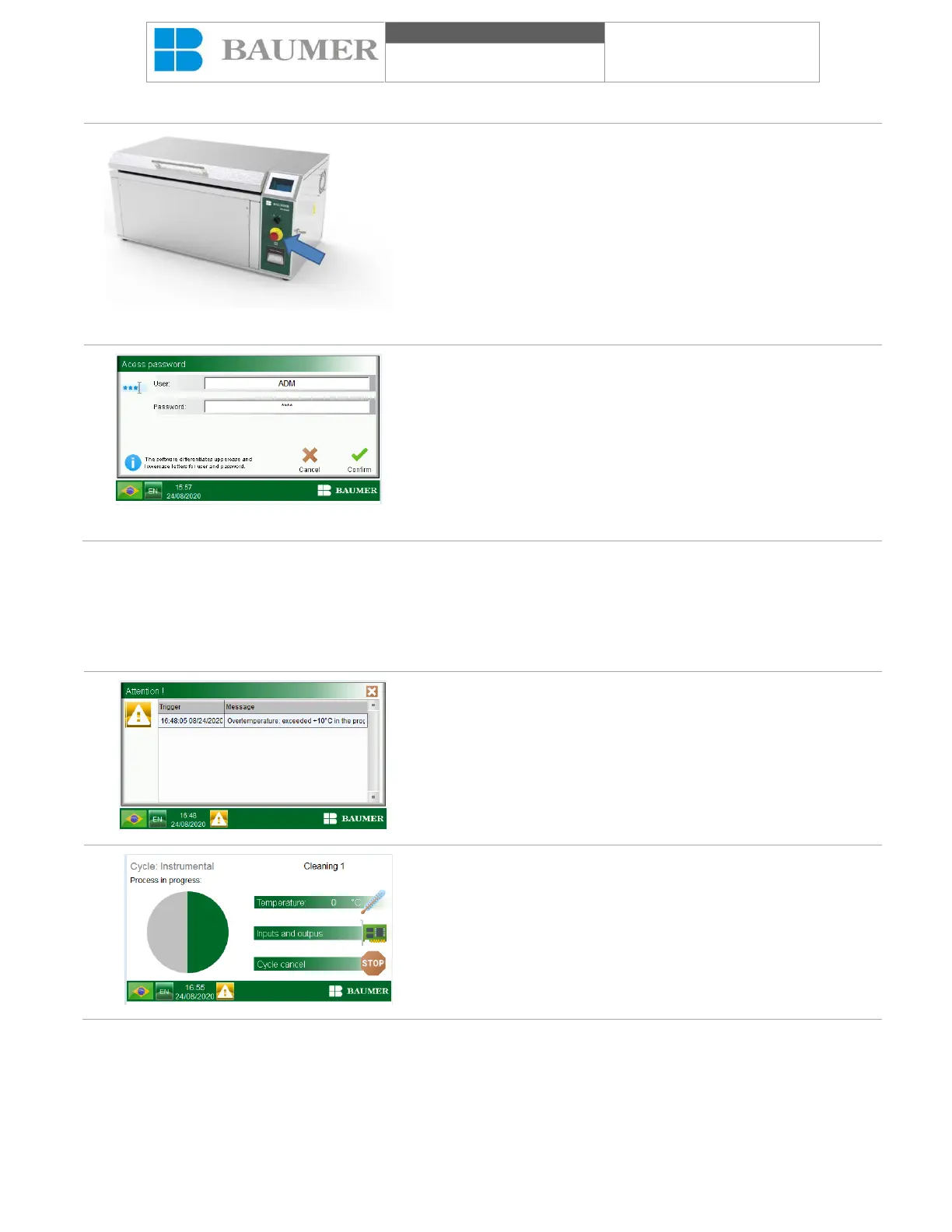
12.1 Accident prevention devices
Figure 5 – Emergency button
Emergency buttons
It is located on the front panel of the Ultrasonic washer. Once
activated, all outputs remain in the initial state.
Figure 6 – Access control
Access control
The ultrasonic washer has user control for the operator,
maintenance, calibration, supervision and management, ensuring
that only authorized and qualified people use the equipment.
13. List of alarms and warnings
The Ultrasonic washer has an extremely functional control logic, so as not to allow the parameters to be actuated
against the necessary conditions, which makes this product extremely reliable during the cleaning cycle.
Ultrasonic washer alarms may occur under different
circumstances or stages of the process.
The alarms are distinguished from other parameters because
they are present on the slope, accompanied by an acoustic alarm.
When pressing the "X" key, the acoustic alarm goes off and the
alarm display reduces the attention icon, pressing the icon opens
the alarm display again.
The icon (yellow rectangle with an exclamation sign) will remain
on the display until the user realizes an action, which should
eliminate the reason to generate the alarm, if no action is taken
during a predetermined period, the cycle is canceled. You can't
start.
If you want to check the alarm again, press the icon.


 To Next Page