Code: IU.01.09.0007
Version / Revision: 6.001
Page: 69 de 143
Ultrasonic washer
Model: E0201
The efficiency of the solo cycle is guaranteed if validated.
To handle the product used as a supply, use the appropriate PPE and take the precautions indicated
on the bottle.
Pay attention to the validity of products used as supplies and process and cleanliness indicators. The
correct functioning of the equipment is not guaranteed if these validations are not confirmed.
The cycle cannot start with the open slap and if this action is performed during the cycle, it will be
canceled.
To monitor process efficiency, use cleanliness and process indicators (as indicated in item 0).
In order for the entry of the product to take place, according to schedule, the product must be
connected to the supply hose with the "DETERGENT" indication. The hose should not be blocked.
Opening and closing the cover must be hacked manually.
11.4 Printer / USB Enablement
When the ultrasonic washer is satisfied, the printer will automatically enable itself, if the user deselects it, proceed as
follows:
In the "Home Screen", press the button "Go into settings".
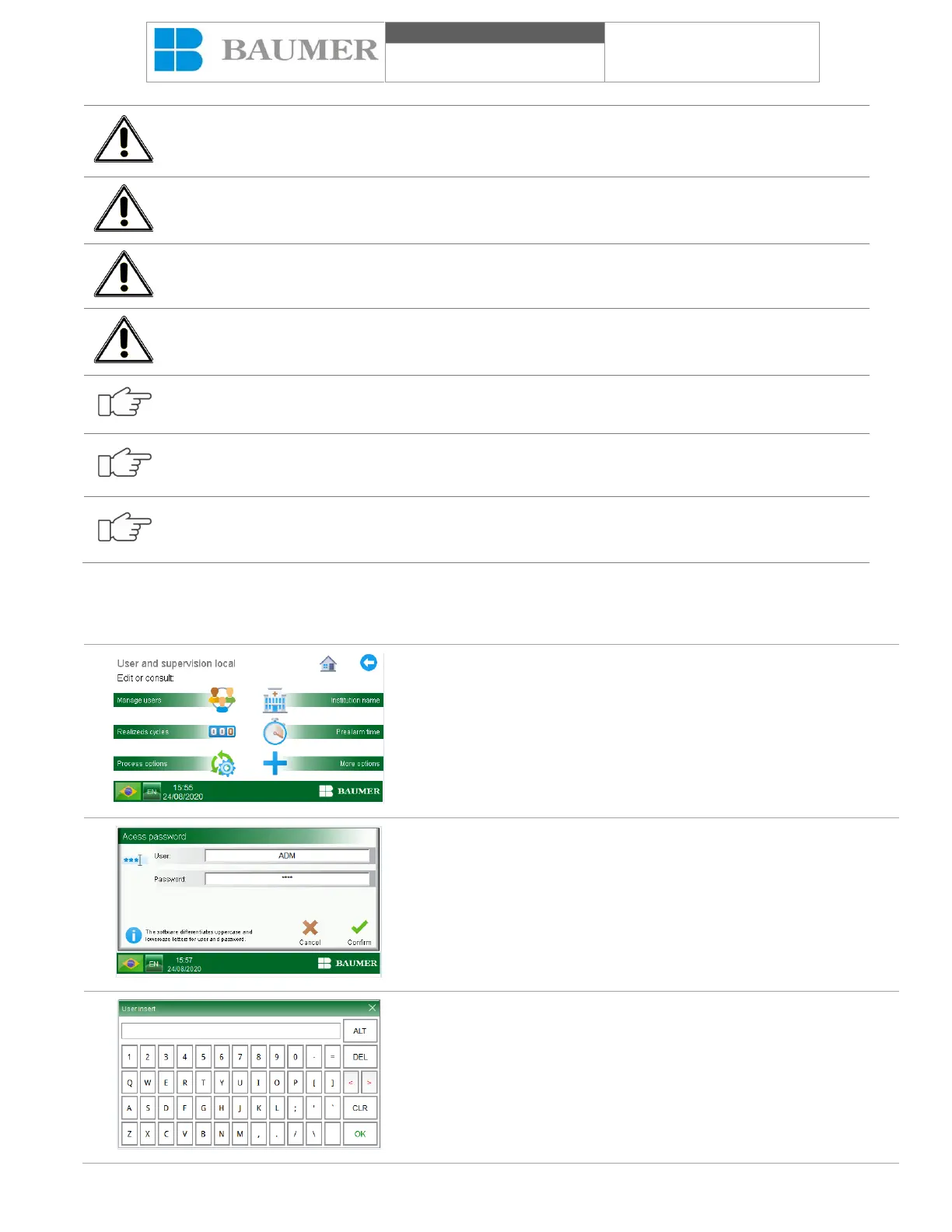
On the “USER AND SUPERVISION AREA” screen, press the
“Cycle record” button, if you ask for a user and password.
For more information, see the topic "User management".
When you click on the field to be inserted, the alphanumeric keyboard
will appear.
Enter the user name and password with the alphanumeric keyboard
and confirm by pressing the "confirm" key, the "CYCLE LOG" screen
will appear.


 To Next Page