Code: IU.01.09.0007
Version / Revision: 6.001
Page: 82 de 143
Ultrasonic washer
Model: E0201
11.12 Periodic maintenance system
The equipment has a periodic maintenance system that informs the user, through codes, which maintenance must
be carried out and reconnected so that the maintenance is validated.
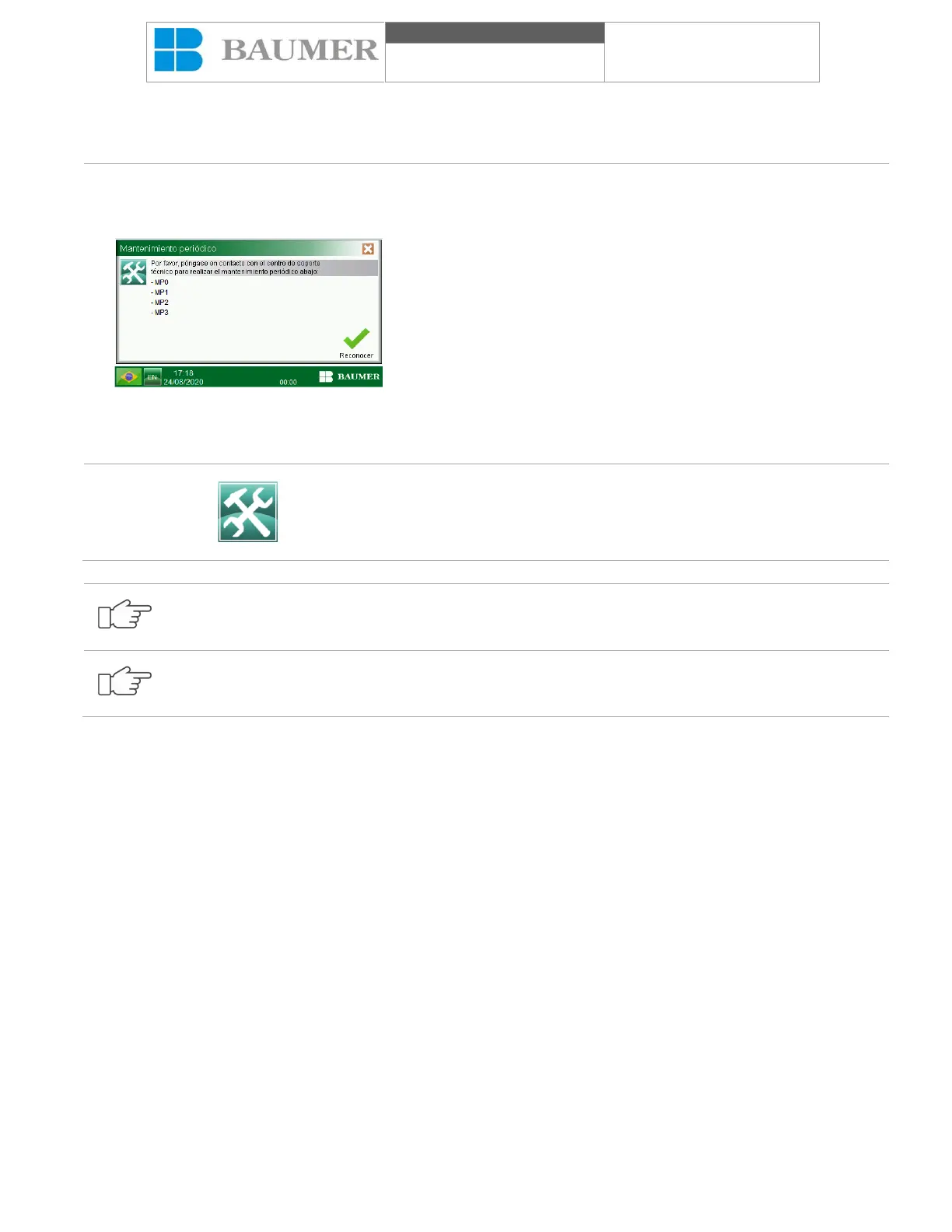
In order to answer the Ultrasonic washer, if there is a periodic
maintenance pending, the periodic maintenance panel will show
itself at the operating interface, indicating, through a code, which
maintenance is pending, according to the codes below:
• MP0 - Installation, operation and performance qualification;
• MP5 - After 12 months of recalibration of the equipment,
repeating every 12 months:
Perform the measurement and calibration of measurement and
control instruments (temperature and pressure);
• MP6 - After 12 months installation and operation
requalification, repeating every 12 months;
Press the "Confirm" button to confirm periodic maintenance and
press the "X" icon (close the window) on the top corner of the display
to return to the normal process.
If the "Periodic Maintenance" is not carried out at this time, the
warning will continue on the display at the bottom.
To recognize periodic maintenance, you will need a password. This password must be requested from
MEDIXX.
To light up the equipment if there is any periodic maintenance pending, it will be shown on the starting
wall.
11.13 Loading and unloading of material
Loading and unloading of washing material takes place manually, simply and practically.
Initially, open the ultrasonic washer cover to access the canasta that is in the bowl. In the basket accommodate the
materials to be processed. If they are lumens materials, it will be necessary to connect them to their respective
connectors.
After finishing the cleaning cycle, simply remove the materials that have been processed.
11.14 Printer
The Ultrasonic washer has a thermal or optional matrix printer placed on the front panel, which allows the registration
and documentation of the entire development of the disinfection cycle. During the execution of the disinfection cycle,
with the printer activated, the following data is printed as shown below:


 To Next Page