Code: IU.01.09.0007
Version / Revision: 6.001
Page: 80 de 143
Ultrasonic washer
Model: E0201
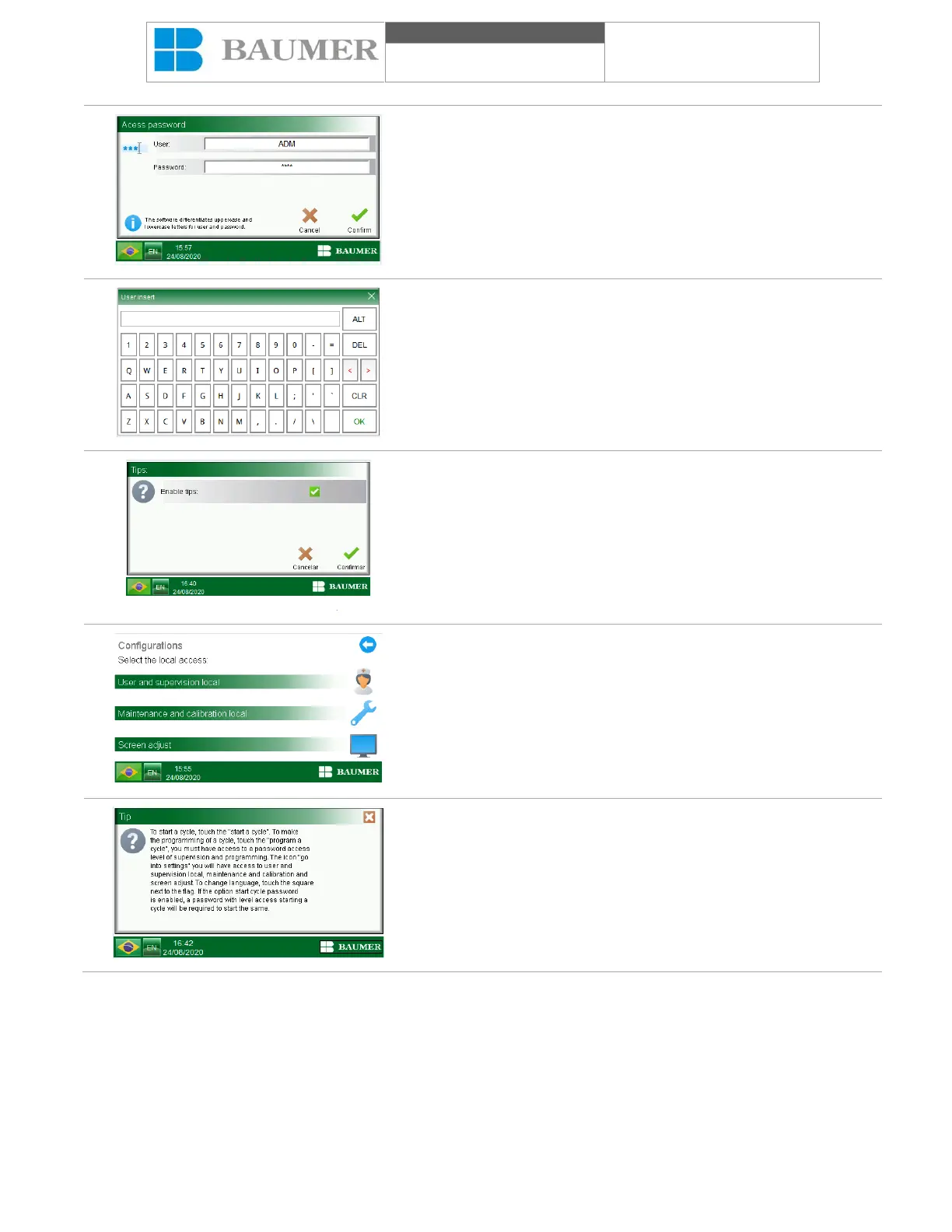
When you click on the field to be inserted, the alphanumeric
keyboard will appear.
Enter the user name and password with the alphanumeric
keyboard and confirm by pressing the "confirm" key, the "Tips"
screen will appear.
To enable the tips, simply click on the "Enable tips" icon.
The "Cancel" button cancels the operation and the "Confirm" button
confirms the operation performed.
The icon of tips "?" it will appear on all relevant screens and click
on the icon, an explanatory text will help the user to understand the
operations that will be carried out on the screen.
To close the suggestion display, press the "X" button.


 To Next Page