BeagleBone Black System
Reference Manual
Page 21 of 108
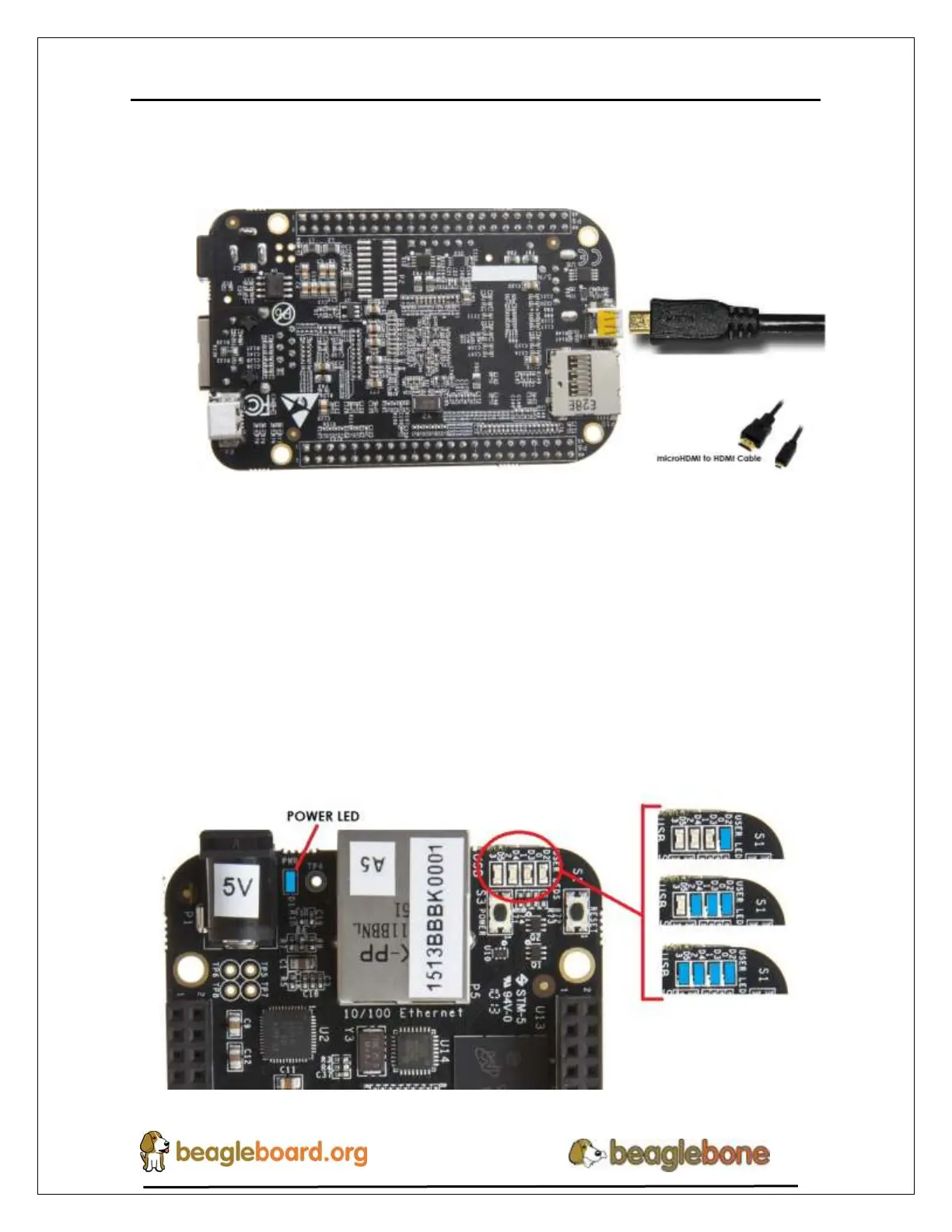
6. The cable needed to connect to your display is a microHDMI to HDMI. Connect
the microHDMI connector end to the board at this time. The connector is on the
bottom side of the board as shown in Figure 14 below.
Figure 14. Connect microHDMI Cable to the Board
The connector is fairly robust, but we suggest that you not use the cable as a leash for
your Beagle. Take proper care not to put too much stress on the connector or cable.
7. Booting the Board
As soon as the power is applied to the board, it will start the booting up process.
When the board starts to boot the LEDs will come on in sequence as shown in Figure
15 below. It will take a few seconds for the status LEDs to come on, so be patient.
The LEDs will be flashing in an erratic manner as it boots the Linux kernel.


 To Next Page