BeagleBone Black System
Reference Manual
Page 46 of 108
6.1.10 Power LED
The power LED is a blue LED that will turn on once the TPS65217C has finished the
power up procedure. If you ever see the LED flash once, that means that the TPS65217C
started the process and encountered an issue that caused it to shut down. The connection
of the LED is shown in Figure 25.
6.1.11 TPS65217C Power Up Process
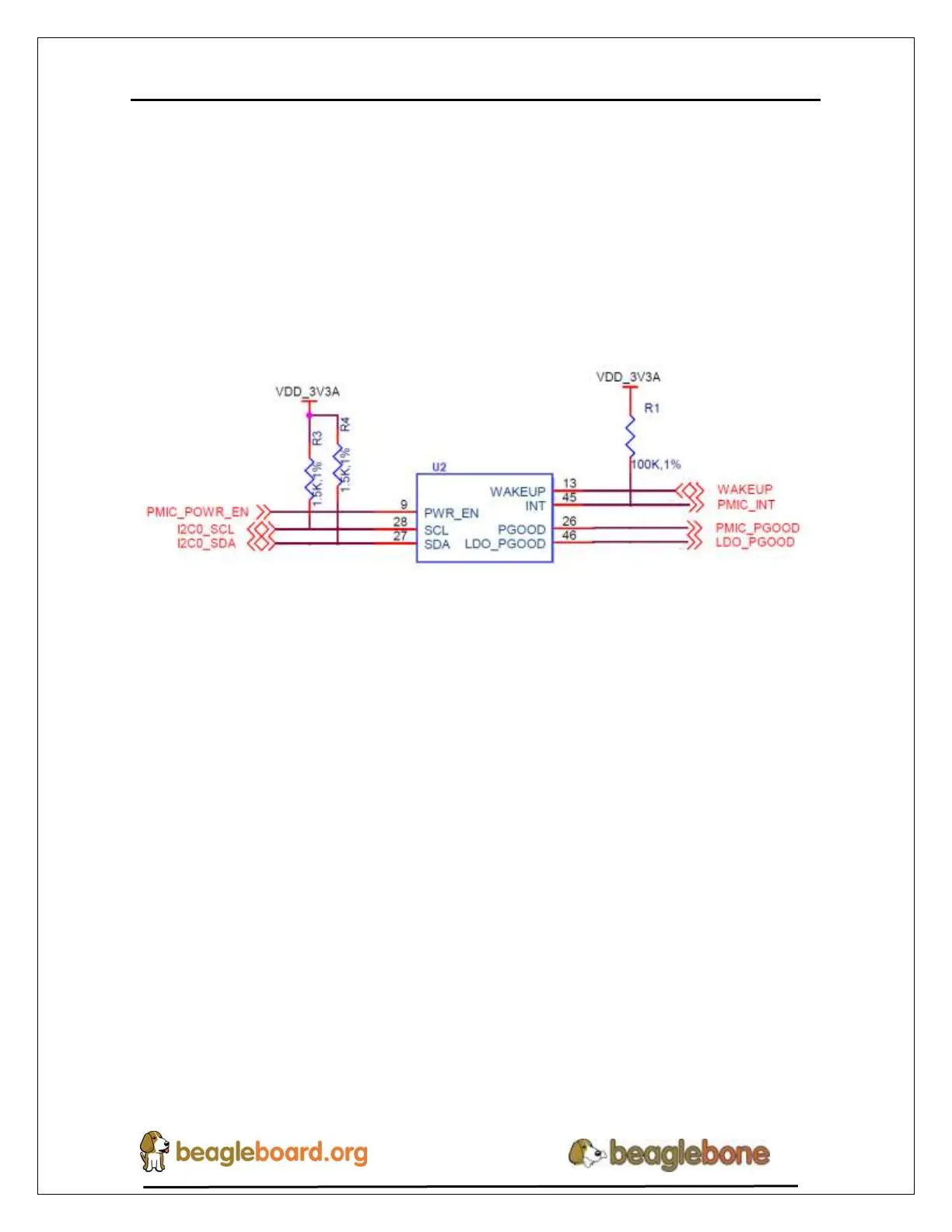
Figure 14 shows the interface between the TPS65217C and the processor.
Figure 28. Power Processor Interfaces
When voltage is applied, DC or USB, the TPS65217C connects the power to the SYS
output pin which drives the switchers and LDOS in the TPS65217C.
At power up all switchers and LDOs are off except for the VRTC LDO (1.8V), which
provides power to the VRTC rail and controls the RTC_PORZ input pin to the
processor, which starts the power up process of the processor. Once the RTC rail powers
up, the RTC_PORZ pin of the processor is released.
Once the RTC_PORZ reset is released, the processor starts the initialization process.
After the RTC stabilizes, the processor launches the rest of the power up process by
activating the PMIC_PWR_EN signal that is connected to the TPS65217C which starts
the TPS65217C power up process.
The LDO_PGOOD signal is provided by the TPS65217C to the processor. As this
signal is 1.8V from the TPS65217C by virtue of the TPS65217C VIO rail being set to
1.8V, and the RTC_PORZ signal on the processor is 3.3V, a voltage level shifter, U4, is
used. Once the LDOs and switchers are up on the TPS65217C, this signal goes active
releasing the processor. The LDOs on the TPS65217C are used to power the VRTC rail
on the processor.


 To Next Page