103
2 Light on projector
3 Adjust user OSD values to default.
4 Enter factory mode.
5 Adjust Factory values to default.
6 Press “Calibration YpbPr” to calibrate the mid level offset.
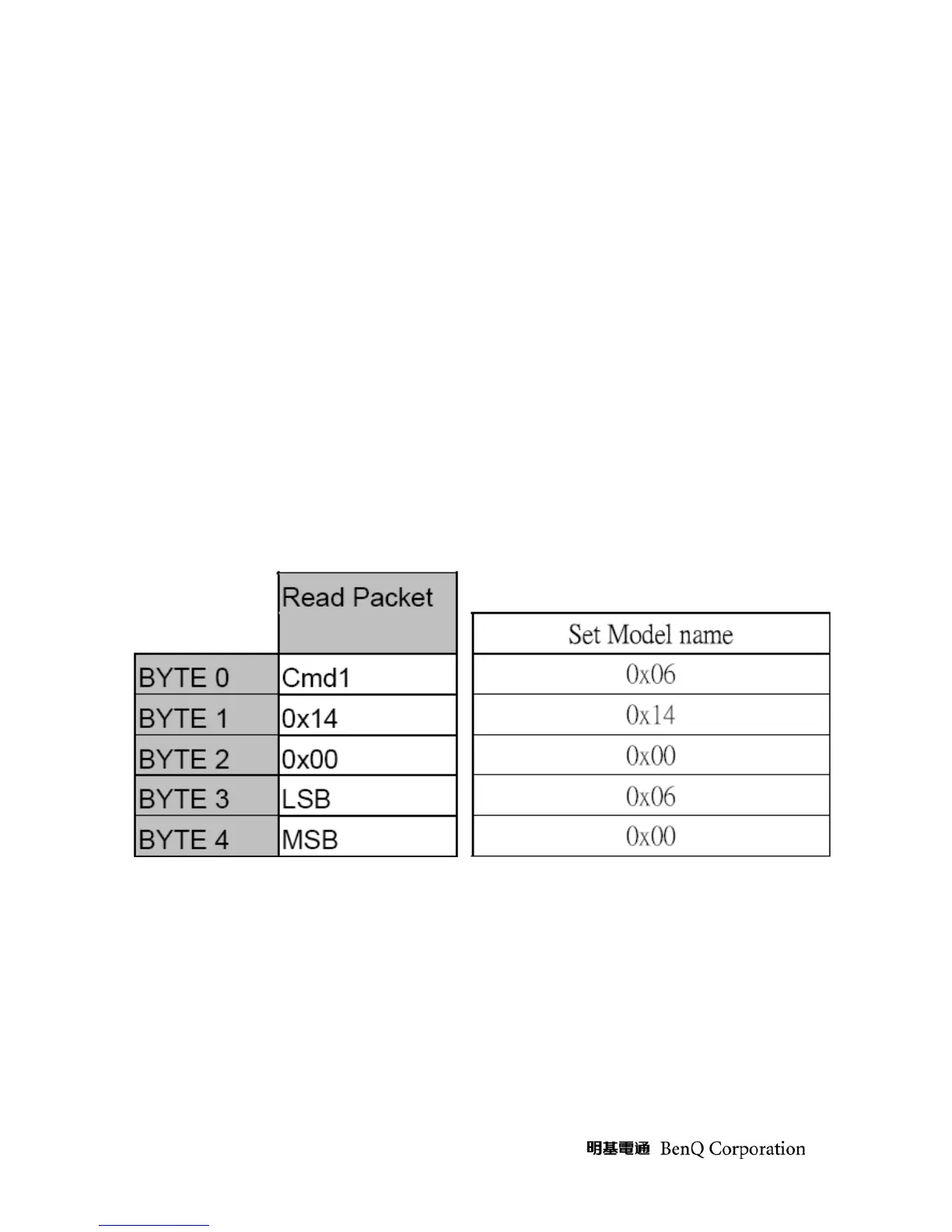
9. How to change Model name
Equipment:
-PC and RS232 cable
Procedure:
1 Plug in power core and RS232 cable
2 use RS232 command to set model name, command format please refer below



 To Next Page