72
Software/Firmware Upgrade Process
How to Download and How to enter Factory mode
How to download
Hardware required
1 Standard USB Download cable (P/N 50.73213.501)
2 Personal computer or laptop computer
Software required
1 DDP2000 Composer lite
2 New version FW
DDP2000 Composer lite install procedure
Installation Location
The default installation directory is:
C:\Program Files\DLP Composer Lite
If you want to install to a different directory (perhaps alongside a prior release of DLP
Composer™ Lite), click the "Browse" button on the "Select Features" page..
USB Support - Installation (All Platforms)
This release includes support for a USB communications interface to DDP2000-based projectors.
The setup program includes the files needed to install USB support (for
Win98/WinMe/Win2K/WinXP only -- Win95 and WinNT are
not supported
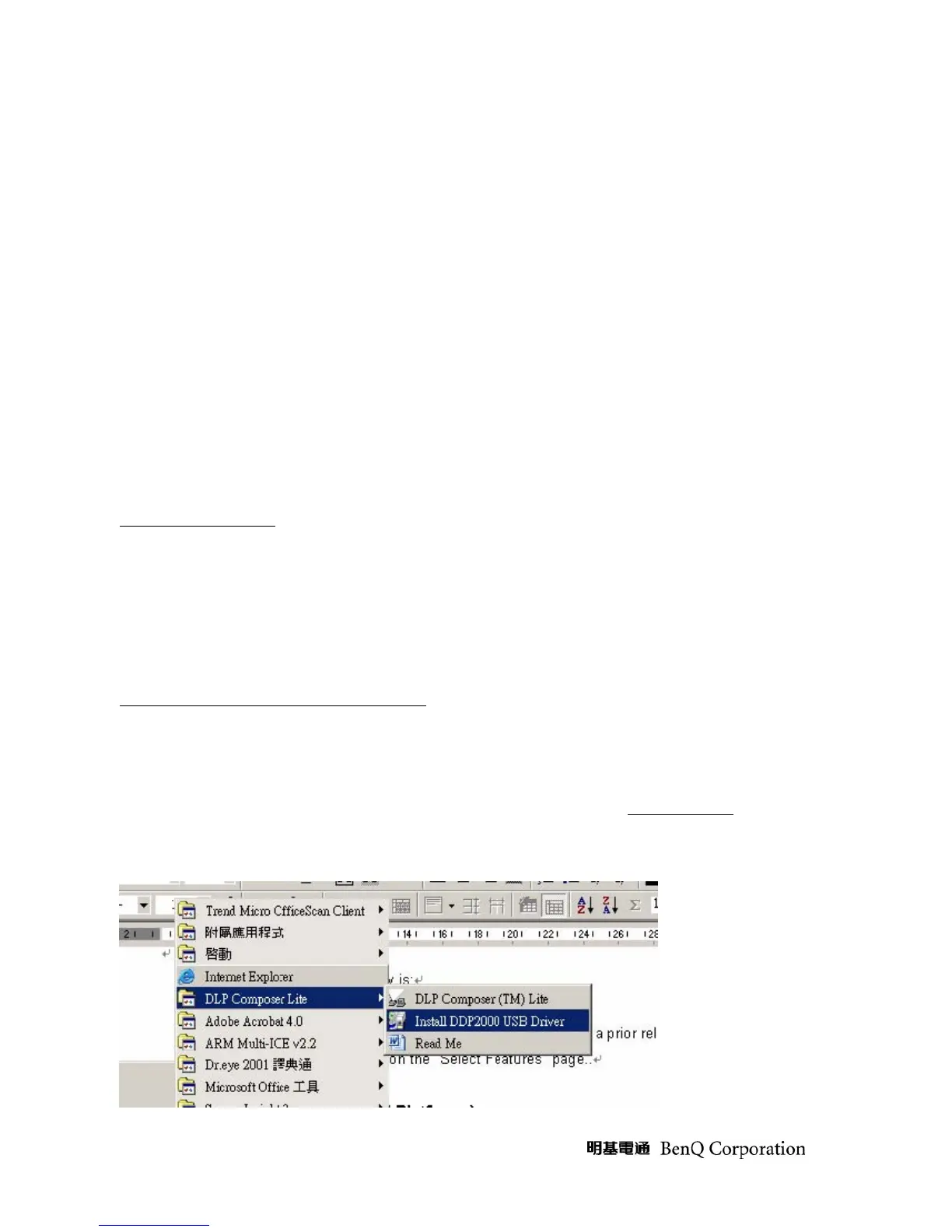
). After DLP
Composer™ Lite is installed, to install the USB support, choose the "Install DDP2000 USB
Driver" icon under "DLP Composer™ Lite" in your
Start
menu.



 To Next Page