7 Main Menu Device Setup LB 470 Level
56925BA2 Rev. 03, 11/2017
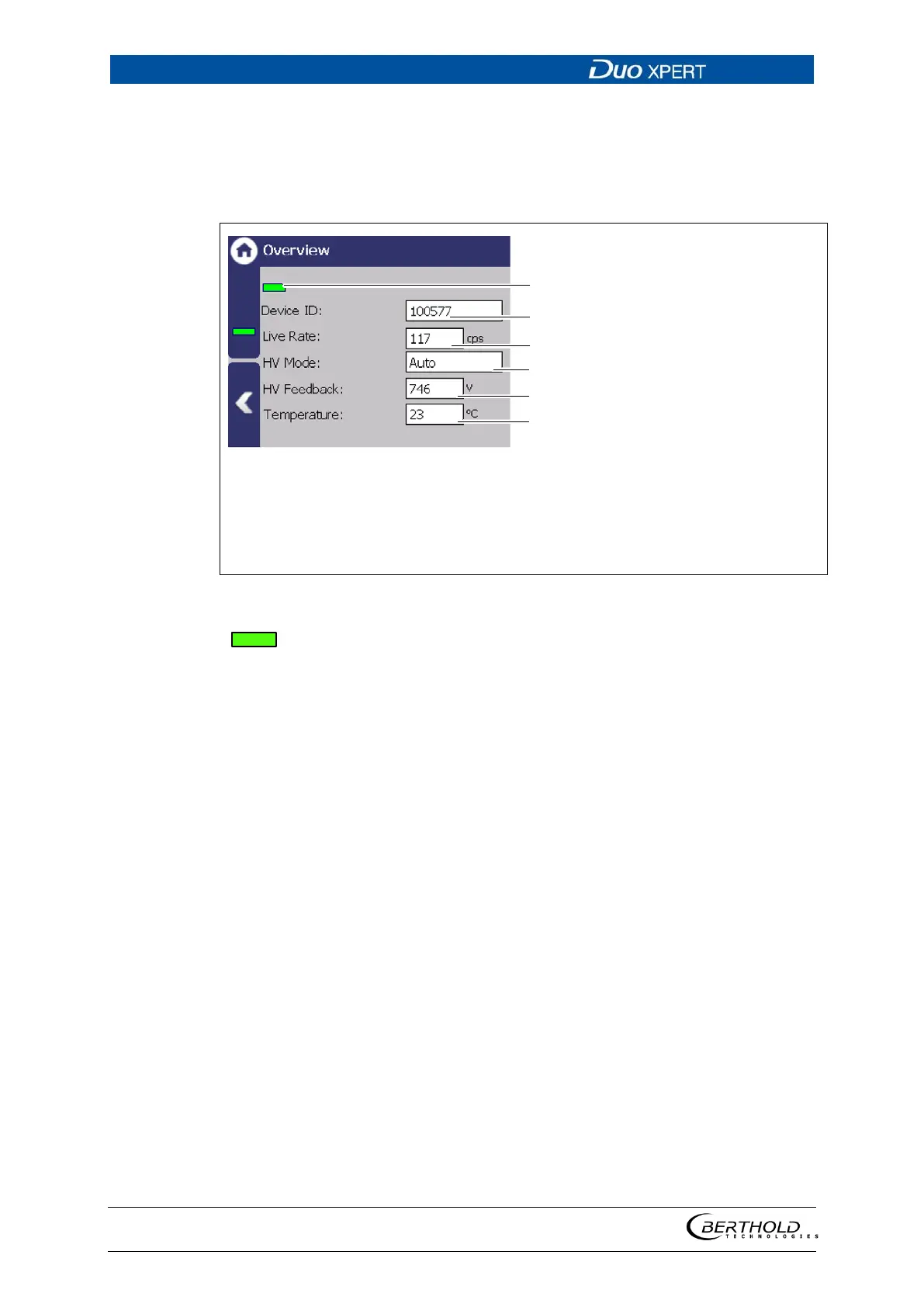
Detector settings: Overview
Device settings | Setup | Sensors | [NAME DETECTOR] | Overview
All important parameters and measured values of the detector are clearly displayed
in the submenu "Overview".
Status information of the detector
Device ID
Live rate [cps]
HV mode
HV feedback [V]
Temperature [°C]
63 Overview detector information
A green bar appears with error-free status of the detec-
tor (Fig. 63, item 1).
Shows the ID of the detector.
The "Live count rate" (Fig. 63, item 3) displays the cur-
rent, unfiltered count rate.
In the field "HV mode" (Fig. 63, item 4), the HV mode
is displayed, which is chosen under Device settings |
Setup | Sensors | | NAME DETECTOR] | High voltage | HV
settings.
The field "HV Feedback" (Fig. 63, item 5) displays the
actual measured value in volts.
The field "Temperature" (Fig. 63, item 6) indicates the
current temperature of the detector in C°.



 To Next Page