7 Main Menu Device Setup LB 470 Level
56925BA2 Rev. 03, 11/2017
Plateau Settings
Device settings | Setup | Sensors | [NAME DETECTOR] | Plateau | Plateau settings
The values in the submenu "Plateau settings" are pre-set by Berthold on delivery
and can be used in most situations.
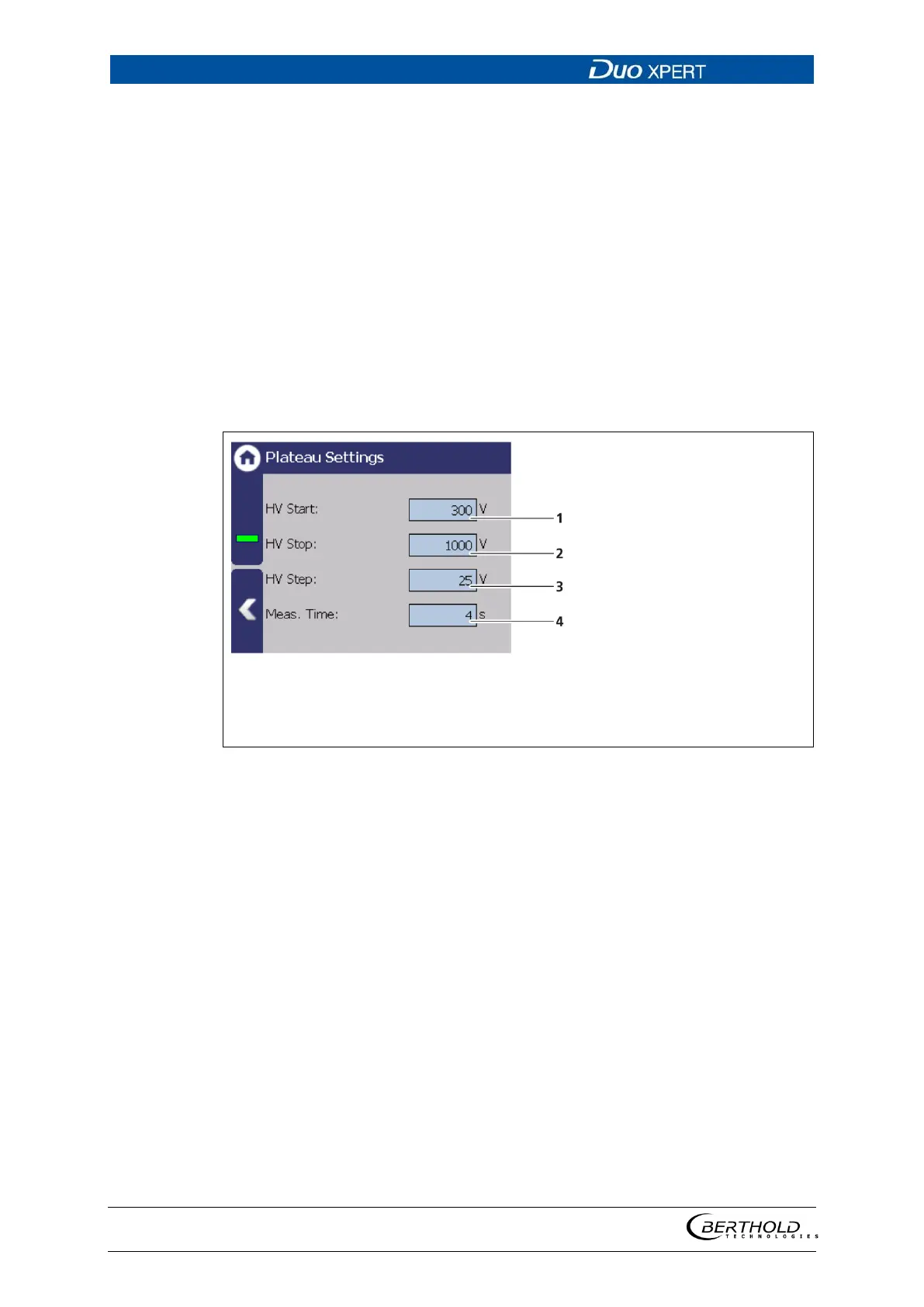
You have the following settings options in the submenu "Plateau Settings":
Defining the range of the plateau recording.
Specifies the step (interval) between two meas-
uring points.
Identifies the time that is used per measuring
point for the counting of the count rate.
Input field HV start value in volts
Input field HV end value in volts
Input field HV increment in volts
Input field measuring time in seconds
65 Plateau settings
1. Click on the corresponding text field.
The input field opens.
2. Change to the keypad and enter the value.
3. Confirm with the Enter key.
The values for the recording plateau have been changed.



 To Next Page