BD / BF / ED / FD / FED (E3.1) 02/2022 page 27/116
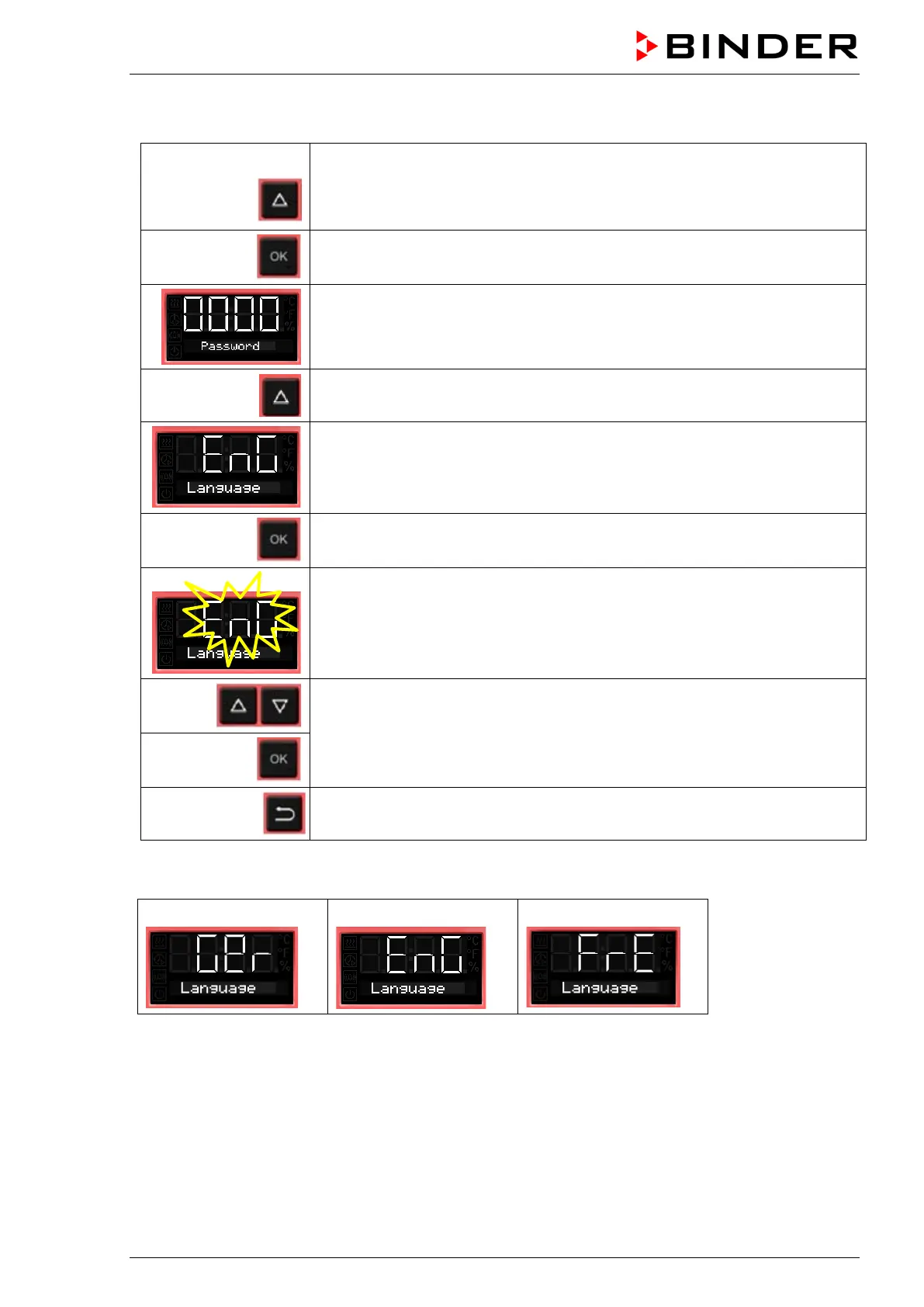
6.3 Setting the menu language
From Normal display
without fan 5x
with fan 6x
with the arrow-up button to the user menu
Confirm with OK.
Enter the password (factory setting: 00 00)
and confirm each entry with OK.
4 x
with the arrow-up button to the language setting menu.
The current menu language is shown.
Press OK to select the menu language.
The setting flashes.
Select the setting with the arrow buttons
and confirm with OK.
2x
Back to Normal display.
There are the following options:
German:
English:
French:



 To Next Page