BD / BF / ED / FD / FED (E3.1) 02/2022 page 51/116
8.4.2 Changing the settings
After the timer expired, the timer function „Delayed On“ deactivates, therefore turning the function off is not
required.
As long as the timer is still running, the timer function settings can be subsequently modified in this menu.
To terminate the timer function, all time values (days, hours, minutes) must be set to zero in the according
menu.
Changing or terminating the timer function when the timer is running:
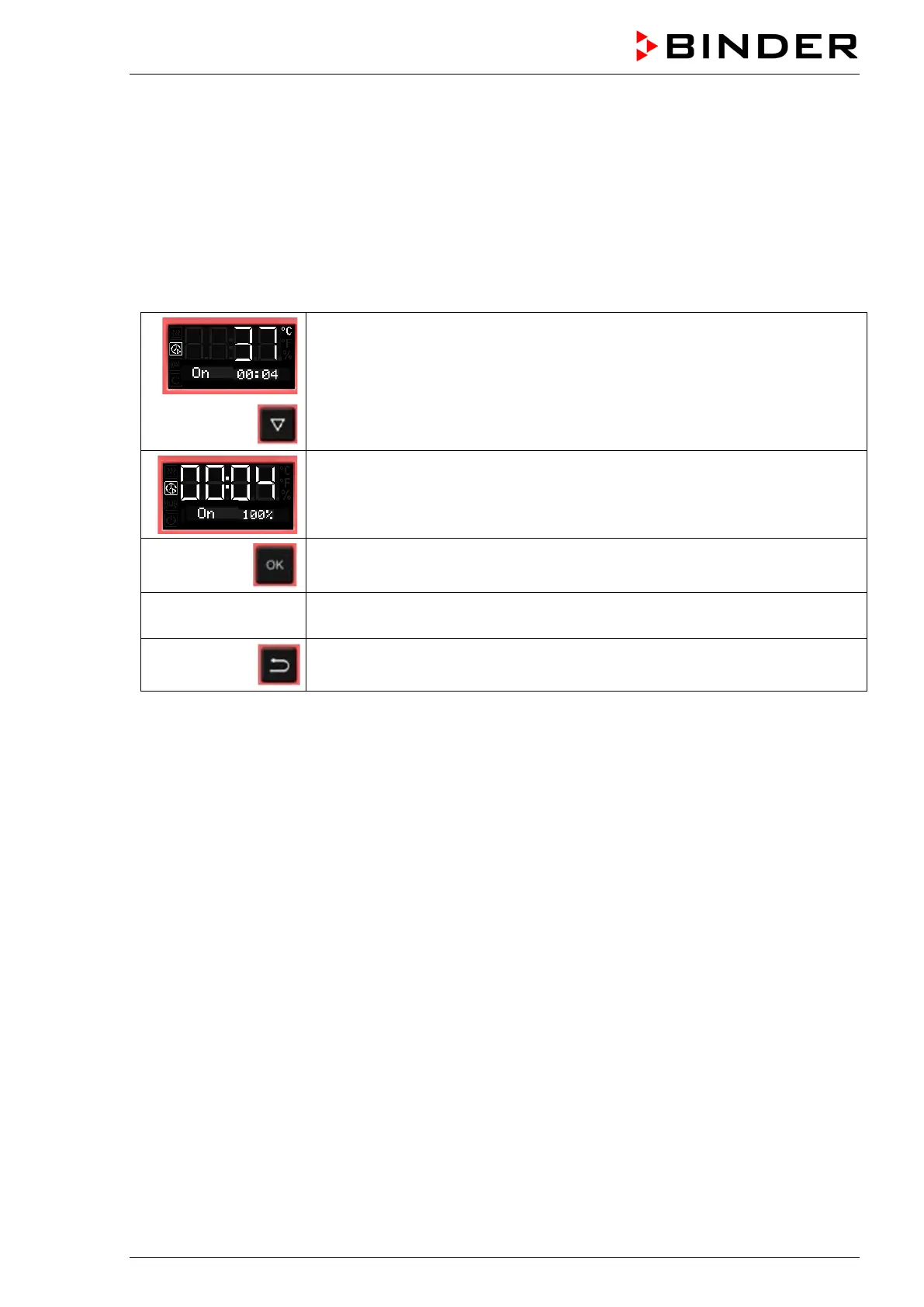
From Normal display during timer operation
2 x
with the arrow-down button to the Timer function “Delayed On” menu.
(with connected USB device: press the arrow-down button 3 times)
Timer function “Delayed On”, the timer is running.
The fan operates with the selected fan speed.
Confirm the timer function “Delayed On” with OK
see chap. 8.4.1
Modify the time values or set all time values to zero to terminate the timer
function
2x
Back to Normal display.
8.5 Temperature programming example (BF, FED)
The chamber shall heat up to a temperature of 50 °C, maintain this temperature for three hours and then
turn off.
Proceeding: Select timer function “Temperature dependent Delayed Off“ (chap. 8.3) and perform the fol-
lowing settings:
• Enter a timer run-time of 3 hours
• Enter the set point 50 °C
• Specify the fan speed after the timer expires



 To Next Page