BD / BF / ED / FD / FED (E3.1) 02/2022 page 42/116
General information on the setting:
In the setting menus of the timer functions, it is always required to confirm all parameters with OK, other-
wise all entries made will be lost.
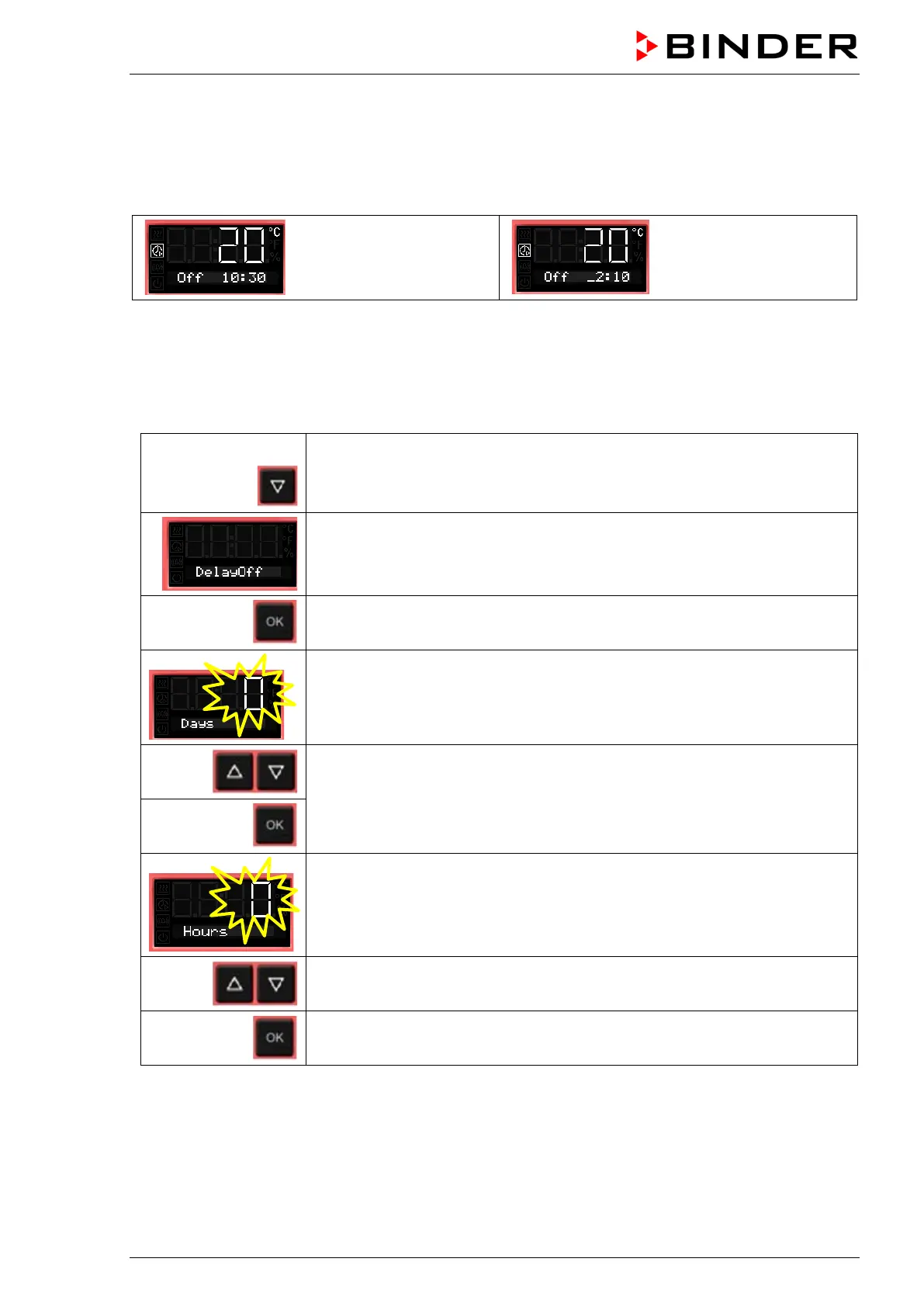
Timer run-time is set in days, hours, and minutes. If days have been entered, they are shown in the
controller display preceded by an underscore:
Setting:
0 days (not shown),
10 hours, 30 minutes
Setting:
2 days, 10 hours
(minutes not shown)
8.2 Timer function “Delayed Off”
8.2.1 Entry and activation of the timer run-time and fan setting
From Normal display
with the arrow-down button to the Timer function “Delayed Off” menu
(with connected USB device: press the arrow-down button twice)
Current Timer function “Delayed Off”
Confirm with OK and go on to enter the days of the timer run-time.
The current timer run-time (days) is shown. The day value flashes.
Enter the days of the timer run-time (0 up to 9)
confirm with OK
and go on to enter the hours of the timer run-time
The hour value flashes.
Enter the hours of the timer run-time (0 up to 23)
confirm with OK
and go on to enter the minutes of the timer run-time



 To Next Page