65
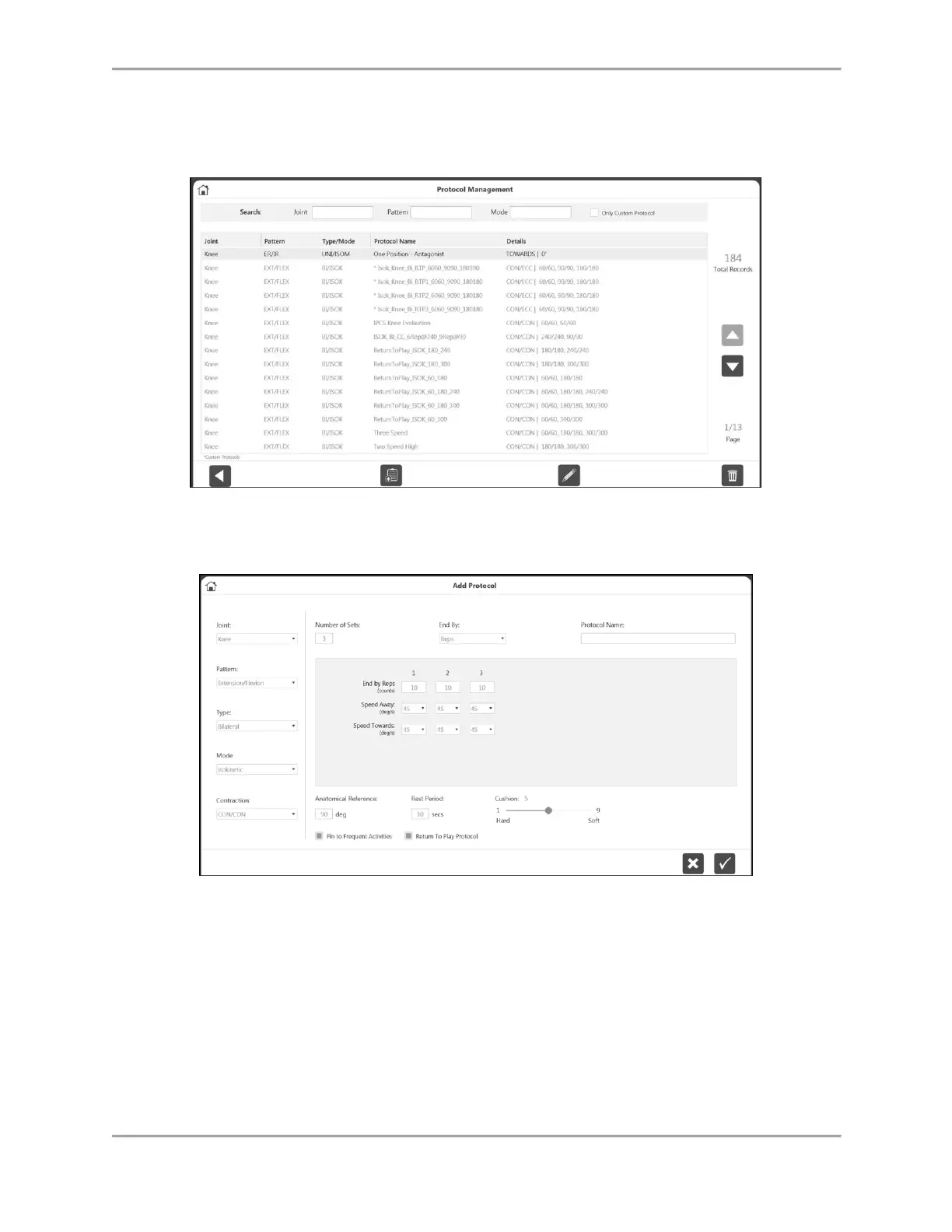
If you prefer to create your own RTP Protocol rather than using one of the built-in RTP Protocols:
1. On the Home screen, select Utilities.
2. Select Protocol Management.
3. Select the Add icon (must be Knee, Bilateral, and either Isokinetic or Isometric).
4. Enter a name in the Protocol Name field.
5. Adjust the speed if necessary using the Speed Away and Speed Towards drop-down
menus.
6. Make sure the Return to Play Protocol box is selected (green).
7. Select the OK icon to continue performing the test.
NOTE: Selecting a RTP Protocol already in the system will ensure that
you are provided with normative data and goals.
NOTE: A RTP Protocol can also be created by using the (+) icon on the Activity Setup
screen.
NOTE: The ability to associate goals to RTP protocols other than the current built-in
protocols is not available in this release. That capability is planned for a future release.
Until then, we suggest using the built-in protocols.



 To Next Page