75
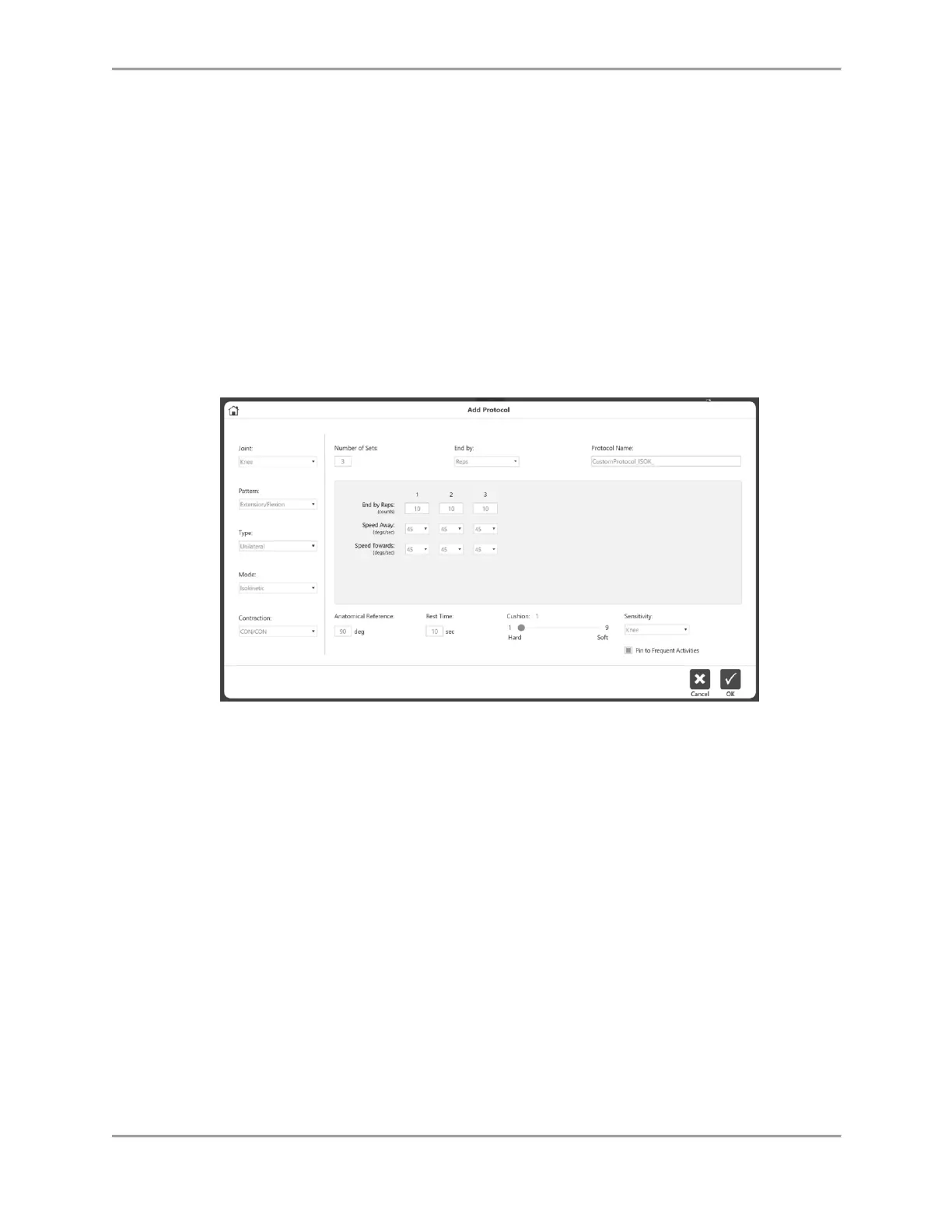
Add Protocol
1. On the Protocol Management screen, click the Add icon.
2. Select the Joint, corresponding Pattern, Type, Mode, and Contractions.
3. Enter a value for Number of Sets. This will create columns for Sets.
4. Choose the End By option – Reps, Work, Time.
5. Enter the values for each set in the middle section of the screen. Different information
will be required depending on the type of Mode and Contractions.
6. Enter other information such as Anatomical Reference, Rest Time, Cushion, Sensitivity
and Pin to Frequent Activity.
NOTE: The default, joint-based attachment sensitivity settings can be changed.
NOTE: Adding to the Frequent Activity list allows quick access the protocol
during the setup.
7. Enter a Protocol Name. It must be a unique name, otherwise error messages will appear.
View/Edit Protocol
1. On the Protocol Management screen, Select a protocol from the list and click on
View/Edit button.



 To Next Page