28 CT-600-2
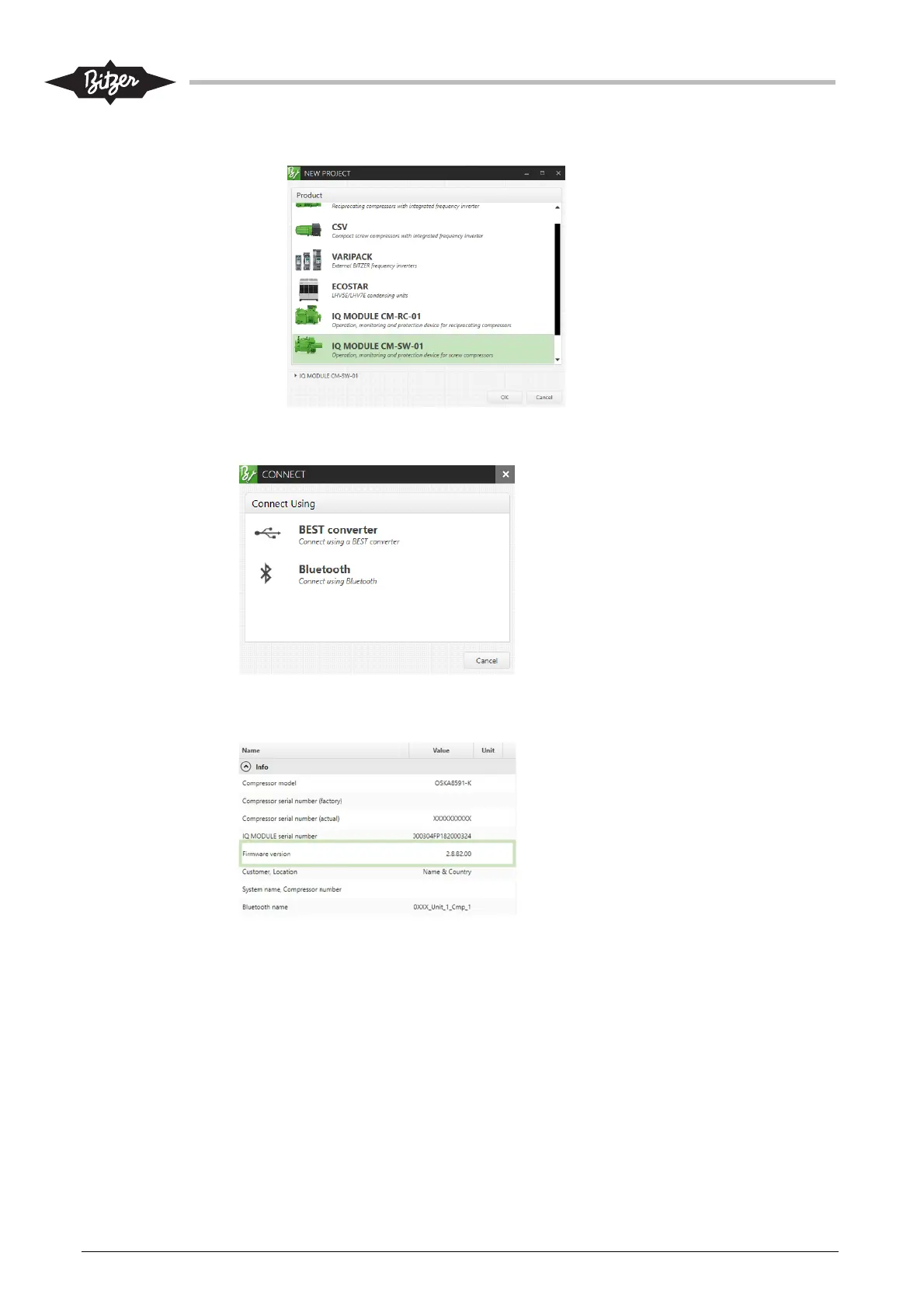
4. Select IQ Module CM-SW-01-01 in the new project window.
5. Connect BEST converter between PC and CM-SW-01 or CM-IO module (connection CN 14).
6. Select Connect\BEST converter.
7. Wait for connection to establish.
8. Check Overview \ Firmware version. Firmware version must be 2.8.82.00 or newer (higher).
9. If necessary, update firmware by selecting “Update Firmware” from the top menu bar.



 To Next Page