CT-600-2 47
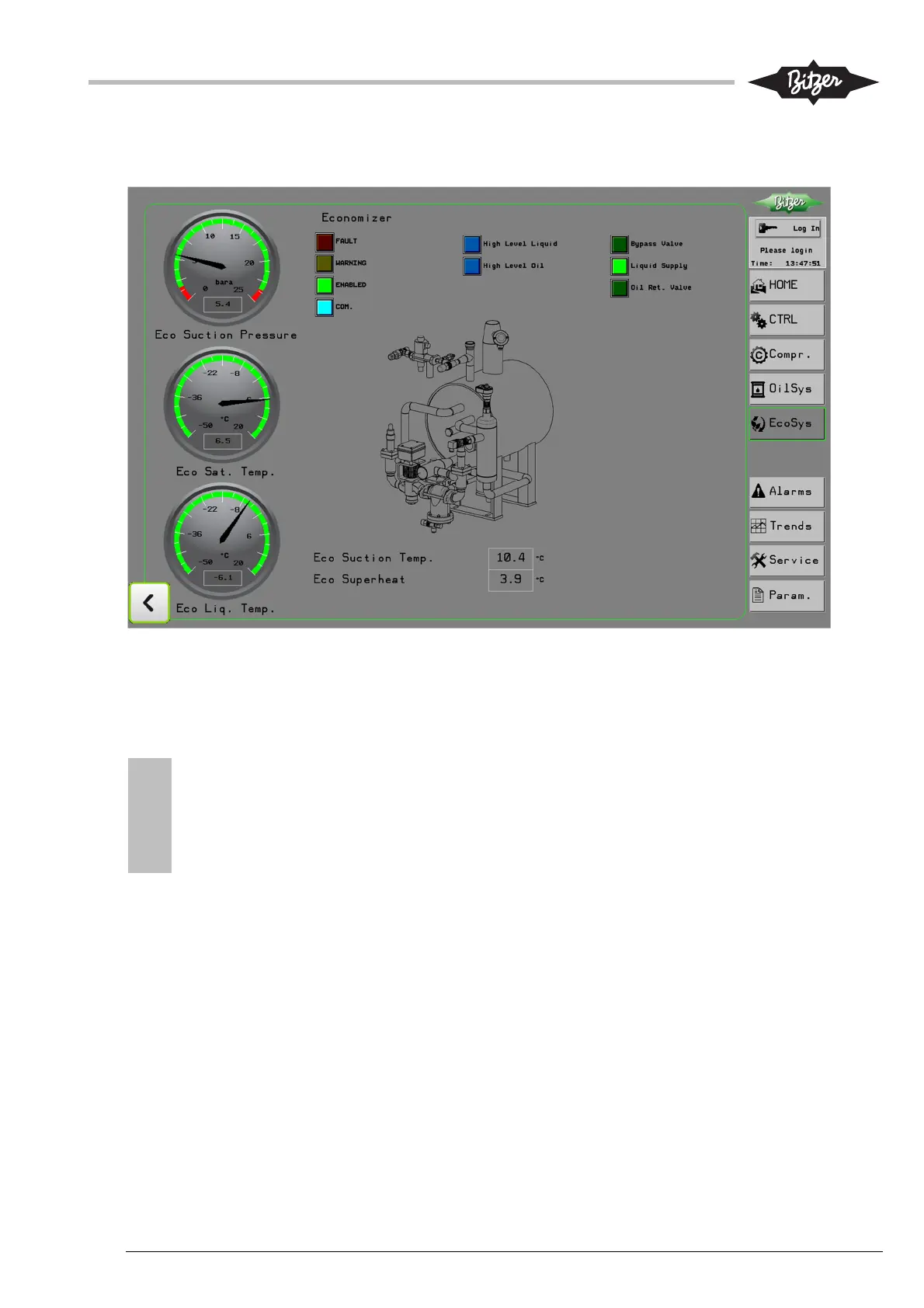
10.6 Economizer system screen (EcoSys)
This screen shows status and key parameters of the economizer system (optional).
10.7 Alarms and warnings screen (Alarms)
The first page in the alarms section shows the active alarms, meaning the conditions causing them are not
yet rectified or the alarms are not yet reset. This is indicated by a red background for the alarm text. Alarms
will move to alarm history, after reset. Most alarms will automatically reset.
NOTICE
When the same alarm appears repeated within a certain time window, it will not reset automatically,
but require a manual reset, in order to urge the user to identify and solve the root cause first.
Certain alarms from the compressor module (CM-SW-01) will always require manual reset or even a
power-cycle of the module. Manual reset can be done with the “Reset All” button above the alarm
table. The button for manual reset is only available (and visible) after login (any level).
See section 13.1 for parameters regarding alarm reset. Also available above the alarm list are buttons that
link to the alarm history and list with active warnings.
The alarm history page looks similar as the page for active alarms. The last 100 alarms will be shown in a
table. Alarms that are reset have a green background. Active alarms will show with a red background.
The Active warnings and Warning History page show active and historical warnings, similarly to the alarm
pages. The warnings reset automatically, when the condition causing the warning is restored.
!
!



 To Next Page