32 CT-600-2
9.4 Configuration, compressor modules (CM-SW-01)
The configuration of the compressors module is done using the BEST software. Depending on ACP model
and firmware version, some parameters can only be set by BITZER. Please contact BITZER if necessary.
1. Connect to the Module with the BEST software. More information can be found in section 8.4.
2. Alternatively use the Bluetooth connection to connect. Default Bluetooth password: “8670”.
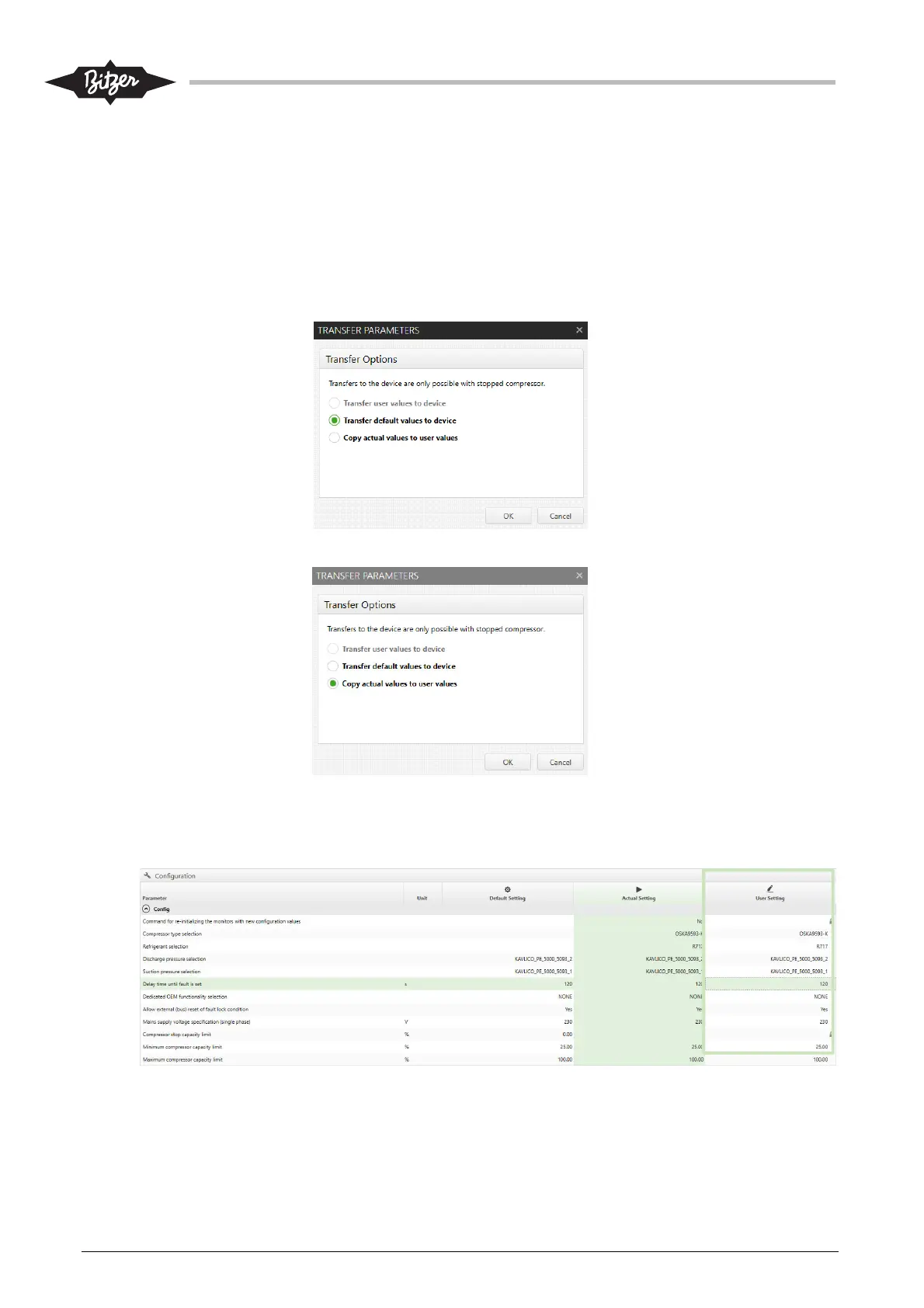
3. If the CM-SW-01 module is completely new: Transfer\Transfer default values to device
This is done because new development of firmware may include changes to default values.
4. Copy actual values to user values.
5. Modify various values manually in the right column (User Setting). Use parameters from tables in
section 13.3 for reference to setup correct values. Compressor type and Modbus address must be set
according to type and place on actual ACP.



 To Next Page