Page 17
877-877-2269 | blackbox.com
Chapter 3: Installing the Router
4. Quick Installation Guide
This chapter will show you how to configure the basic functions of your Gigabit Dual Band Router - 802.11ac Wi-Fi using the
Quick Setup Wizard within minutes.
4.1 TCP/IP Configuration
The default IP address of the router is 192.168.1.1 and the default Subnet Mask is 255.255.255.0. These values can be changed as
you desire. In this guide, we use all the default values for description.
Connect the local PC to the LAN ports of the router and then you can configure the IP address for your PC by the following
method: Set up the TCP/IP Protocol in “Obtain an IP address automatically” mode on your PC. If you need instructions for how to
do this, refer to Appendix B: Configuring the PC. Then the built-in DHCP server will assign IP address for the PC.
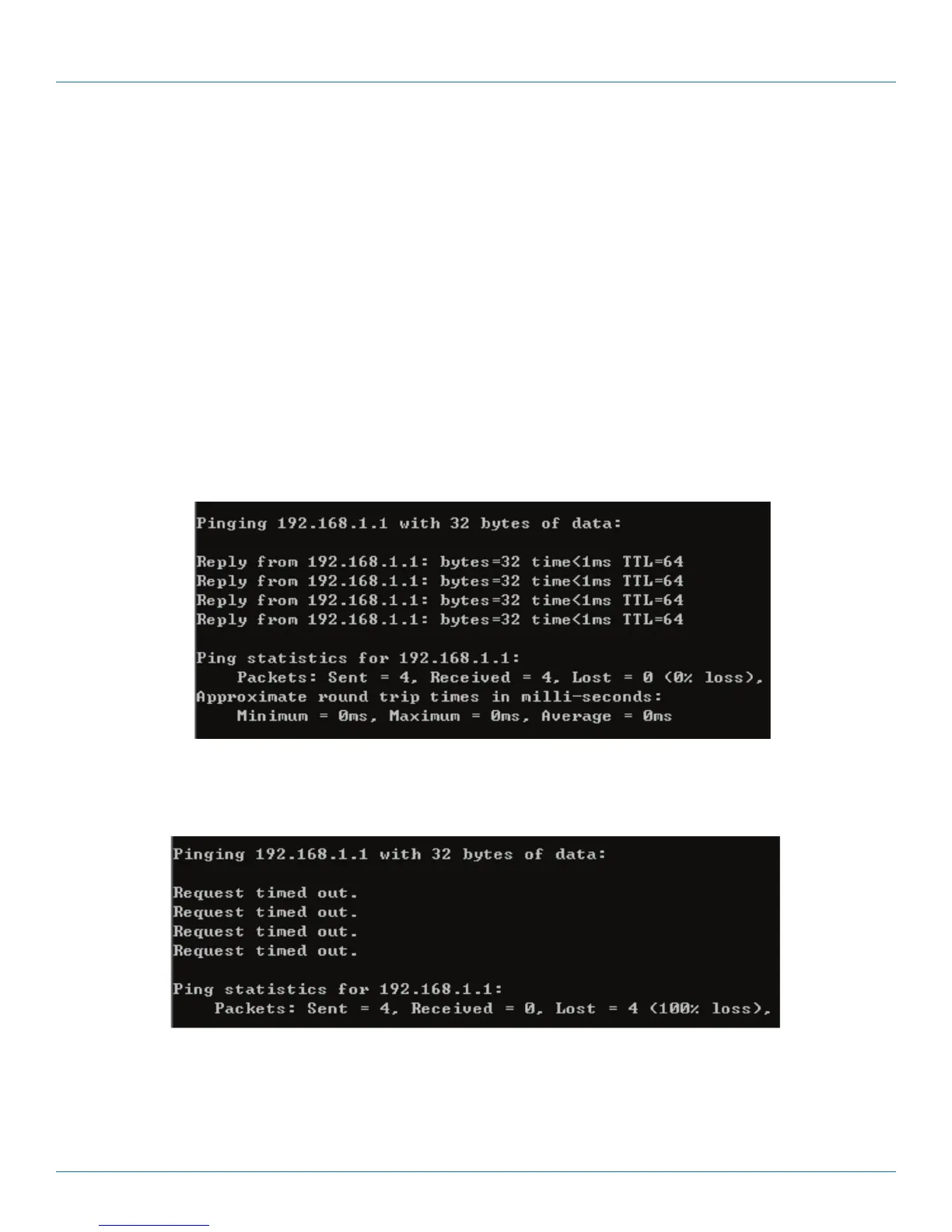
Next, run the Ping command in the command prompt to verify the network connection between your PC and the router. The fol-
lowing example is in Windows XP OS.
Open a command prompt, type ping 192.168.1.1, and then press Enter.
• If the result displayed is similar to Figure 3-1, the connection between your PC and the router has been established well.
Figure 4-1. Screen showing successful ping results.
• If the result displayed is similar to Figure 3-2, the connection between your PC and the router failed.
Figure 4-2. Screen showing failed ping results.



 To Next Page