877-877-2269 | blackbox.com
Page 102
Chapter 5: Configuring the Router
This type is used when your WAN connection is IPv4 and the LAN connection is IPv6.
• WAN Connection - Display the available wan connection.
Click the Save button to save your settings.
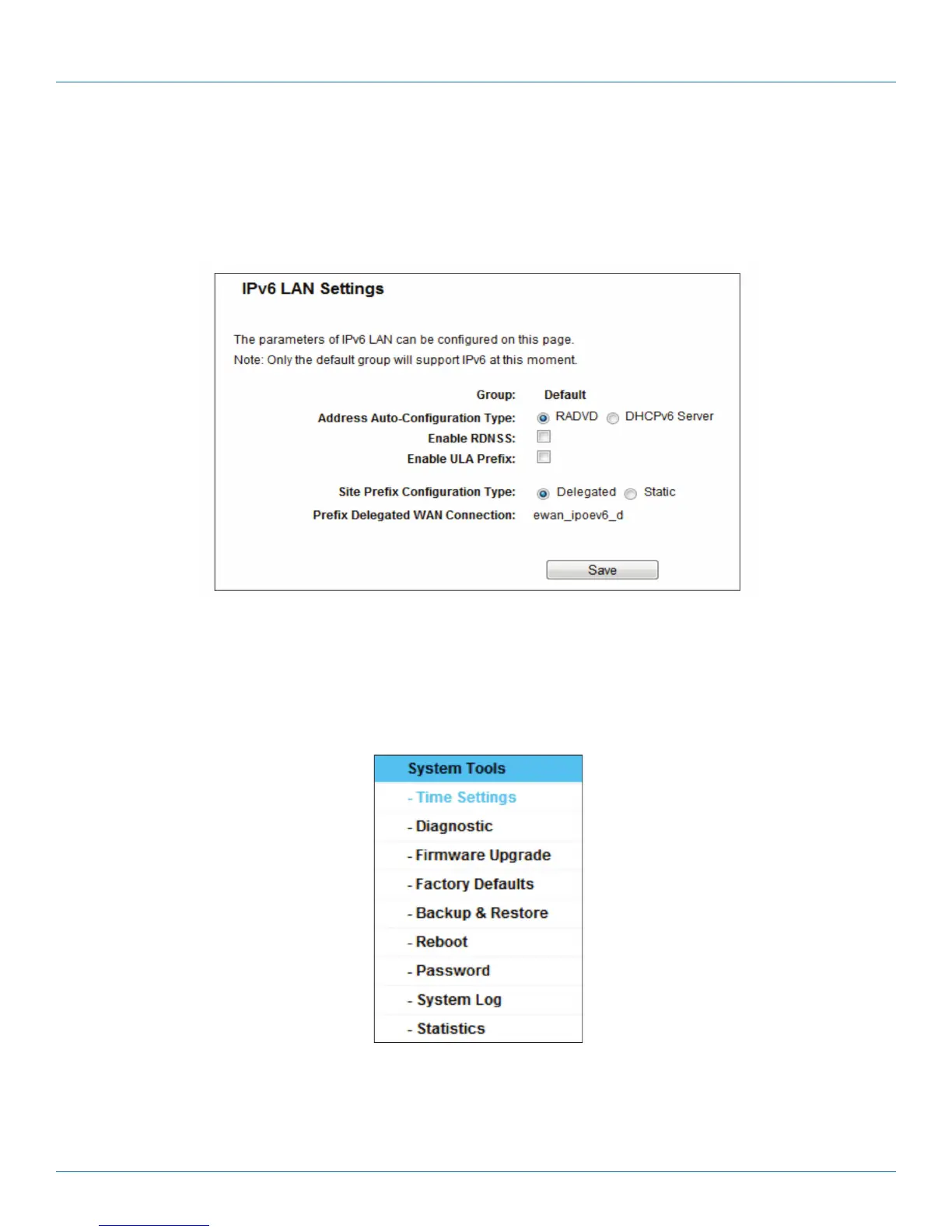
5.20.3 IPv6 LAN
Figure 5-113. IPv6 LAN.
• Address Auto-Configuration Type—Choose the IPv6 address auto-configuration type, either RADVD or DHCPv6 Server.
• Site Prefix Configuration Type—Choose the site prefix configuration type, either Delegated or Static.
5.21 System Tools
Figure 5-114. The System Tools menu.
Choose “System Tools,” then you can see the submenus under the main menu: Time Settings, Diagnostic, Firmware Upgrade,
Factory Defaults, Backup & Restore, Reboot, Password, System Log and Statistics. Click any of them, and you will be able to con-
figure the corresponding functions. Detailed explanations for each submenu are provided next.



 To Next Page