Page 93
877-877-2269 | blackbox.com
Chapter 5: Configuring the Router
5.18.1 Binding Settings
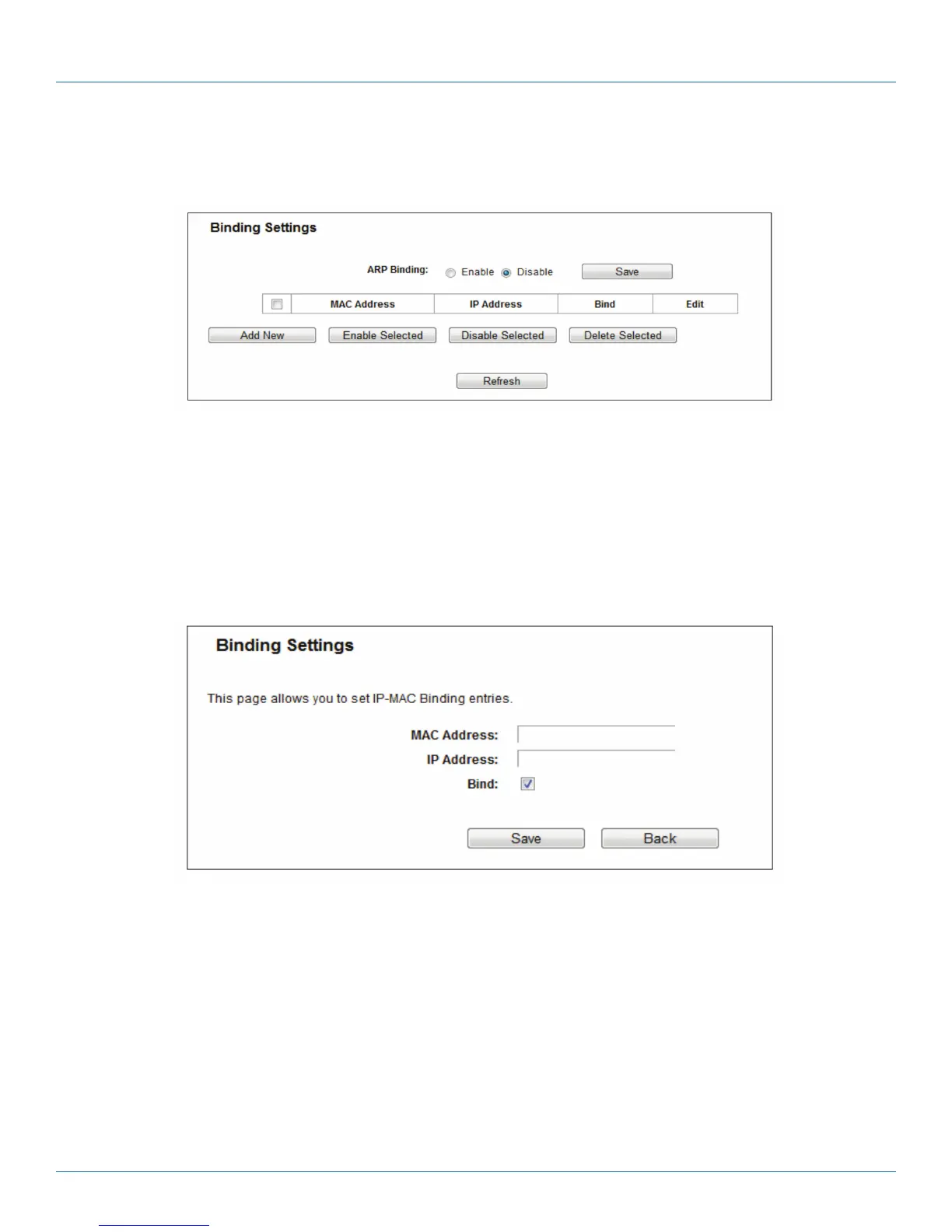
This page displays the IP & MAC Binding Setting table.
Figure 5-100. Binding Setting.
• MAC Address—The MAC address of the controlled computer in the LAN.
• IP Address—The assigned IP address of the controlled computer in the LAN.
• Bind—Check this option to enable ARP binding for a specific device.
• Edit—Edit or delete an existing entry.
When you want to add or modify an IP & MAC Binding entry, you can click the Add New button or Edit button, and then you
will go to the next page. This page is used for adding or modifying an IP & MAC Binding entry.
Figure 5-101. IP & MAC Binding Setting (Add & Modify).
To add IP & MAC Binding entries, follow the steps below.
1. Click the Add New button as shown in Figure 5-100.
2. Enter the MAC Address and IP Address.
3. Select the Bind checkbox.
4. Click the Save button to save it.
To modify or delete an existing entry, follow the steps below.
1. Find the desired entry in the table.
2. Click Edit or Delete in the Edit column.



 To Next Page