Page 71
877-877-2269 | blackbox.com
Chapter 5: Configuring the Router
3. Click the Scan Now button to scan all the share folders immediately. You can also select the Auto-scan, and at the same time,
select an auto scan interval time from the drop-down list. In this case, the media server will auto scan the share folders.
NOTE: The max share folders number is 6. If you want to share a new folder when the number has reached 6, you can delete a
shared folder and then add a new one.
5.11 NAT
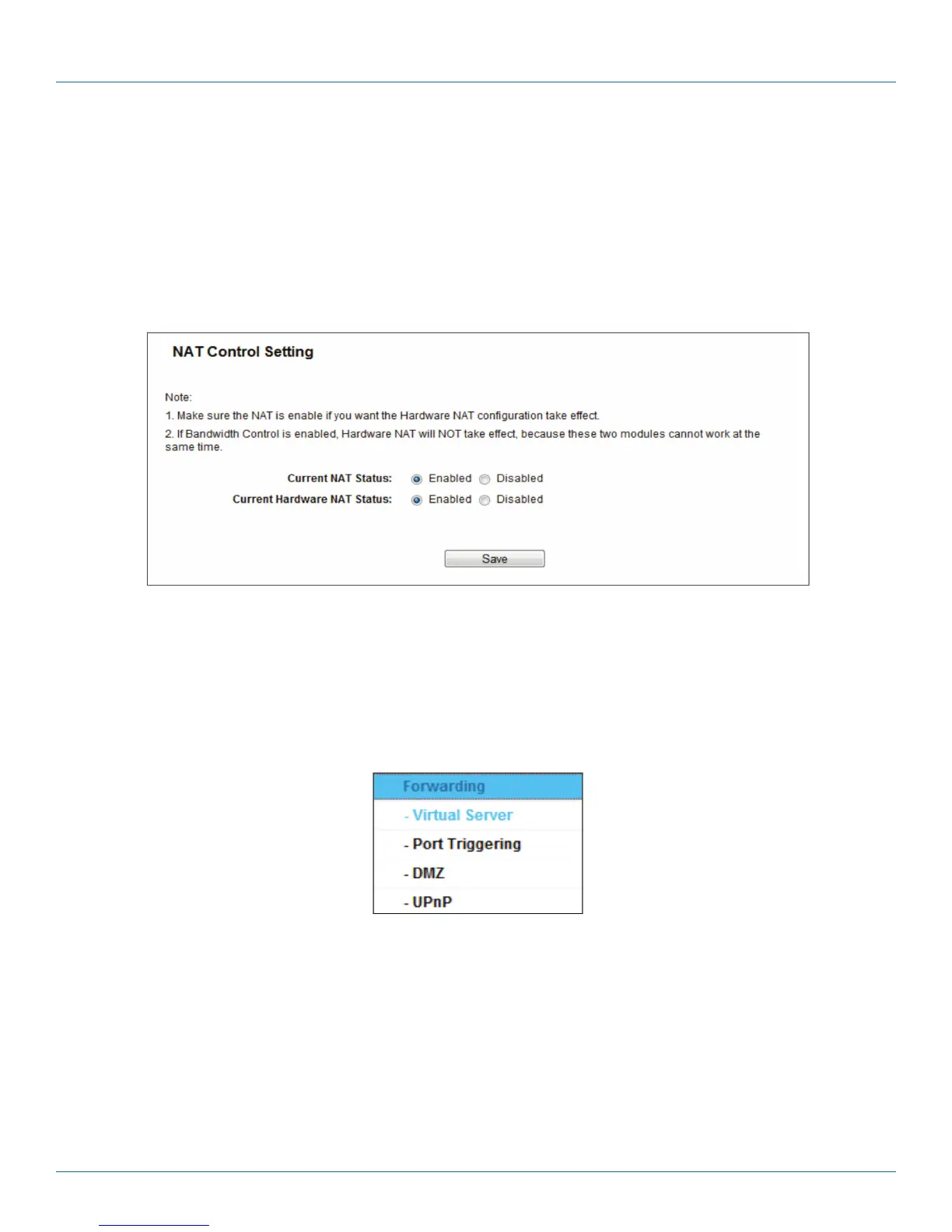
Choose “NAT,” then you can enable or disable the NAT and Hardware NAT Control feature. The NAT Rules and Hardware NAT
will work properly only when the NAT Control feature is enabled.
Figure 5-63. NAT Control Setting screen.
• Enable NAT Control—If enabled, the NAT function and the Forwarding configuration will take effect.
• Disable NAT Control—If disabled, neither NAT function nor Forwarding configuration will take effect.
• Enable Hardware NAT Control—If enabled, the Hardware NAT feature will take effect.
• Disable Hardware NAT Control—If disabled, neither Hardware NAT feature will take effect.
5.12 Forwarding
Figure 5-64. The Forwarding menu.
There are four submenus under the Forwarding menu: Virtual Servers, Port Triggering, DMZ, and UPnP. Click any of them, and
you will be able to configure the corresponding function.
5.12.1 Virtual Servers
Choose “Forwarding―Virtual Servers,” then you can view and add virtual servers on this page. You can use virtual servers for set-
ting up public services on your LAN. A virtual server is defined as a service port, and all requests from Internet to this service port
will be redirected to the computer specified by the server IP. Any PC that was used for a virtual server must have a static or
reserved IP address because its IP address may change when using the DHCP function. If you want the Virtual Servers configura-
tion to take effect, make sure the NAT is enabled.



 To Next Page