877-877-2269 | blackbox.com
Page 70
Chapter 5: Configuring the Router
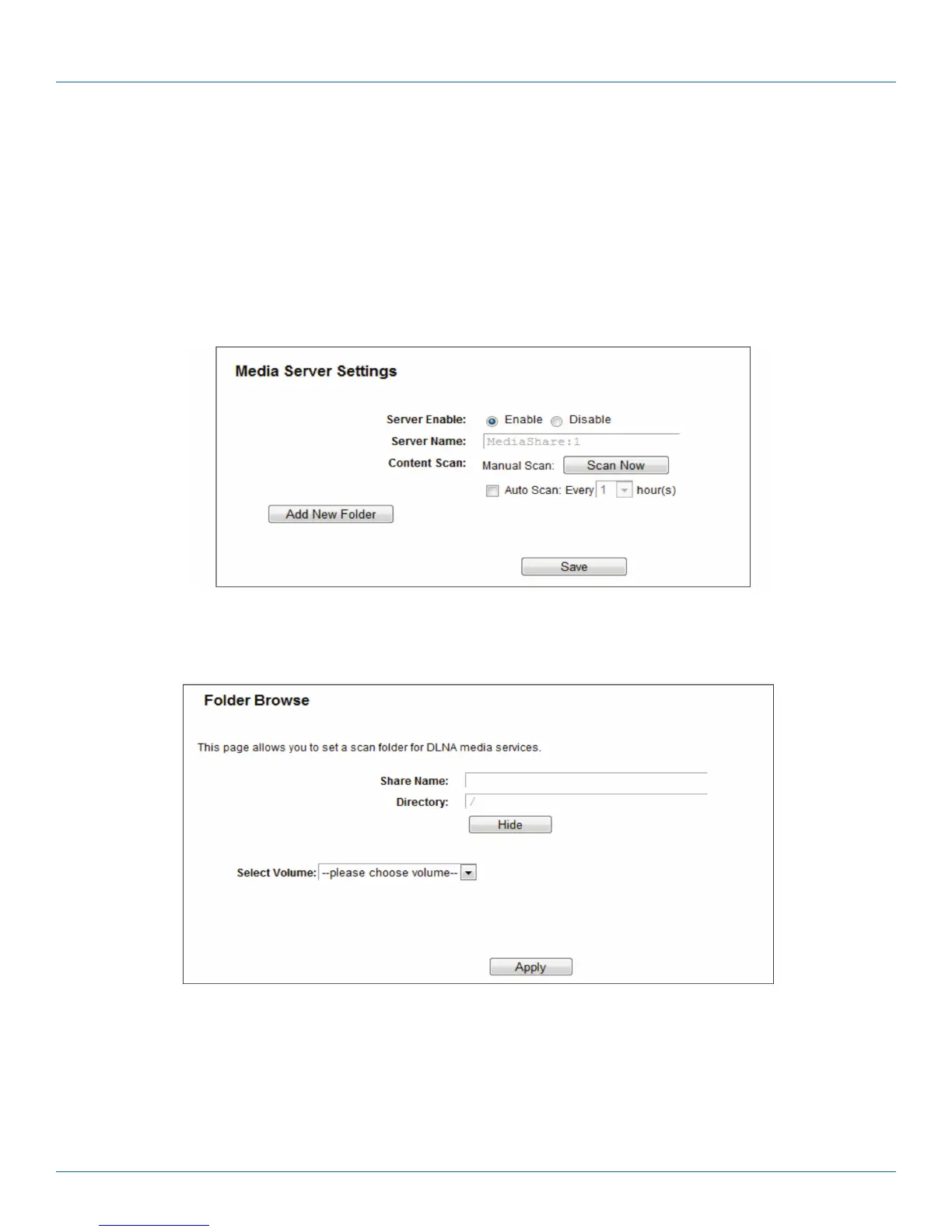
• Server Name—The name of this Media Server.
• Share Name—The display name of this folder.
• Folder Name—The real full path of the specified folder.
• Delete—You can delete the share folder by clicking Delete.
To set up your media server, follow the instructions below:
1. Plug an external USB hard disk drive or USB flash drive into this router, and then click the Enable button to start the media
server. The screen will appear as shown in Figure 5-61.
Figure 5-61. Add New Folder.
2. Click the Add New Folder button to specify a folder as the search path of media server. The screen will then appear as shown
in Figure 5-62.
Figure 5-62. Folder Browse screen.
• Share Name—You can enter a display name for the share folder.
• Directory—Displays the location of this folder.
• Browse—Click the button to select the folder to share.
• Apply—Click the button to save your settings.



 To Next Page