Page 67
877-877-2269 | blackbox.com
Chapter 5: Configuring the Router
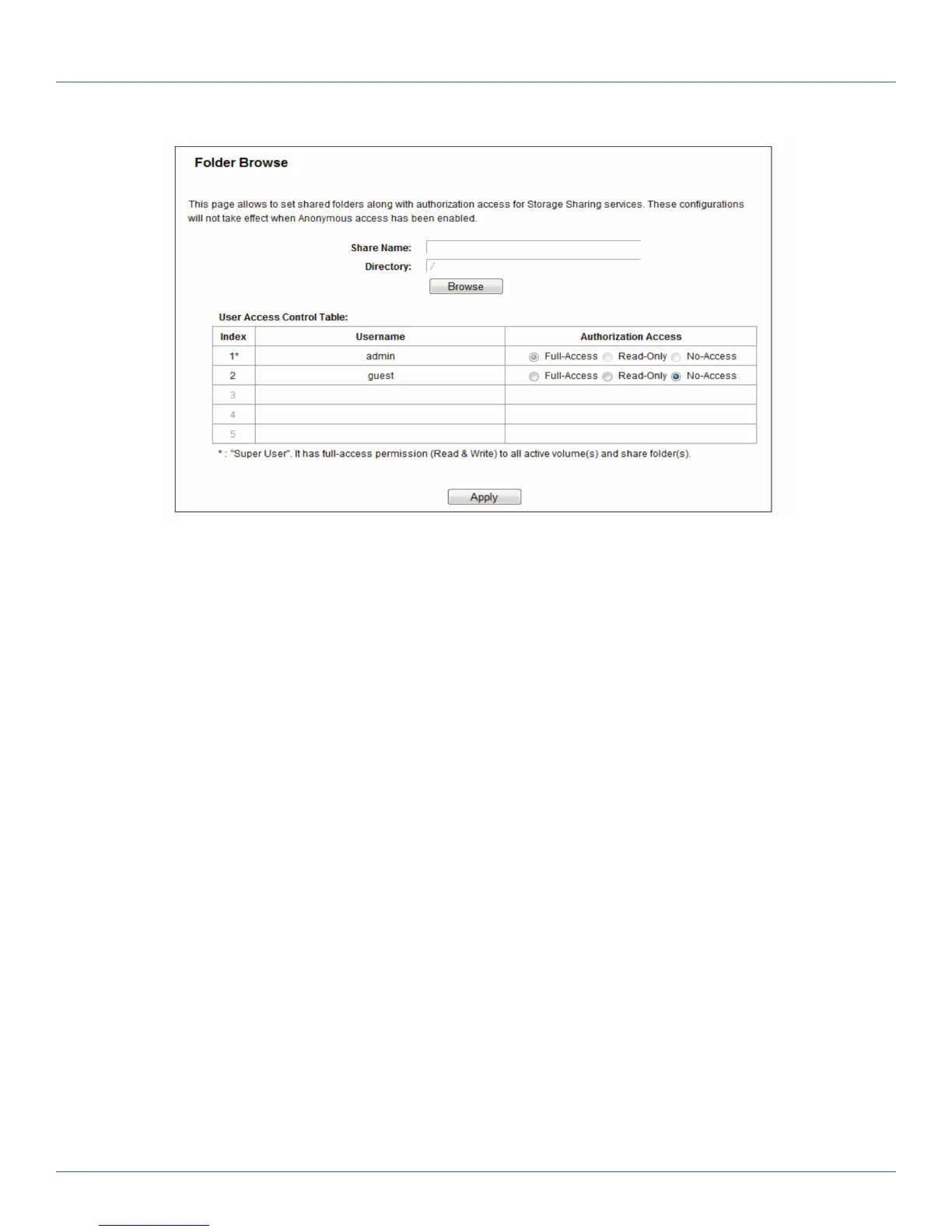
Figure 5-57. Add or Modify Share Folder screen.
2. Enter the display name of the shared folder in Shared Name field.
3. Click the Browse button to select the folder that you want to share.
4. Click the Apply button to save the settings.
NOTES:
1. The max shared folders number is 10. If you want to share a new folder when the number has reached 10, you can delete an
existing shared folder and then add a new one.
2. If you want to change the FTP settings, you need to restart FTP Server to make the changes take effect.
Click the Enable Selected button to make the selected entries enabled.
Click the Disable Selected button to make the selected entries disabled.
Click the Delete Selected button to delete the selected entries.
Click the Apply button to make the settings take effect.
5.10.4 FTP Server
Choose “USB Settings―FTP Server,” then you can create an FTP server that can be accessed from the Internet or your local net-
work.



 To Next Page