877-877-2269 | blackbox.com
Page 46
Chapter 5: Configuring the Router
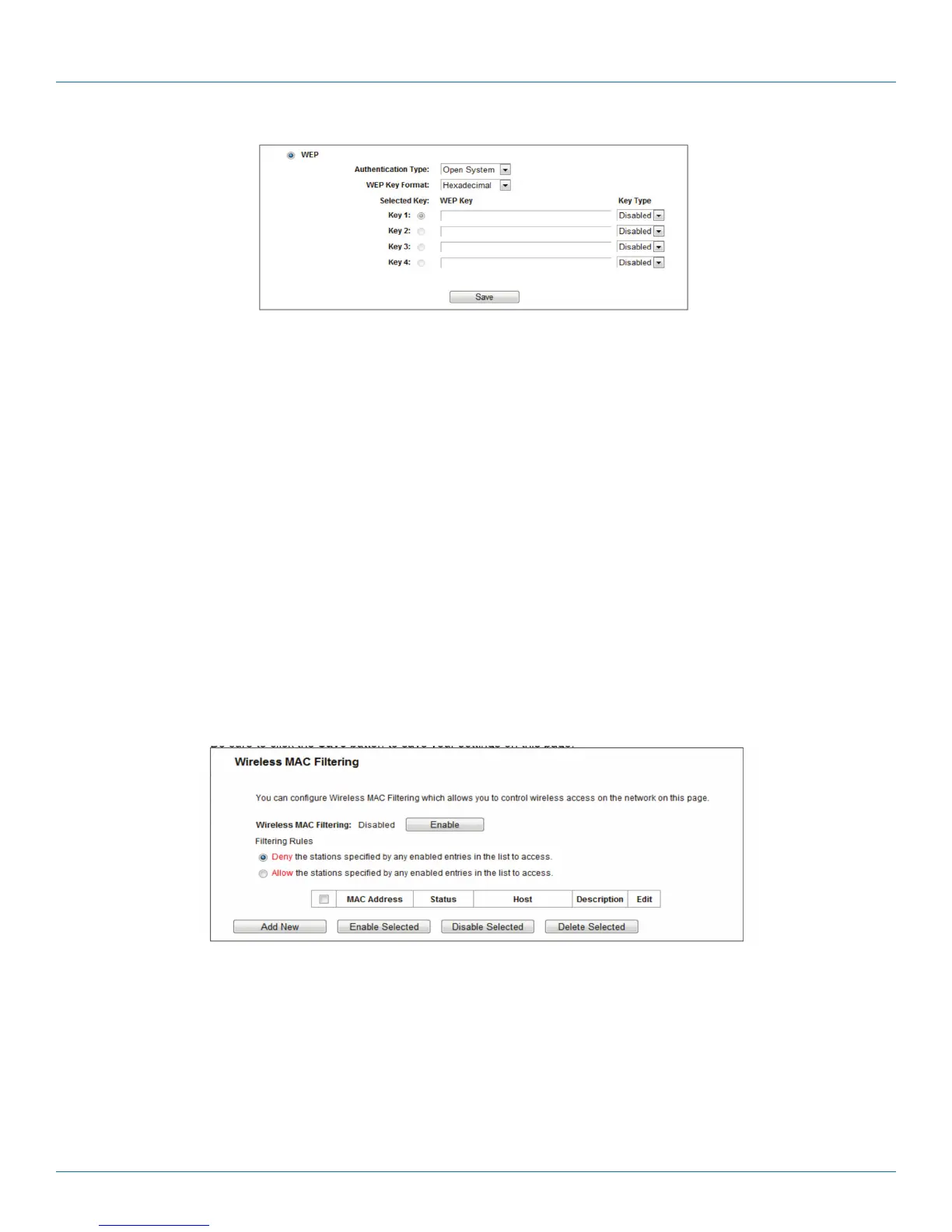
Figure 5-24. WEP.
- Authentication Type—you can choose the type for the WEP security on the drop-down list. The default setting is Auto, which
can select Shared Key or Open System authentication type automatically based on the wireless station‘s capability and request.
- WEP Key Format—Hexadecimal and ASCII formats are provided here. Hexadecimal format stands for any combination of hexa-
decimal digits (0–9, a–f, A–F) in the specified length. ASCII format stands for any combination of keyboard characters in the
specified length.
- WEP Key—Select which of the four keys will be used and enter the matching WEP key that you create. Make sure these values
are identical on all wireless stations in your network.
- Key Type—You can select the WEP key length (64-bit, or 128-bit, or 152-bit.) for encryption. “Disabled” means this WEP key
entry is invalid.
64-bit—You can enter 10 hexadecimal digits (any combination of 0–9, a–f, A–F, zero key is not promoted) or 5 ASCII characters.
128-bit—You can enter 26 hexadecimal digits (any combination of 0–9, a–f, A–F, zero key is not promoted) or 13 ASCII
characters.
NOTE: If you do not set the key, the wireless security function is still disabled even if you have selected Shared Key as
Authentication Type.
Be sure to click the Save button to save your settings on this page.
Figure 5-25. Wireless MAC filtering.
5.6.4 Wireless MAC Filtering
Choose “Wireless 2.4GHz —> Wireless MAC Filtering”, then you can control the wireless access by configuring the Wireless MAC
Filtering function.



 To Next Page