Page 61
877-877-2269 | blackbox.com
Chapter 5: Configuring the Router
• Allow Guest To Access My Local Network—If enabled, guests can communicate with hosts.
• Allow Guest To Access My USB Storage Sharing—If enabled, guests can access to USB storage sharing servers.
• Guest Network Isolation— If enabled, guests are isolated from each other.
• Guest Network Bandwidth Control—If enabled, the Guest Network Bandwidth Control rules will take effect.
• Band Select/Guest Network—Select the wireless network band (2.4 G / 5 G) and enable or disable its Guest Network function.
• Network Name—Enter a value of up to 32 characters. The same Name (SSID) must be assigned to all wireless devices in your
Guest Network.
• Max Guest number—The maximum number of guests at the same time.
• Security—You can configure the security of the Guest Network here.
• Access Time—During this time the wireless stations can access the AP.
NOTE: The range of bandwidth for Guest Network is calculated according to the “Bandwidth Control->Control Settings” page.
5.9 DHCP
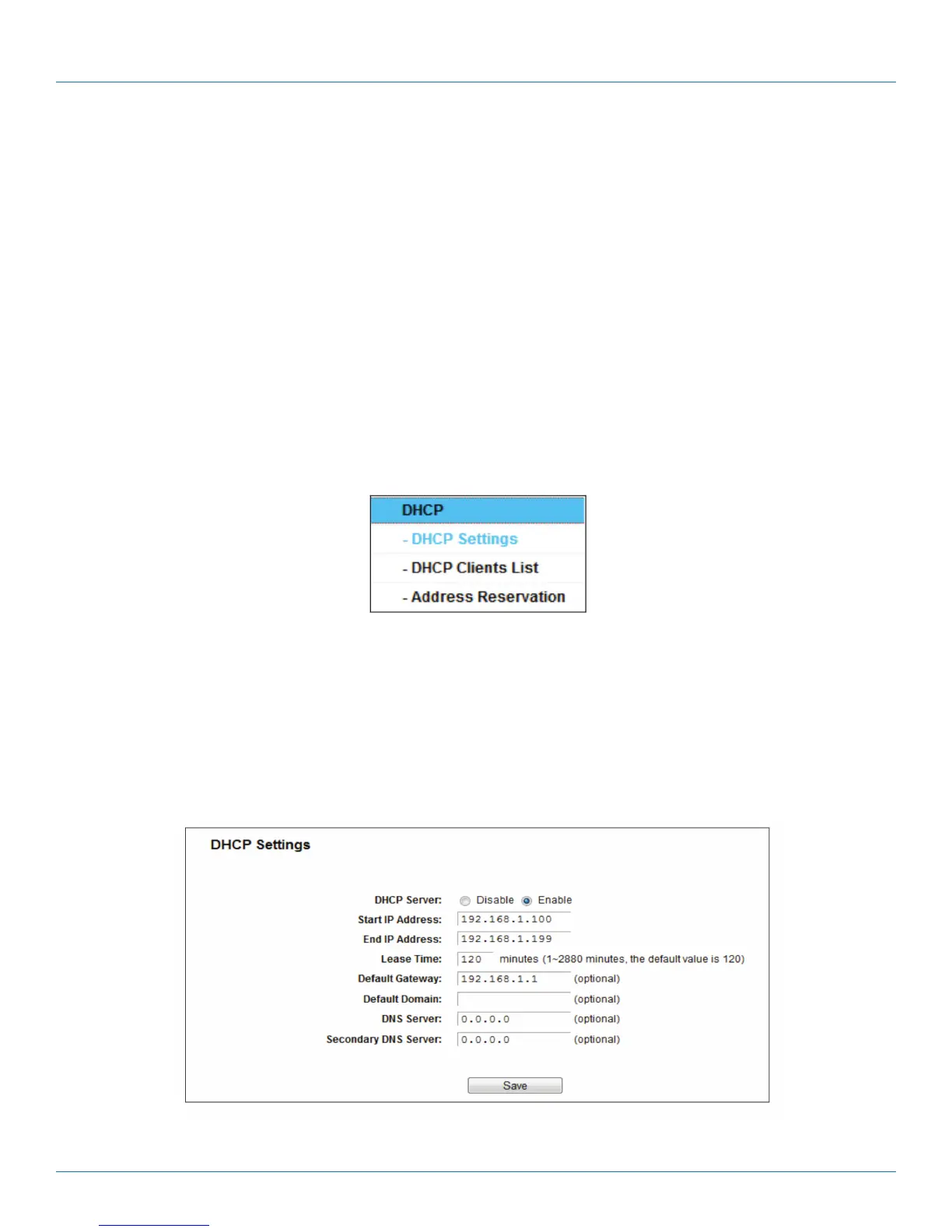
Figure 5-48. The DHCP menu.
There are three submenus under the DHCP menu: DHCP Settings, DHCP Clients List, and Address Reservation. Click any of them,
and you will be able to configure the corresponding functions.
5.9.1 DHCP Settings
Choose “DHCP —> DHCP Settings,” then you can configure the DHCP Server on the page. The router is set up by default as a
DHCP (Dynamic Host Configuration Protocol) server, which provides the TCP/IP configuration for all the PC(s) that are connected
to the router on the LAN.
Figure 5-49. DHCP Settings.



 To Next Page