Page 63
877-877-2269 | blackbox.com
Chapter 5: Configuring the Router
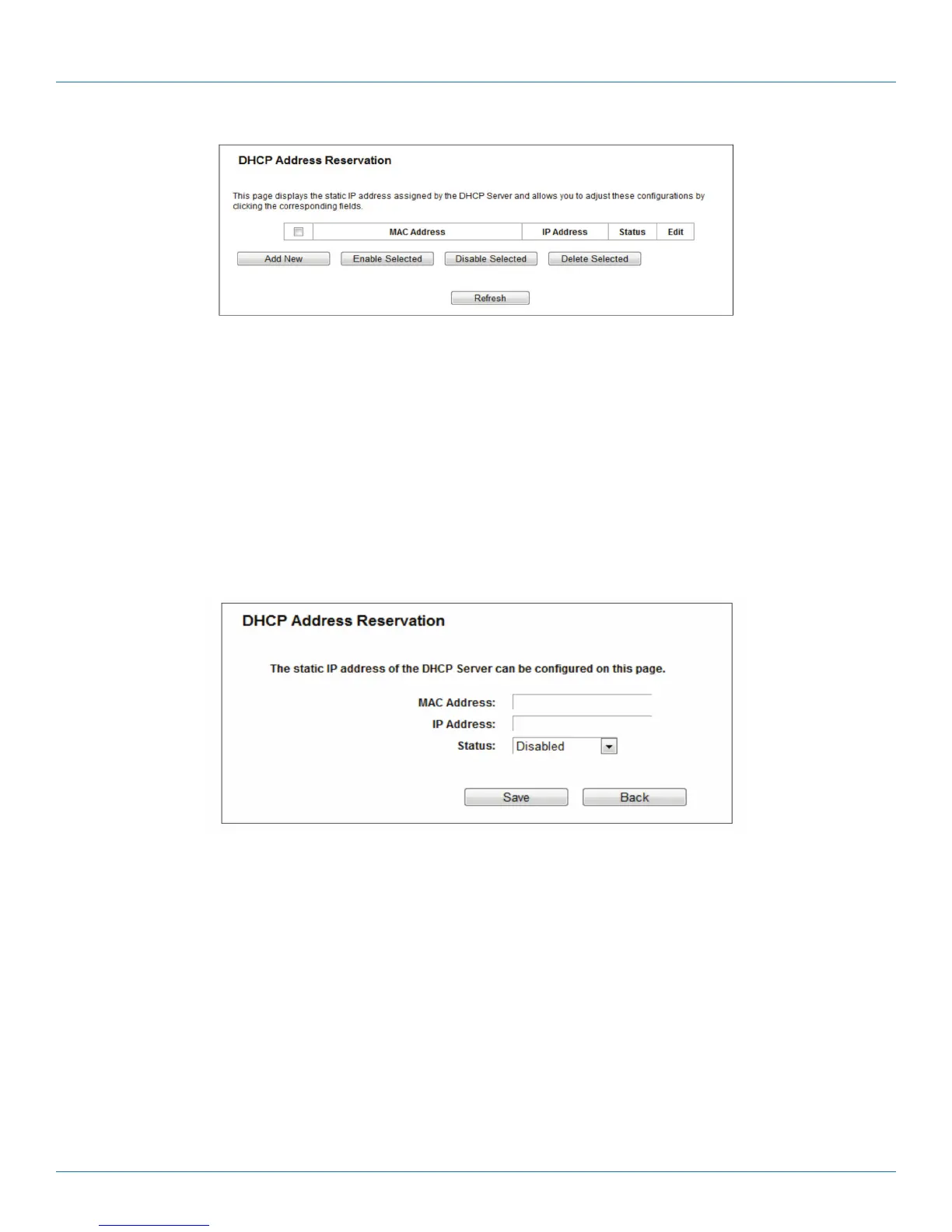
Figure 5-51. Address Reservation.
• MAC Address—The MAC address of the PC for which you want to reserve an IP address.
• IP Address—The IP address reserved for the PC by the router.
• Status—The status of this entry, either Enabled or Disabled.
To reserve an IP address:
1. Click the Add New button. The DHCP Address Reservation screen will appear.
2. Enter the MAC address (in XX:XX:XX:XX:XX:XX format) and the IP address (in dotted-decimal notation) of the computer for
which you want to reserve an IP address.
3. Click the Save button.
Figure 5-52. Add or Modify an Address Reservation Entry.
To modify or delete an existing entry:
1. Click Edit in the entry you want to modify. If you want to delete the entry, click Delete.
2. Modify the information.
3. Click the Save button.
Click the Enable/Disable Selected button to enable/disable selected entries.
Click the Delete Selected button to delete selected entries.



 To Next Page