877-877-2269 | blackbox.com
Page 80
Chapter 5: Configuring the Router
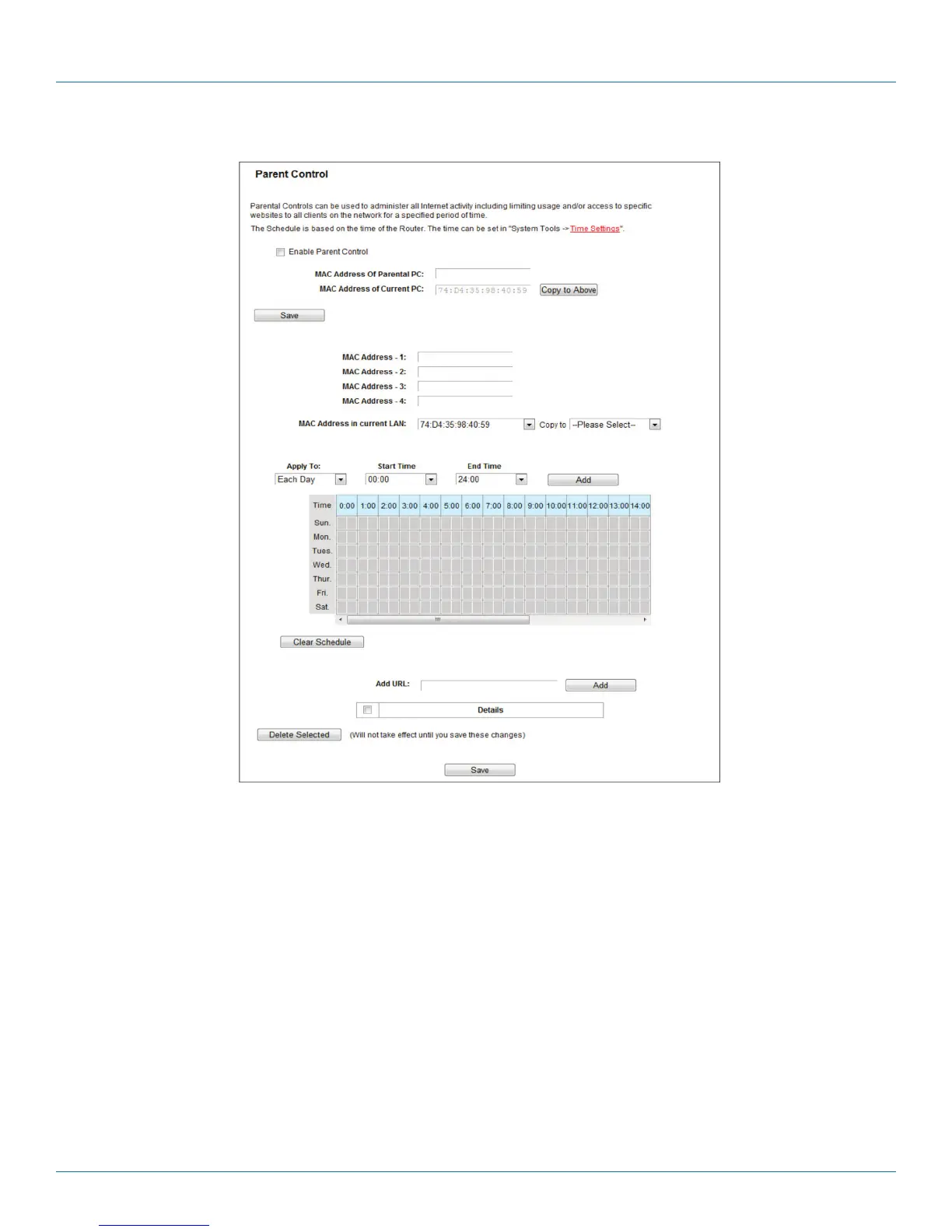
Figure 5-76. Parent Control Settings.
• Parent Control—Check Enable if you want this function to take effect; otherwise, check Disable.
• MAC Address of the Parental PC—In this field, enter the MAC address of the controlling PC, or you can use the Copy To Above
button.
• MAC Address of Current PC—This field displays the MAC address of the PC that is managing this router. If the MAC Address of
your adapter is registered, you can click the Copy To Above button to fill this address to the MAC Address of Parental PC field
above.
Click the Save button to make your settings take effect.
To add a new entry, follow the steps below.
1. Check the Enable Parent Control box.
2. Enter the MAC address of the PC (e.g. 00:11:22:33:44:AA) you want to control in the MAC Address 1–4 field, or you can
choose the MAC address from the MAC Address in the current LAN drop-down list.
3. Enter the allowed domain name of the website, either the full name or the keywords (e.g. google) in the Add URL field. Any
domain name with keywords in it (www.google.com, www.google.com.hk) will be allowed. Click the Add button.



 To Next Page