877-877-2269 | blackbox.com
Page 84
Chapter 5: Configuring the Router
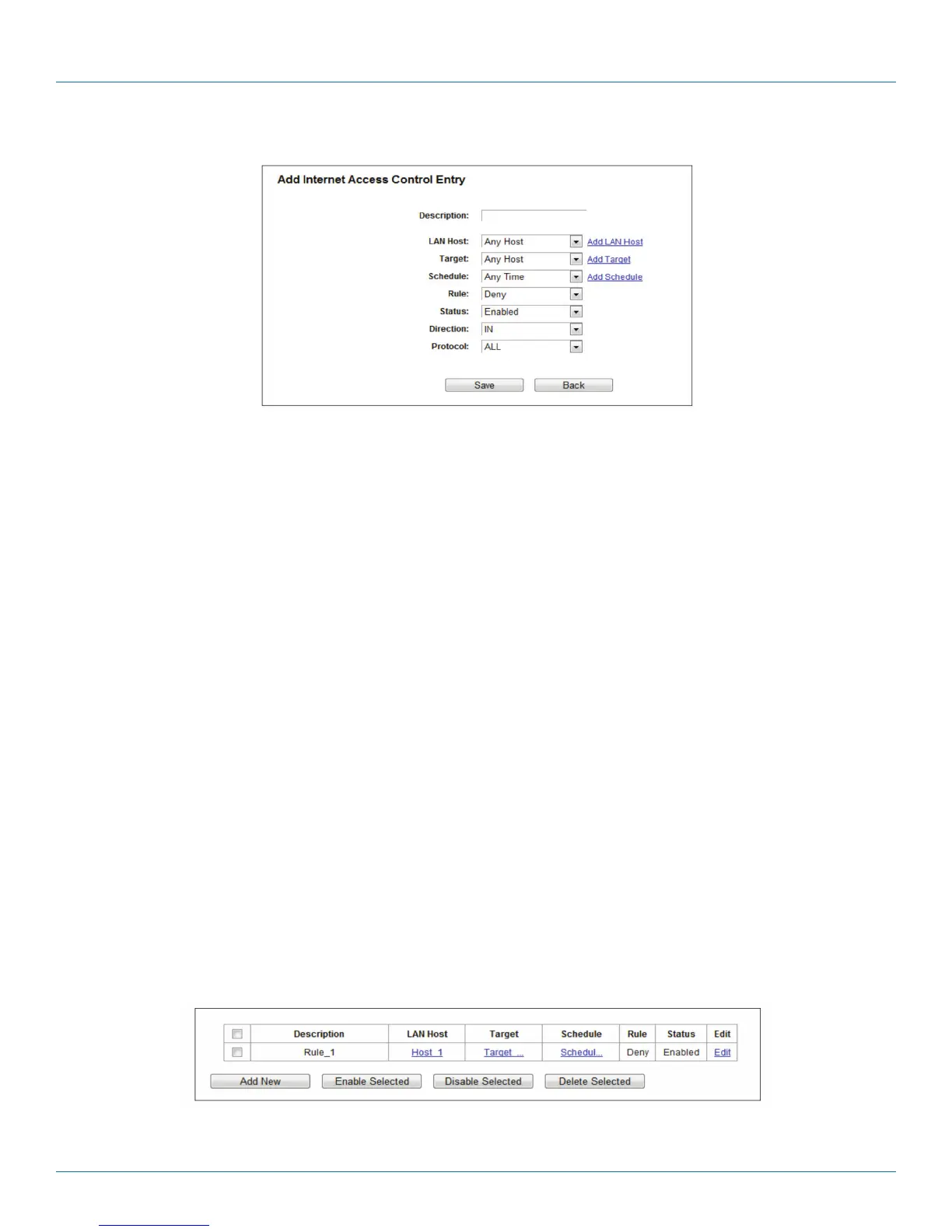
9. Click the Save button.
Figure 5-80. Add Internet Access Control Entry.
For example: To allow the host with MAC address 00 : 11 : 22 : 33 : 44 : AA to access www.google.com only from 18:00 to
20:00 on Saturday and Sunday, and forbid other hosts in the LAN to access the Internet, follow the settings below:
1. Click the submenu Rule of Access Control in the left to return to the Rule List page. Select Enable Internet Access Control and
choose “Allow the packets specified by any enabled access control policy to pass through the router.”
2. We recommend that you click Add New button to finish all the following settings.
3. Click the submenu Host of Access Control in the left to enter the Host List page. Add a new entry with the Host Description as
Host_1 and MAC Address as 00:11:22:33:44:AA.
4. Click the submenu Target of Access Control in the left to enter the Target List page. Add a new entry with the Target
Description as Target_1 and Domain Name as www.google.com.
5. Click the submenu Schedule of Access Control in the left to enter the Schedule List page. Add a new entry with the Schedule
Description as Schedule_1, Day is Sat and Sun, Start Time as 1800 and Stop Time as 2000.
6. Click the submenu Rule of Access Control in the left, Click Add New button to add a new rule as follows:
6a. In the Rule Name field, create a name for the rule.
NOTE: This name should be unique, for example Rule_1.
6b. In the Host field, select Host_1.
6c. In the Target field, select Target_1.
6d. In the Schedule field, select Schedule_1.
6e. In the Status field, select Enabled.
6f. Click Save to complete the settings.
Then you will go back to the Access Control Rule Management page and see the following list.
Figure 5-81. Rule list.



 To Next Page