Page 87
877-877-2269 | blackbox.com
Chapter 5: Configuring the Router
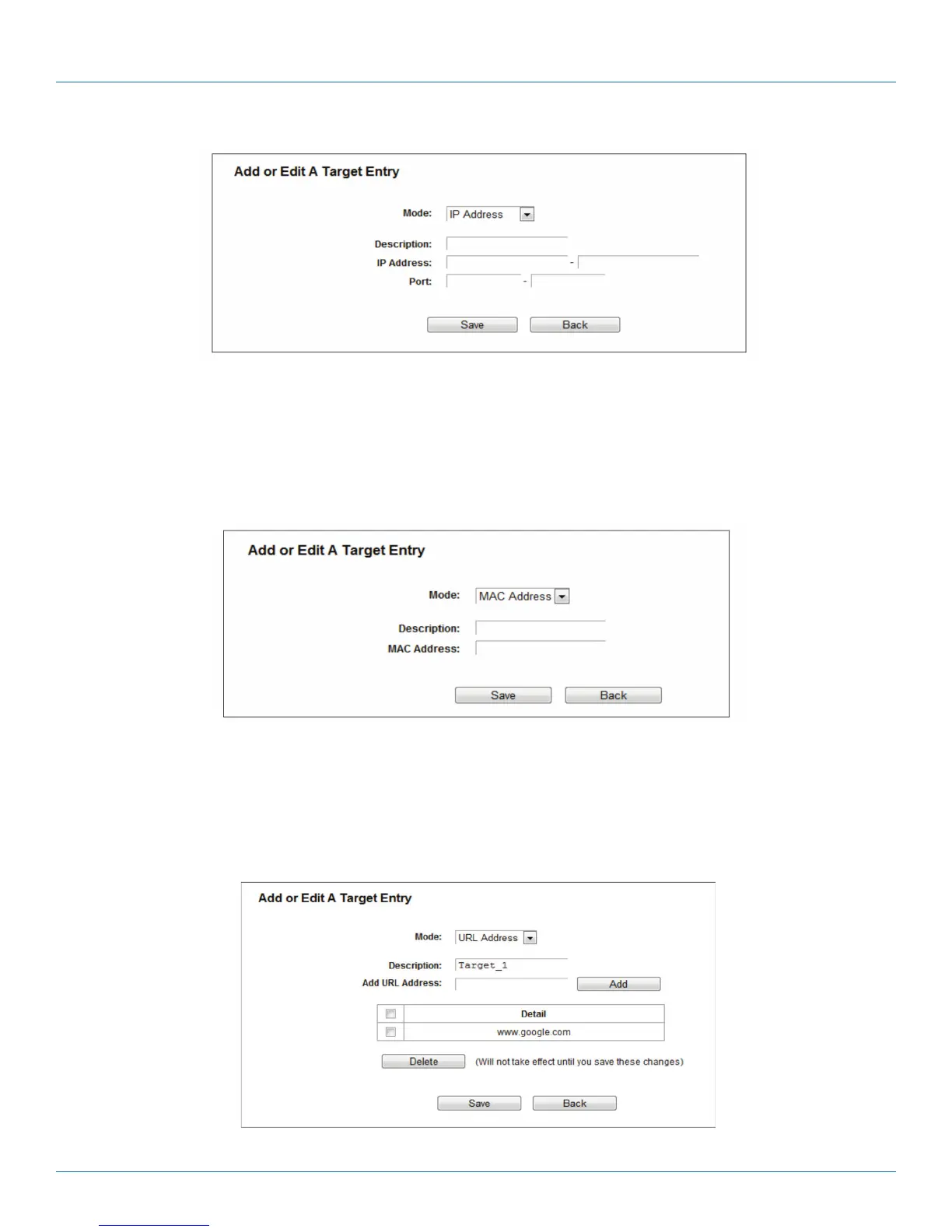
Figure 5-87. Add or Modify an Access Target Entry.
I) In the Description field, create a unique description for the target (e.g., Target_1).
II) In the IP Address field, enter the IP address of the target.
III) Specify the Target Port manually.
2b. If you select MAC Address, the next screen appears.
Figure 5-88. Add or Modify an Access Target Entry.
I) In Description field, create a unique description for the target (e.g. Target_1).
II) In IP Address field, enter the IP address of the target.
III) Specify the Target Port manually.
2c. If you select URL Address, the screen shown is Figure 4 82.
Figure 5-89. Add or Modify an Access Target Entry.



 To Next Page