49
4.10.2. GPS statistics
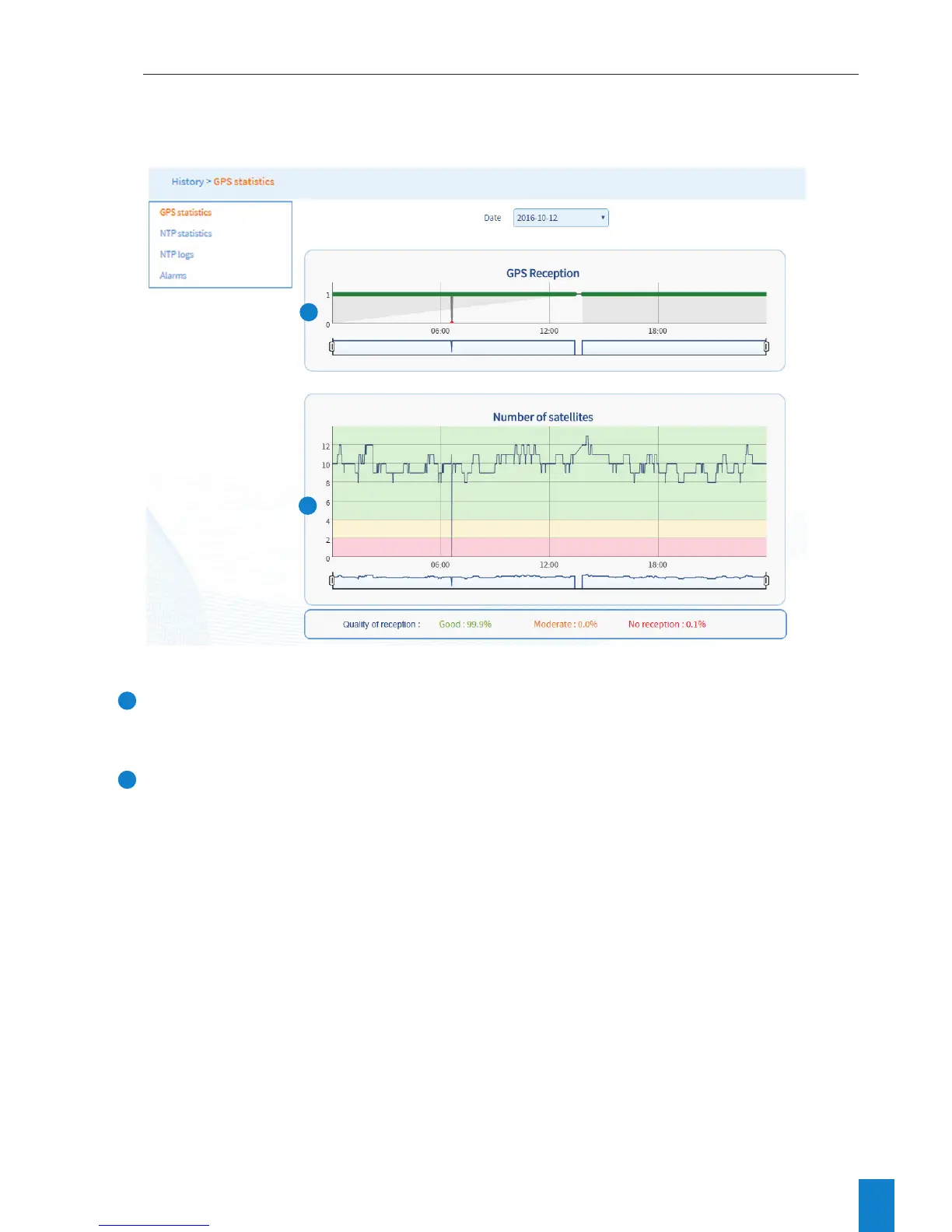
To view Netsilon GPS synchronisation statistics, follow these steps:
1) HISTORY menu > GPS statistics.
2) Select the date using the drop-down menu:
1
GPS reception status is symbolised by two status levels:
> 0: GPS reception frame but no synchronisation (waiting period to check if the source is reliable).
> 1: GPS frame reception.
2
Graph showing the number of satellites detected according to the time. Signal reception quality is indicated by
three different colours:
> Red: 0 to 2 satellites – no reception or poor reception quality.
> Orange: 2 to 4 satellites – moderate reception quality.
> Green: 4 to 12 or more satellites – good reception quality.
1
2



 To Next Page