Breaker Box
Accessing a Label Type
100
BMP
®
41 User’s Manual
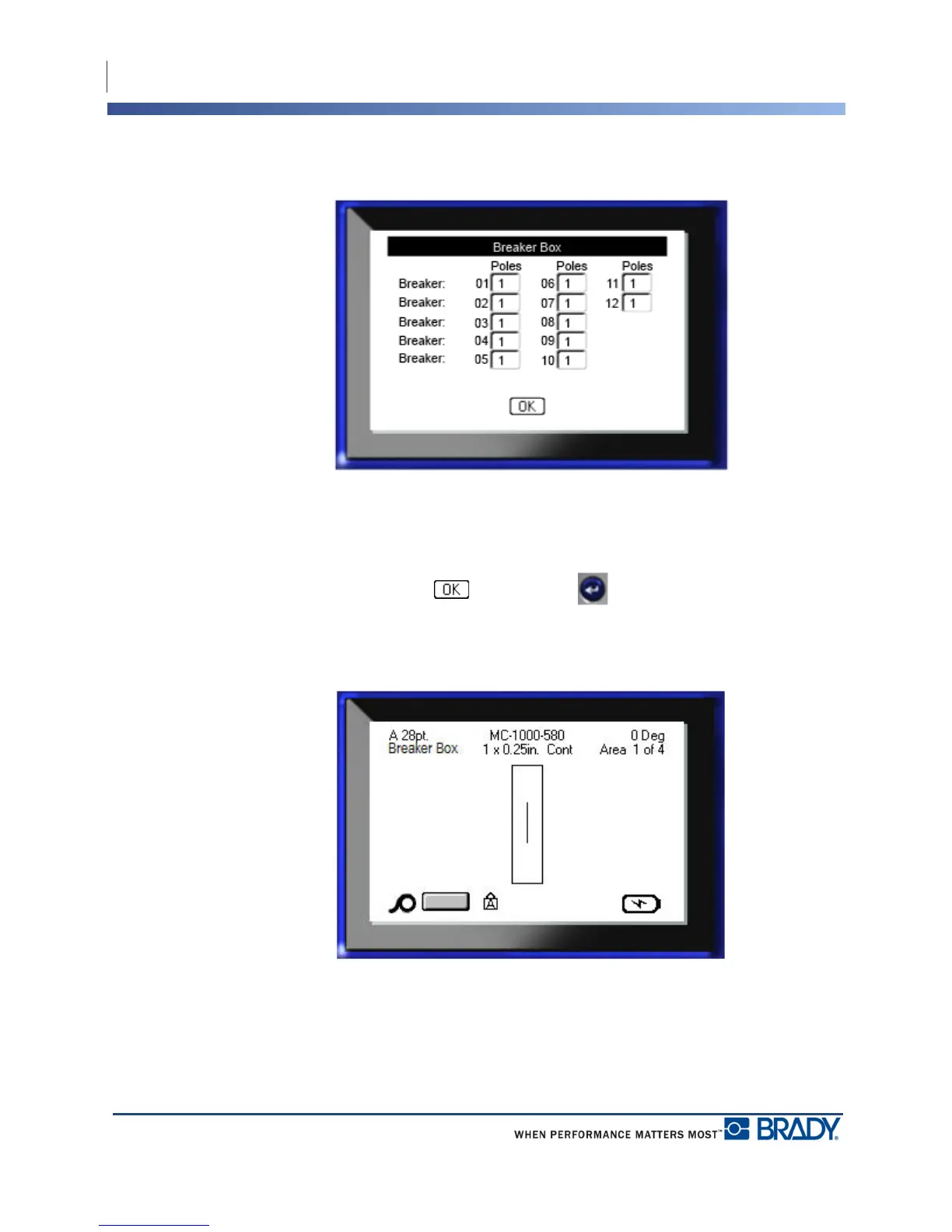
If Variable Pole Count was checked, the following screen displays:
9. Navigate to the Poles field for each Breaker number used and enter the number of poles
for that particular breaker. The number of the breaker displays in the upper right corner of
the editing screen.
10. When finished, navigate to and press Enter .
The number of breakers are created as areas on one label. On the Editing screen, enter unique
data for each breaker, using Next Area or Prev Area to move to the different areas.
Use Print Preview to view the multi-area label before printing. (See page 80 for information
on navigating multi-area labels in Print Preview.)



 To Next Page