40
i5100 Conguration Manual
8.2 ASCII Dump Mode
ASCII Dump Mode offers the option of checking incoming control sequences at an interface. The commands are printed out
as text. In addition, a corresponding error message is printed out immediately after an error occurs.
TheprintoutoccursusingtheheatlevelandprintspeedspeciedintheSetup > Printing menu.
Notice!
Theprintoutoccurswithouttakingthelabelgapsintoconsideration.Thisiswhyendlessmediaaremost
suitableforthispurpose.
Notice!
Incaseofquestionsaboutprogramming,keepaprintoutofyourlabellewhichwascreatedinASCII Dump Mode
handy.Theprintoutcanbetransmittedclearlyviafax.
Insert printable medium (labels, endless paper) which extends across the entire printing width.
If the printout is to occur using thermal transfer printing, insert transfer ribbon with the maximum width.
Start menu.
Select Diagnostics > ASCII Dump Mode.
Send print jobs.
Select to cancel the printout or switch to the Ready mode.
Example:
ASCII Dump Mode
Tue Feb 13 13:48:03 2018
Brady i5100-300
Firmware V5.14 (Feb 09, 2018) - #164162032326
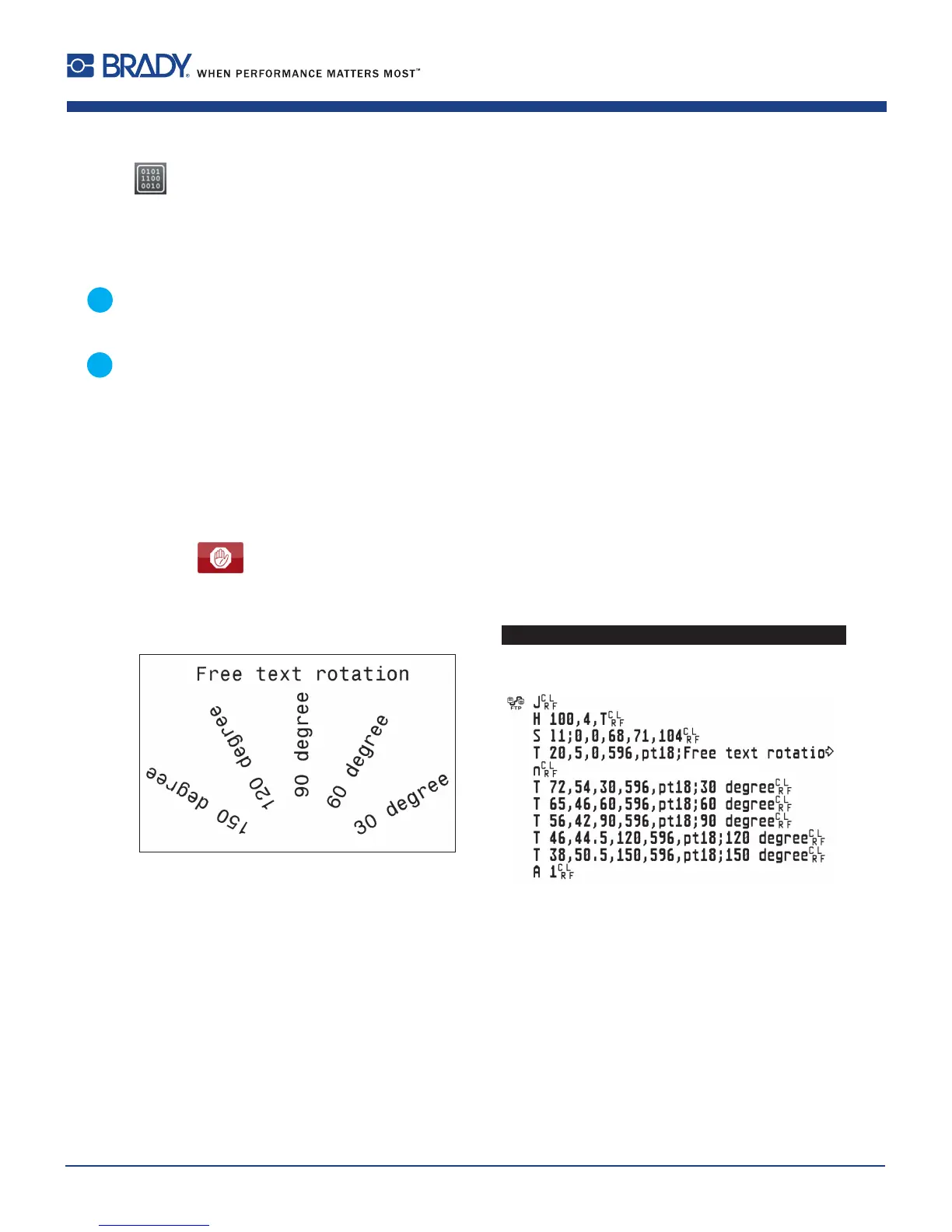
Figure 19 Example label printed normally (left) and in ASCII dump mode (right)
The control characters (ASCII-Code 00...31) are presented in stylized design.
e.g. :
L
F
: Code 10 (0A) - line feed
C
R
: Code 13 (0D) - carriage return
8 Diagnostic Functions













 To Next Page