43
i5100 Conguration Manual
8 Diagnostic Functions
8.5 Save Data Stream
Accessonlywithexternalstoragedevice!
The function Save data streamallowstostoredataincomingviaaninterfaceasan.lblletoanexternalstoragedevice(SD
card, USB memory module) installed on the printer.
Insert SD card or USB memory module.
Start menu.
Select Diagnostics > Save data stream.
Select the external storage device.
Enteralename.
Thepredenednameiscomposedoftheidentier"log",date,clocktimeandthesufx".lbl",butmayalsobealtered.
Conrmtheselectionwith .
In the status line of the display the data saving is indicated by the symbol .
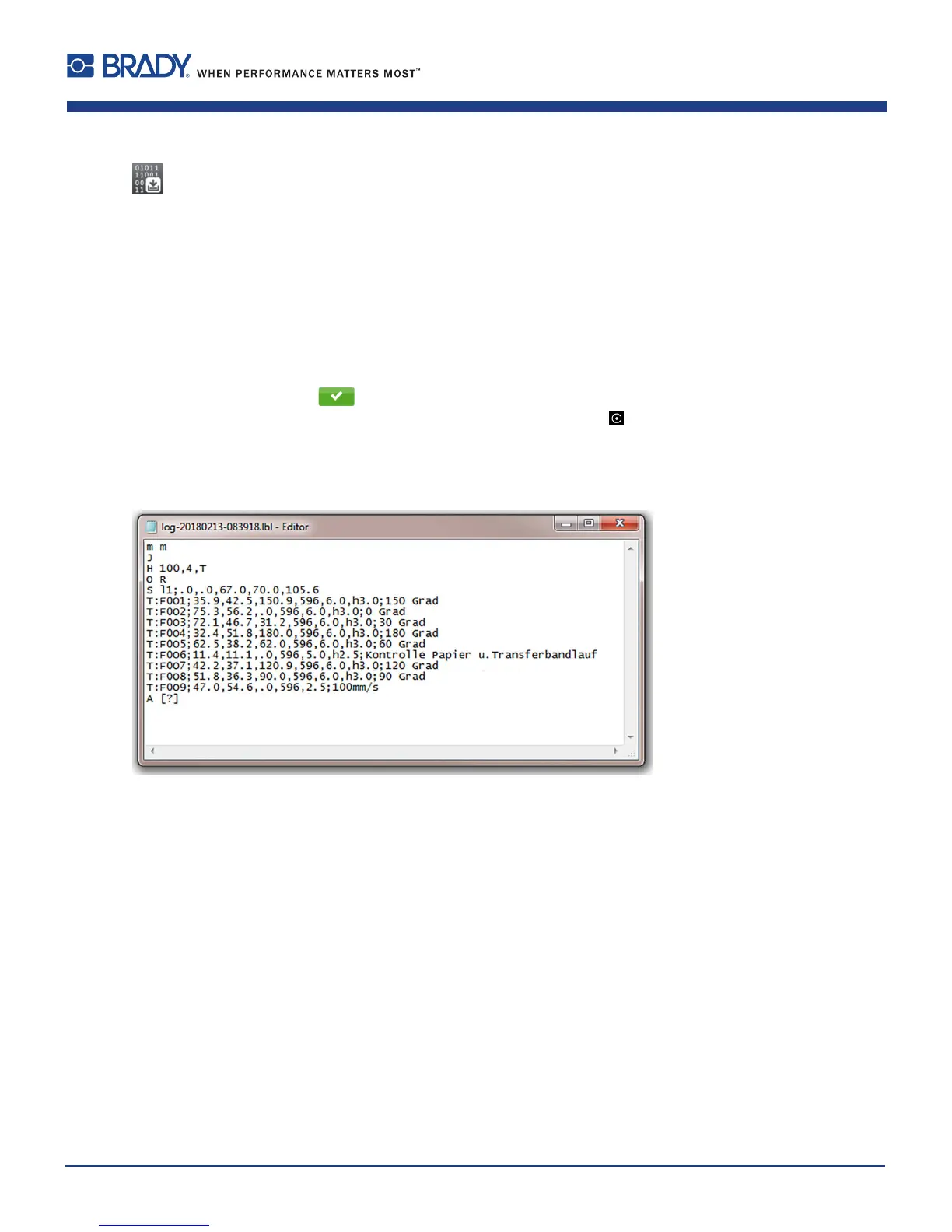
Sendprintjobs.Alldatareceivedbytheprinterarestoredinthe.lblle.
To complete the function select Diagnostics > Save data streamagainandconrmwithOK.The.lbllewillbestoredinthe
root of the storage device.
Figure 22 Saved data stream













 To Next Page