3-5
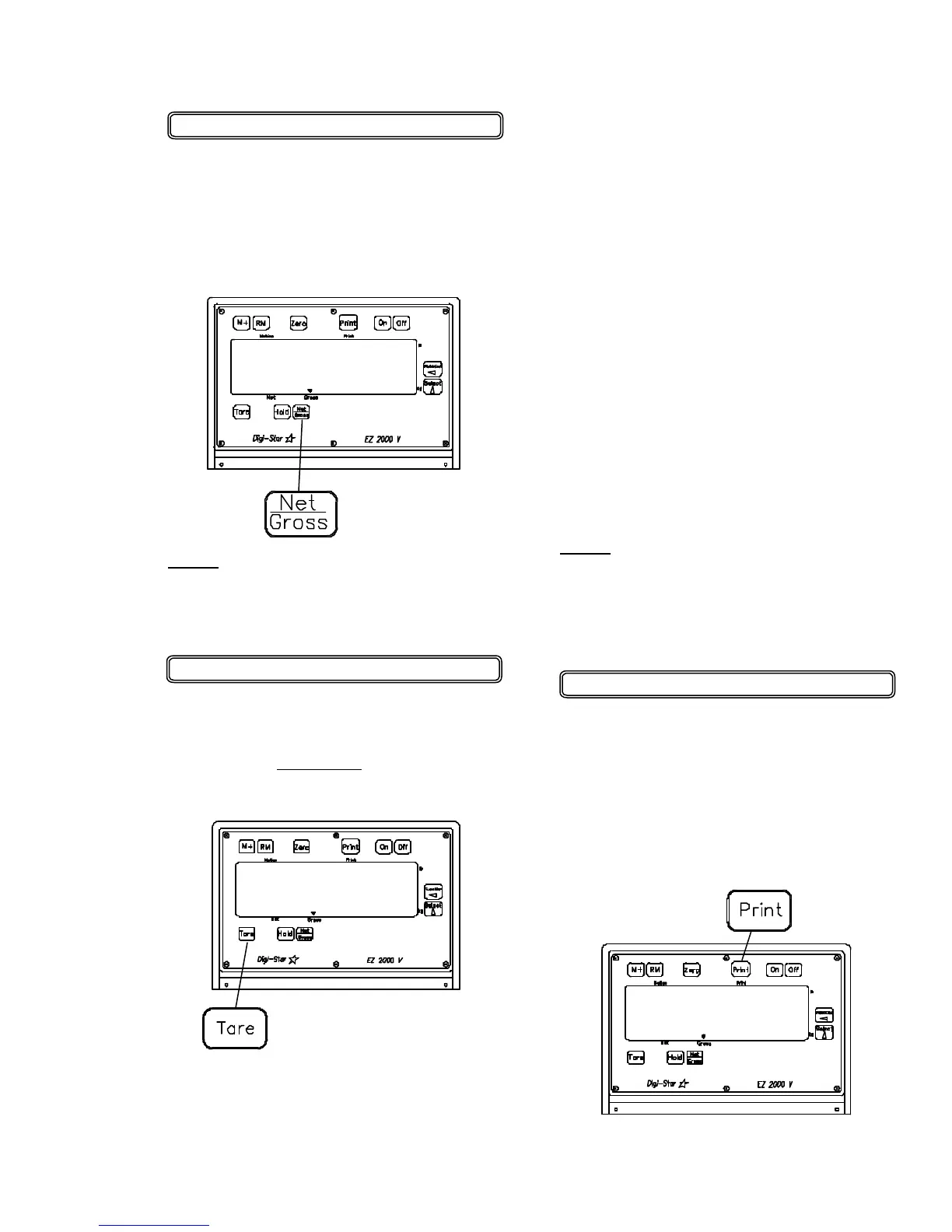
To Select Gross Mode:
GROSS mode displays the weight
change since the unit was last ZERO/
BALANCED.
1. Press [NET / GROSS].
or
2. If in Gross mode, press
[NET / GROSS].
The [NET / GROSS] key is an alternat-
ing action key. If the scale is in the
GROSS mode, pressing the [NET /
GROSS] key will place it in the NET
mode. If the scale is in the NET mode,
pressing the [NET / GROSS] key will
place it in the GROSS mode.
If the "TARE" function has not been
previously performed, the unit will stay
in the Gross mode and the message
"FOR NET MODE PRESS TARE" will
scroll across the display.
NOTE: The scale is in NET mode if
there is a flashing arrow pointing
toward the NET text just above the
[TARE] key.
NOTE: The scale is in GROSS mode
if there is a flashing arrow pointing
toward the GROSS text just above the
[NET / GROSS] key.
To Select Net Mode:
Net mode displays the weight change
after a TARE has been performed.
TARE is a temporary "zero" or refer-
ence point.
To Print
Scale data can be sent to the optional
printer by pressing the [PRINT] key.
The printer connector on the bottom of
the indicator is also used to connect
the optional downloader module
memory converter. See page 3-9.
1. Press "TARE" to set a temporary
"zero" point and enter the NET mode.
• 04-01-02
9850
0
3150


 To Next Page