3-9
1. Press [ON] to turn on the scale.
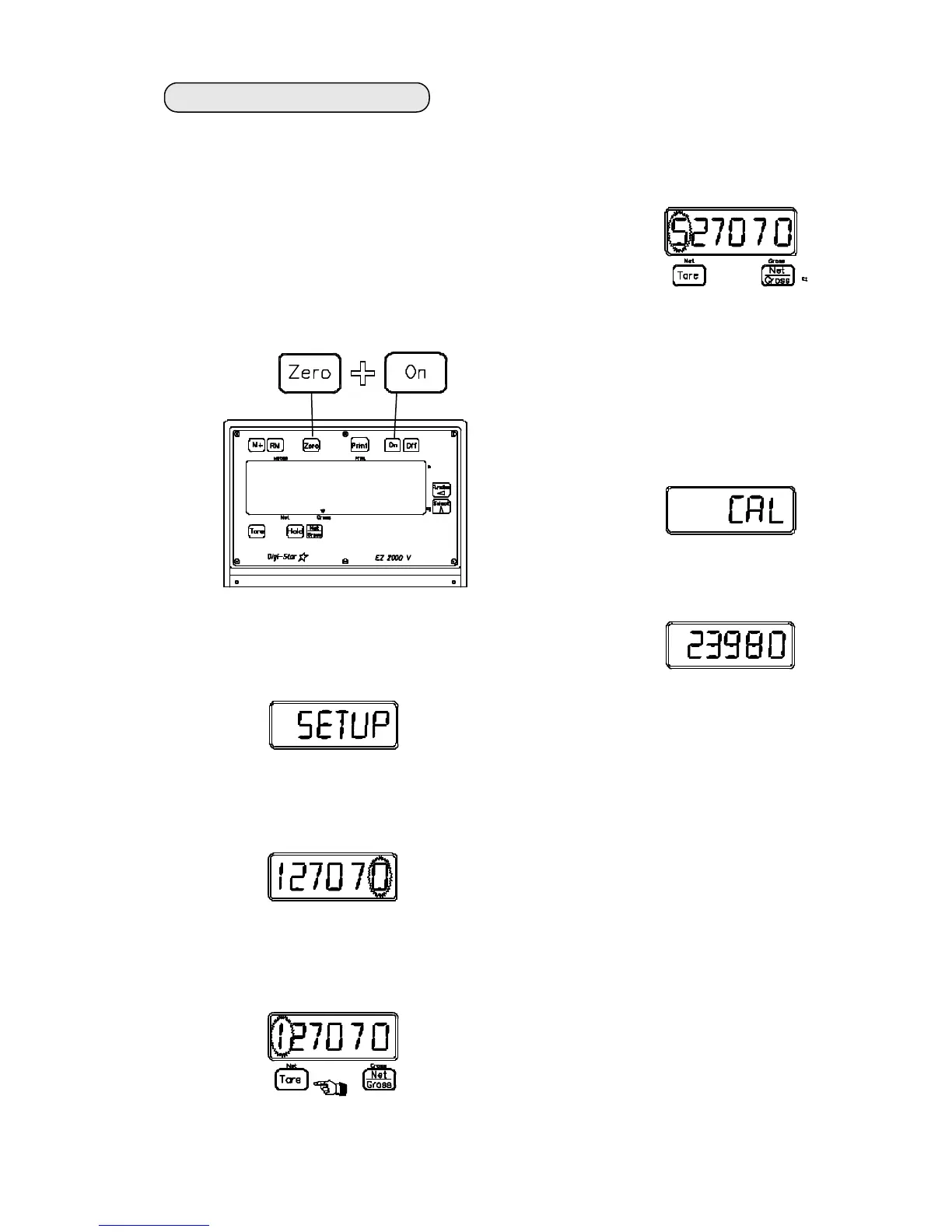
2. To enter Short Form Calibration &
Setup press and hold the [ZERO]
key, then press the [ON] key and
hold them both together until the
indicator displays "setup", then let
up on the keys.
250955
To change scale from lbs to kgs:
The first message displayed is "SETUP"
3. Press the [TARE] key to select the
far left digit as the "flashing digit".
4. Press the [NET/GROSS] key to
increment the "flashing" digit.
Change the 1 to 5.
5. Press the [ON] key to
advance to the "cal" number.
The "cal" message is displayed.
Then the "cal" number.
When the 1 was changed to a 5 in
the setup number, the "cal"
number was automatically re-
calibrated to kgs.
6. Press [ON] to exit setup.
Next, the actual "SETUP" number is dis-
played with the far right digit "flashing".
• 04-01-02
9850


 To Next Page