Brookeld Engineering Labs., Inc. Page 40 Manual No. M13-167
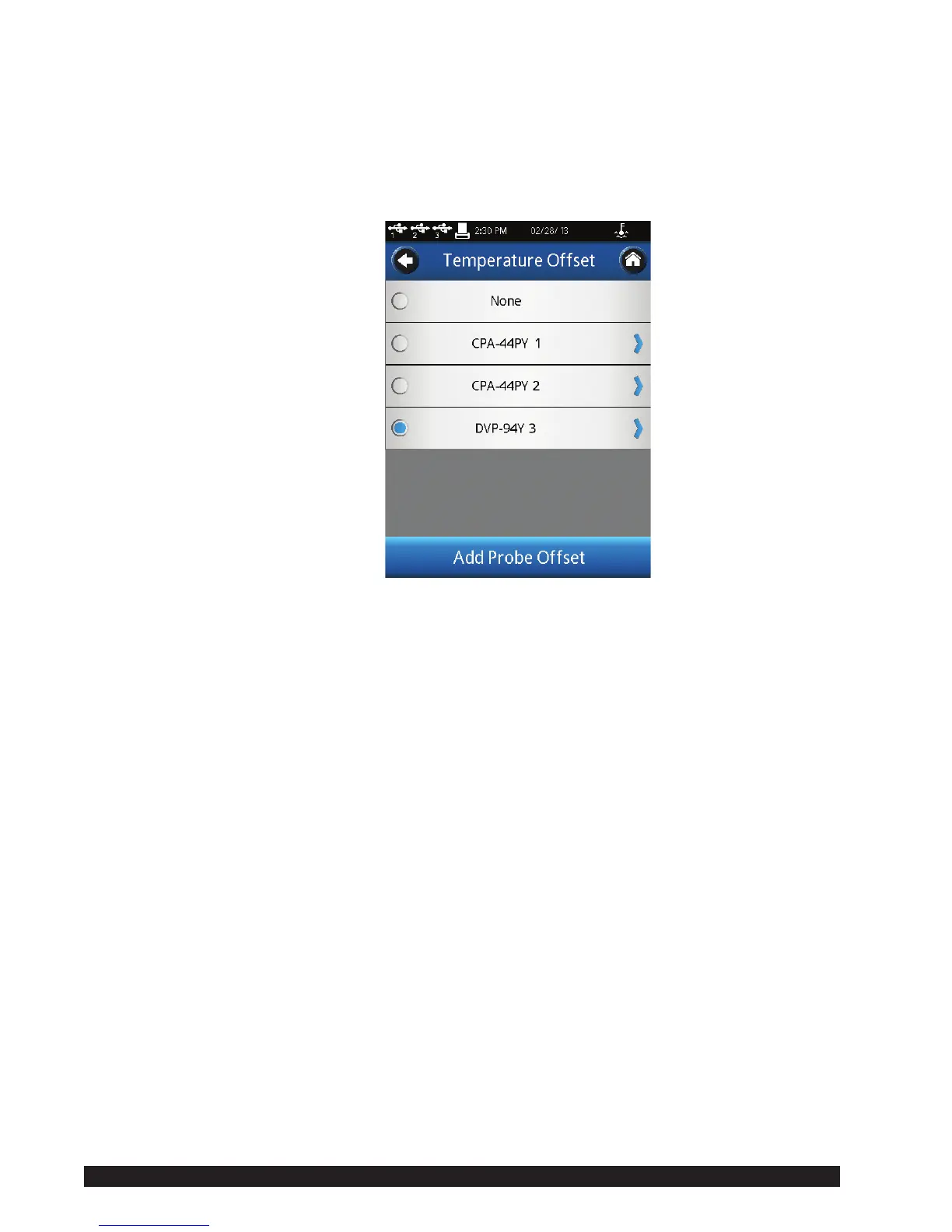
WhenTemperatureisselectedintheDeviceSetupmenu,theTemperatureOffset
menuispresented(seeFigureIV-2).Fromthismenuyoucancreatenewoffset
valuesbypressingtheAddProbeOffsetcommandkeyatthebottomofthescreen
andyoucanselectwhichoffsettoutilizewiththeDV2Tbypressingthecirclebeside
thename.InFigureIV-2,theoffsetDVP-94Y3hasbeenselectedasindicatedby
thebluecircle.
Figure IV-2
ThecreationofaTemperatureOffsetrequiresinputoftheoffsetvalueandaname.
Theoffsetvaluemustbeintherangeof-9.9to9.9C.TheNamecanbeupto14
characterslong.TodeleteanexistingTemperatureOffset,rstselecttheoffsetfrom
thelist,thenpresstheDeletecommandkeyatthebottomofthescreen.
TheuseofaTemperatureOffsetwillbeindicatedintheTemperatureelddisplayed
intheCongureViscosityTestscreenwitha(o)besidetheLiveindication.
Printer Setup:TheDV2TisconguredforusewiththeDymo450printer.Nootherprinterscan
beutilizedwiththeviscometer.PrinterSetupallowstheusertochoosefromthree
differentcongurationsforprintout.
LabelSmall:Asmalllabel(1.13inchx3.5inch)thatallowsforprintingoflimited
data for a single data point. The label stock is available from
Brookeld;partnumberGV-1048-10.
LabelLarge: A large label (2.31inch x 4.0inch) that allows for printing of a
completesetofparametersforasingledatapoint.Thelabelstock
isavailablefromBrookeld;partnumberGV-1049-10.
Receipt: Acontinuousrollofpaperthatallowsforprintingofmultipledata
points.ThepaperstockisavailablefromBrookeld;partnumber
GV-1047-10.
ThePrinter Setupis selectedby touching thedesired conguration,which will
resultinabluecircletoappeartotheleftoftheitem.TheOKcommandkeymust
beselectedtoconrmthesetting.
AutoZero: AutoZeroisanoperationperformedbytheDV2TViscometerautomaticallyduring
thepowerupsequence.Thisoperationsetstheinstrumenttransducertoacorrectzero












 To Next Page