Brookeld Engineering Labs., Inc. Page 34 Manual No. M13-167
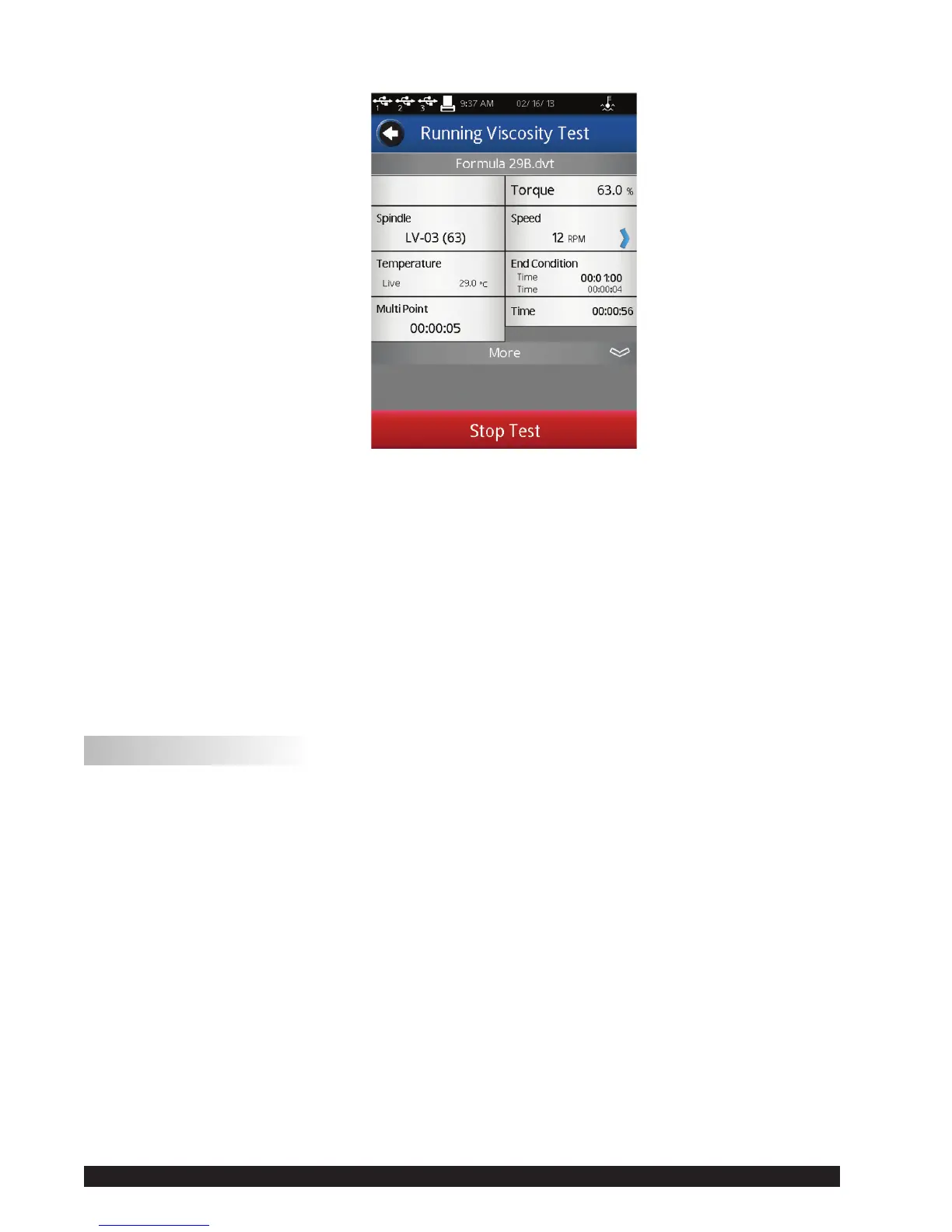
Figure III-10
TheMore/LessBarcanbeusedtoreducethenumberofparametersshowninthedisplay.
TheSpeedparameterisactiveinthisview.Theoperatorcanchangethespeedoftestwithout
returningtotheCongureViscosityTestscreen.
TIP: Ifthespeedischangedduringtheexecutionofasavedtest,thentheteststatuswillbe
changedto“UnsavedTest”.Thiswillalsobereectedifthecollecteddataissaved.
ViewTestincludestheStopTestcommandkeyandaBackArrownavigationkey.TheBackArrow
isusedtoreturnthedisplaytotheRunningViscosityTestview.
III.9 Results
MeasurementdataisviewedintheResultsscreen.Thisscreenispresentedattheconclusionofa
testorwhendataisloadedthroughtheViewResultsselectionfromtheHomeMenu.
TheDV2Tutilizesacomprehensivedataformat.Datalesincludethecompletesetofmeasurement
resultsandcalculatedvaluesalongwiththetestprotocol.Allelementsofthetestcanbeviewed
intheResultsscreen.
TheDV2TViscometerallowsfor5000totaldatapointsperle.Whenviewinglargedatales,
additionaltimeisrequiredwhenmovingfromthevariousResultsoptionslistedbelow.Theremay
besomedelayonthescreenwhiletheDV2Tpreparesthedata.












 To Next Page