6. Panel operation
6-4. Using the TEST switch (Checking the sewing pattern)
20
Use the TEST switch to begin sewing again from any desired point when the thread breaks or the bobbin thread
runs out.
1.
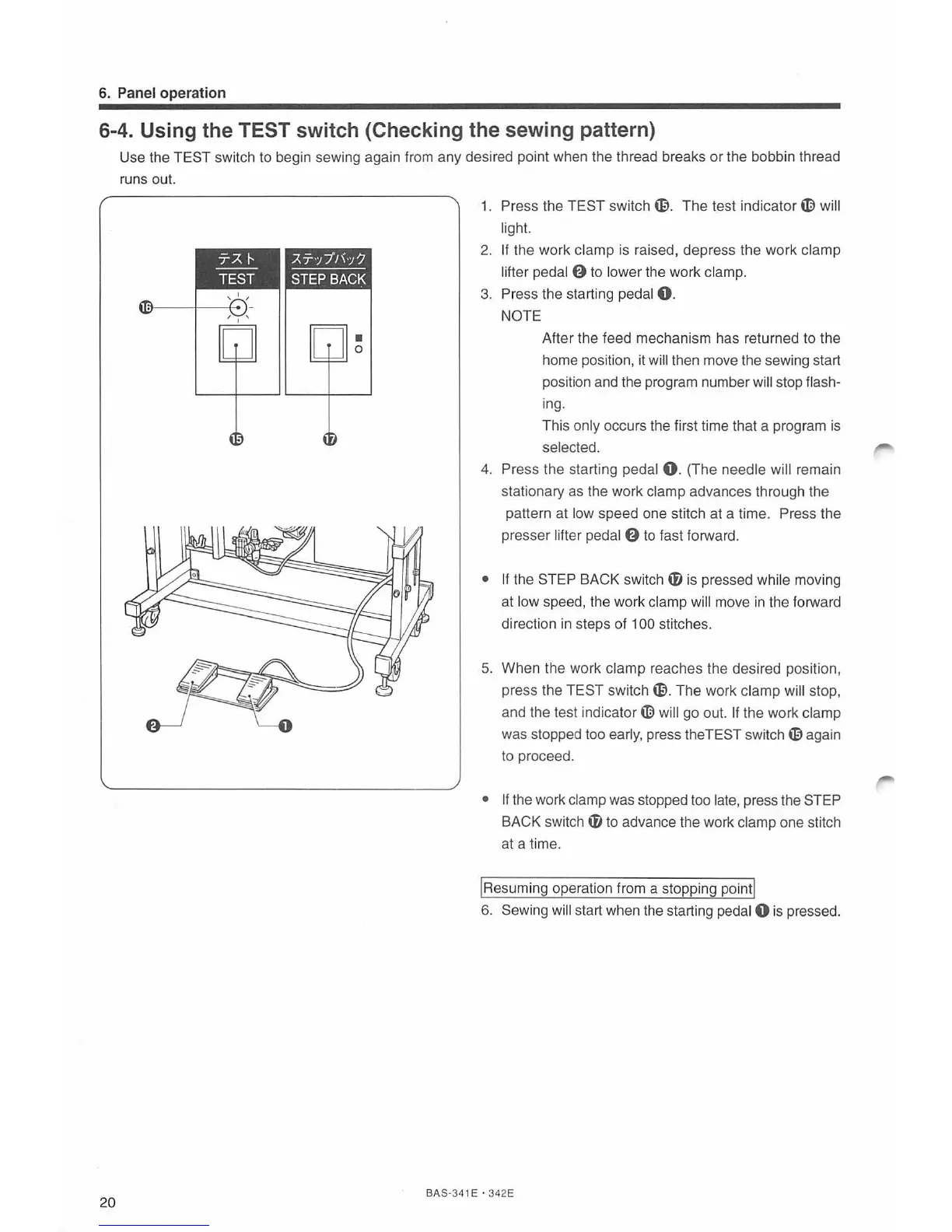
Press the TEST switch
GJ.
The test indicator m will
light.
2. If the work clamp
is
raised, depress the work clamp
lifter pedal
0 to lower the work clamp.
3. Press the starting pedal
0.
NOTE
After the feed mechanism has returned
to
the
home position, it will then move the sewing start
position and the program number
will stop flash-
ing.
This
only occurs the first time that a program
is
selected.
4.
Press the starting pedal
0.
(The needle will remain
stationary as the work clamp advances through the
pattern at low speed one stitch at a time. Press the
presser lifter pedal 0
to
fast forward.
• If the STEP BACK switch (f) is pressed while movi
ng
at low speed, the work clamp
wi
ll move in the forward
direction in steps of
100 stitches.
5.
When the work clamp reaches the desired position,
press the
TEST switch
GJ
. The work clamp will stop,
and the test indicator m will go o
ut.
If
the work clamp
was stopped too early, press the TEST switch
GJ
again
to proceed.
•
If
the work clamp was stopped too late, press the STEP
BACK switch (f) to advance the work clamp one stitch
at a time.
!Resuming operation from a stopping point!
6.
Sewing will start when the starti
ng
pedal 0
is
pressed.
BAS·341
E ·
342
E



 To Next Page