6. Panel operation
6-5. Using the emergency stop switch
Press the emergency stop switch to immediately stop the sewing machine during actual sewing or when in the test
mode.
•
0
0
•
0
Foot switch
!c
learing the errorl
1.
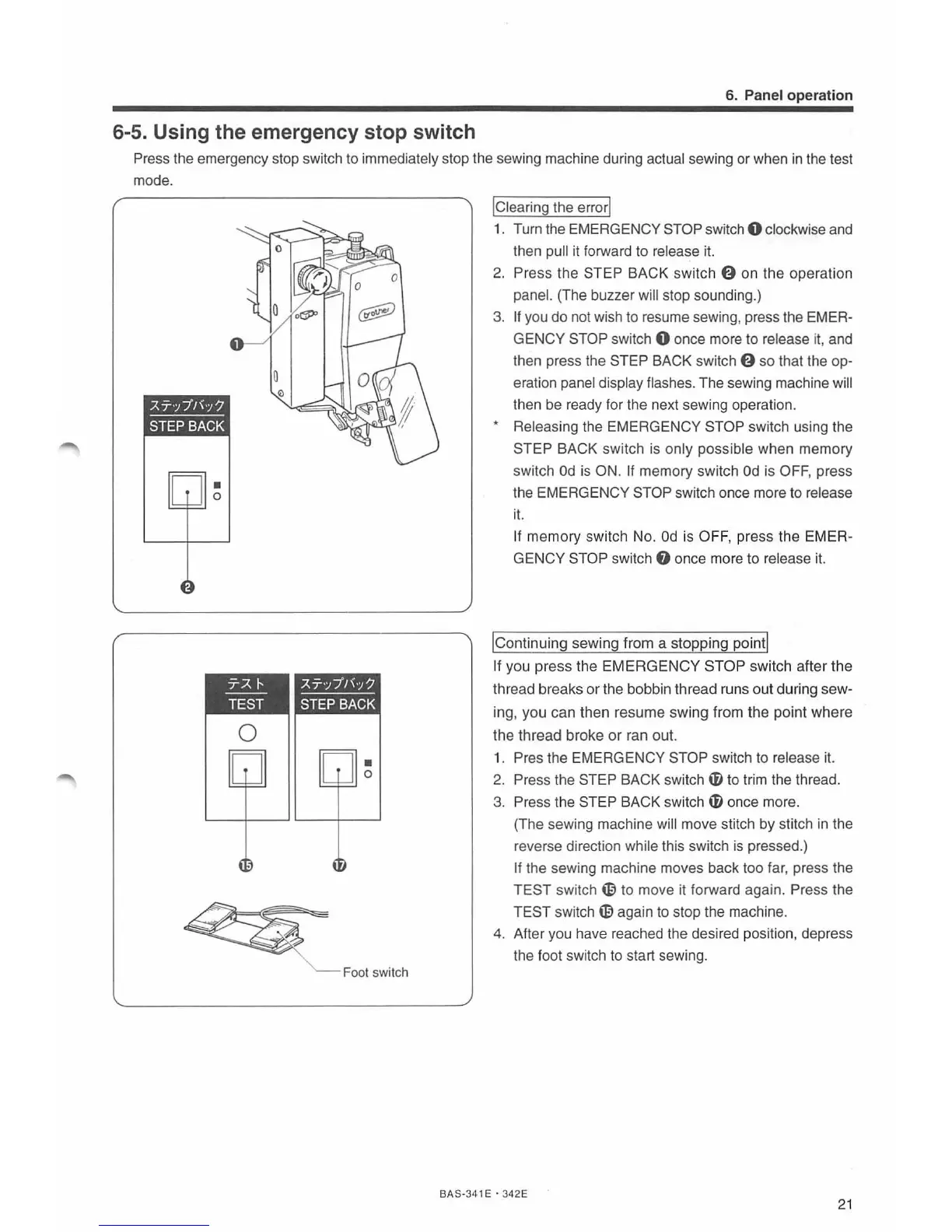
Turn the EMERGENCY STOP switch 0 clockwise and
then pull it forward to release it.
2.
Press the STEP BACK switch 0 on the operation
panel. (The buzzer will stop sounding.)
3.
If
you do not wish to resume sewing, press the EMER-
GENCY STOP switch 0 once more to release it, and
then press the STEP BACK switch 0
so
that the op-
eration panel display flashes. The sewing machine will
then be ready for the next sewing operation.
* Releasing the EMERGENCY STOP switch using the
STEP BACK switch is only possible when memory
switch
Od
is ON. If memory switch
Od
is OFF, press
the
EMERGENCY STOP switch once more
to
release
i
t.
If
memory
switch No.
Od
is OFF, press the EMER-
GENCY STOP switch
f)
once more to release it.
!continuing
sewing from a stopping point!
If you press the
EMERGENCY
STOP
switch after
the
thread breaks
or
the bobbin thread runs out during sew-
ing,
you
can then resume swing from
the
point where
the thread broke
or
ran out.
1.
Pres the EMERGENCY STOP switch to release it.
2.
Press the STEP BACK switch
i)
to trim the thread.
3.
Press the STEP BACK switch
il
once more.
(The sewing machine
will move stitch by stitch
in
the
reverse direction while this switch
is
pressed
.)
If the sewing machine moves back too far, press the
TEST
switch
~
to move it forward again. Press the
TEST switch
~again
to stop the machine.
4.
After you have reached the desired position, depress
the foot switch to start sewing.
BAS-341 E · 342E
21



 To Next Page