6. Panel operation
6-6. Adjusting the sewing SPEED control
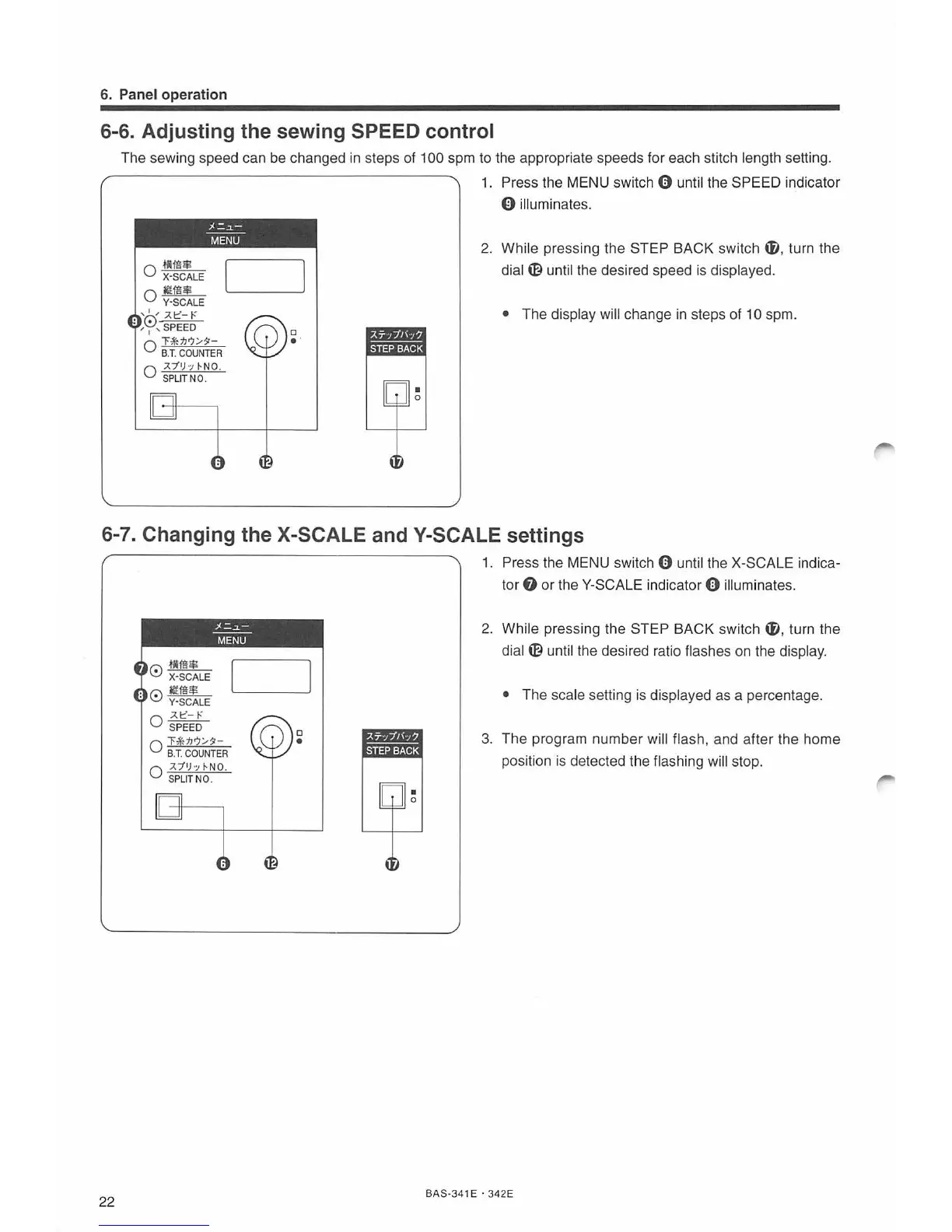
The sewing speed can be changed in steps of 100 spm to the appropriate speeds for each stitch length setting.
O
.tllffl$
X-SCALE
0
II$$
Y·SCALE
•
'0'-=:J.==l::"==
-
t:o-
•
,
1
, SPEED
;1=.~
MENU
0
"F
k.M/9
-
B.T.
COUNTER
0
:J./
'
h
~NO
.
S
PLIT
NO.
D
..
1.
Press the MENU swit
ch
0 until the SPEED indicator
0 illuminates.
2.
While pressing the STEP BACK switch
ti
, turn the
dial m until the desired speed is displayed.
• The display will change in steps of 10 spm.
6-7. Changing the X-SCALE andY-SCALE settings
22
r':\
.tllffl$
~
X-SCALE
•
r':\
llffi$
.
..:,.;
Y-SCALE
:J.t:-,.:
0 SPEED
;1=.~
MENU
0
"F&M/9
-
B.T.
COUNTER
0
:J./'h~
NO
.
SP
LI
T NO.
D
•
1. Press the MENU switch 0 until the X-SCALE indica-
tor
f)
or
the Y-SCALE indicator 0 illuminates.
2.
While pressing the STEP BACK switch t}), turn the
dial m until the desired ratio flashes on the displ
ay.
• The scale setting
is
displayed as a percentage .
3. The progr
am
number will flash, and after the home
position is detected the flashing
will stop.
BAS-341 E ·
342E



 To Next Page