12. Error codes
12. Error codes
NOTE
• If
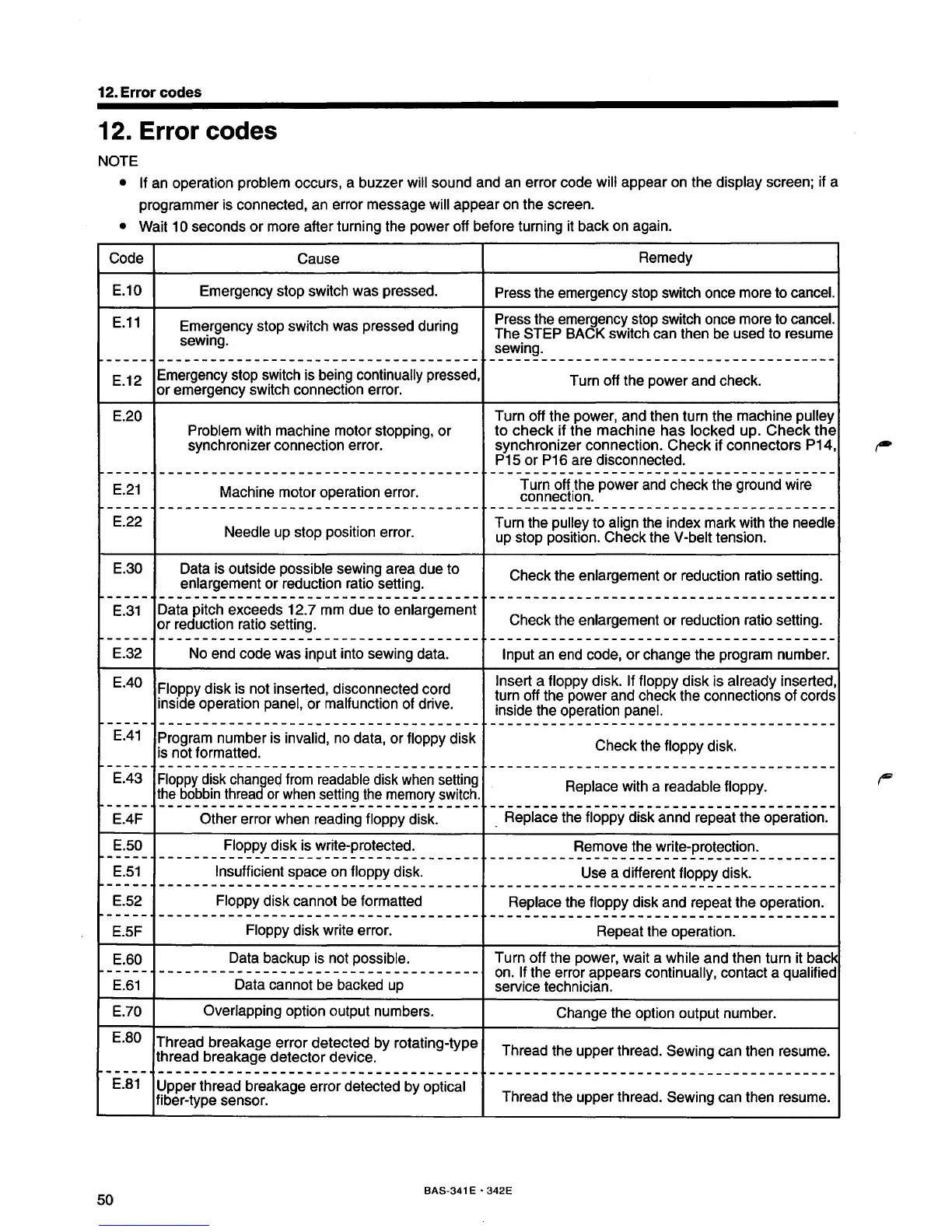
an operation problem occurs, a buzzer will sound and an error code will appear on the display screen; if a
programmer is connected, an error message
will appear on the screen.
• Wait 10 seconds
or
more after turning the power off before turning it back on again.
Code
Cause
Remedy
E.10
Emergency stop switch was pressed.
Press the emergency stop switch once more to
cancel.
E.11
Emergency stop switch was pressed during
Press the emergency stop switch once more to
cancel.
sewing.
The
STEP BACK switch can then be used to resume
sewing.
-----
-------------------------------------
----------------------------------------
E.12
Emergency stop switch is being
continually pressed,
Turn off the power and check.
or
emergency switch connection error.
E.20
Turn off the power, and then turn the machine
pulley
Problem
with machine motor stopping,
or
to
check
if
the
machine
has
locked
up.
Check
the
synchronizer connection error. synchronizer connection.
Check
if
connectors
P14,
P15
or
P16 are disconnected.
-----
------------------------------------- ----------------------------------------
E.21
Machine motor operation error.
Turn off .the power and check the ground wire
connection.
------
------------------------------------- ----------------------------------------
E.22
Needle up stop position error.
Turn the
pulley to align the index mark with the needle
up stop position. Check the V-belt tension.
E.30
Data is outside possible sewing area due to
Check the enlargement
or
reduction ratio setting.
enlargement
or
reduction ratio setting.
------
------------------------------------- ----------------------------------------
E.31
Data pitch exceeds 12.7 mm due to enlargement
or
reduction ratio setting.
Check the enlargement
or
reduction ratio setting.
-----
------------------------------------- ----------------------------------------
E.32
No end code was input into sewing data.
Input an end code,
or
change the program number.
E.40
Floppy disk is not inserted, disconnected cord
Insert a floppy disk. If floppy disk is already inserted,
turn off the power and check the connections of cords
inside operation
panel,
or
malfunction of drive.
inside the operation
panel.
------
-------------------------------------
----------------------------------------
E.41
Program number is invalid, no data, or floppy disk
Check the floppy disk.
is not formatted.
-----·
-------------------------------------
----------------------------------------
E.43
Floppy disk changed from readable disk when setting
Replace with a readable
floppy.
the bobbin thread or when setting
the
memory switch.
r------
-------------------------------------
----------------------------------------
E.4F
Other error when reading floppy disk.
Replace the floppy disk annd repeat the operation.
E.
50
Floppy
disk is write-protected.
Remove the write-protection.
r------
-------------------------------------
----------------------------------------
E.
51
Insufficient space on floppy disk.
Use a different floppy disk.
-----·
-------------------------------------
----------------------------------------
E.
52 Floppy disk cannot be formatted
Replace the floppy disk and repeat the operation.
------
-------------------------------------
----------------------------------------
E.5F
Floppy disk write error.
Repeat the operation.
E.60
Data backup is not possible.
Turn
off
the power, wait a while and then turn it back
r------·
-------------------------------------
on. If the error appears continually, contact a qualified
E.61
Data cannot be backed up
service technician.
E.70
Overlapping option output numbers.
Change the option output number.
E.
SO
Thread
breakage
error
detected
by
rotating-type
thread
breakage
detector
device.
Thread the upper thread.
Sewing can then resume.
r------
-------------------------------------
----------------------------------------
E.81
Upper thread breakage error detected by
optical
fiber-type sensor.
Thread the upper thread.
Sewing can then resume.
50
BAS-341 E • 342E



 To Next Page