9. Standard adjustments
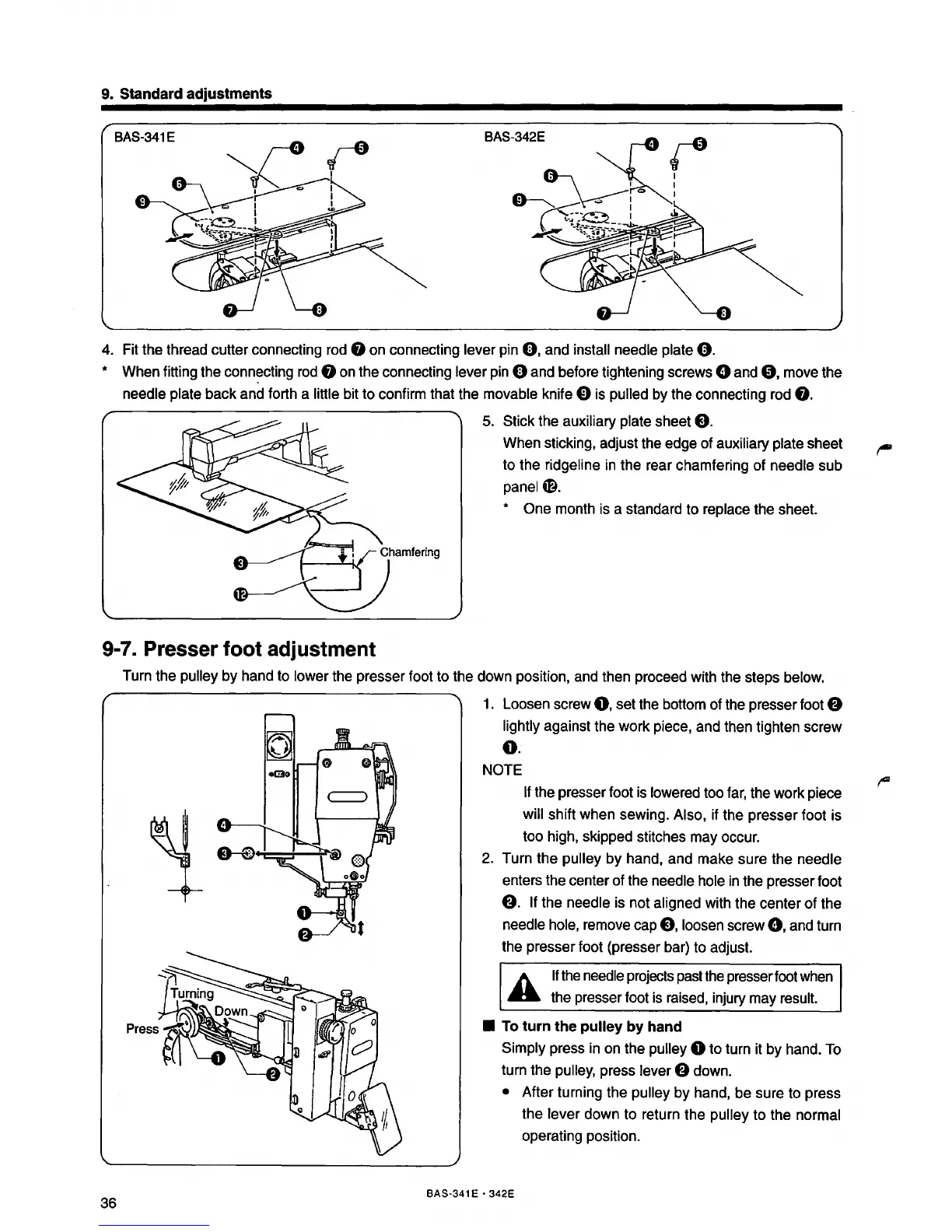
4. Fit the thread cutter connecting rod 8 on connecting lever pin
0,
and install needle plate
0.
* When fitting the connecting rod 8 on the connecting lever pin 0 and before tightening screws 0 and
8,
move the
needle plate back
and forth a little bit to confirm that the movable knife 0 is pulled by the connecting rod
8.
9-7. Presser foot adjustment
5. Stick the auxiliary plate sheet
8.
When sticking, adjust the edge of auxiliary plate sheet
to the ridgeline
in
the rear chamfering
of
needle sub
panel
m.
* One month is a standard to replace the sheet.
Turn the pulley by hand to lower the presser foot to the down position, and then proceed with the steps below.
36
1. Loosen screw
0,
set the bottom of the presser foot 8
lightly against the work piece, and then tighten screw
0.
NOTE
If
the presser foot
is
lowered too
far,
the work piece
will shift when sewing. Also, if the presser foot is
too high, skipped stitches may occur.
2. Turn the pulley
by
hand, and make sure the needle
enters the center of the needle hole
in
the presser foot
8.
If the needle is not aligned with the center
of
the
needle hole, remove cap
8,
loosen screw
0,
and turn
the presser foot (presser bar) to adjust.
A
If
the needle projects past the presser foot when
..
the presser foot is raised, injury may result.
• To turn the pulley by hand
Simply press in on the pulley 0 to turn it
by
hand. To
turn the pulley, press lever
8 down.
• After turning the pulley
by
hand, be sure to press
the lever down to return the
pulley to the normal
operating position.
BAS-341 E • 342E



 To Next Page