74
SYSTEM ANALYSIS
DIAGNOSTIC PROCEDURES
DIAGNOSTIC
PROCEDURES
Visual Inspections
Inspect wiring and electric al connectio ns. Disas-
semble a nd clean all corrode d co nnections.
Replace damaged wiring, con nectors, o r termi-
nals. Repair any shorted electrical circuits.
• Refer to ELECTRICAL HARNESS CONNEC-
TIONS on p. 91.
• Refer to WIRING DIAGRAM at the back of this
manual.
• Refer to CONNECTOR SERVICING on p. 122.
Make su re all g round connections are clean a nd
tight. Refer to GROUND CIRCUITS on p. 93.
Inspect spark plugs for wea r, oil fowling, or dam-
age. A rich or lean running condition or evidence
of internal eng ine da mage could be identified b y
the appearance of the spark plugs.
Check the fuse an d the emergency st op switch
lanyard.
Diagnostic Software Inspections
Before running the out board, use Evinrude Diag-
nostics so ftware to review historical informatio n
saved in the EMM.
Check the Active Faults and Occurred Faults
screens for current se rvice codes. Correct any
problems and clear the codes before further trou-
bleshooting. Refe r to Occurred Servi ce Cod es
(Faults) on p. 65.
The occurred fault screen displays det ailed infor-
mation about the operating con ditions of the
engine at the time the code was set.
Review informa tion about how the o utboard has
been operated using the Profiles screens.
• Check the RPM Profile for long period s of low
speed operation or periods of over-revving rpm.
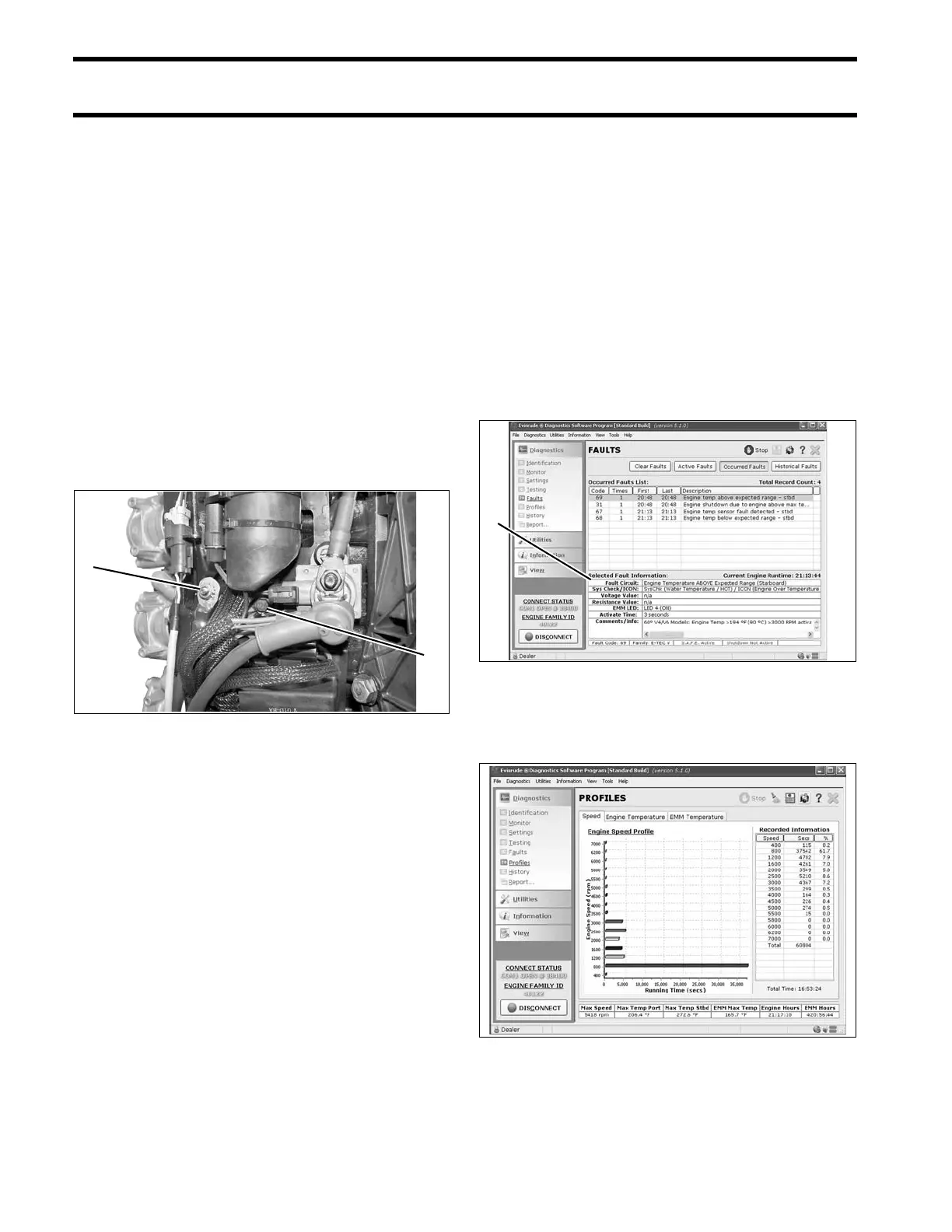
1. Main engine harness ground
2. Ground stud (battery)
004183
Occurred Faults Review Screen
1. Detailed information
008128
RPM Profile 008587






 To Next Page