BTL-5000 SERIES
USER'S MANUAL
page 13 of 56
2.5.2 Welcome Screen and Selection of Channels, Tabs and
Accessories
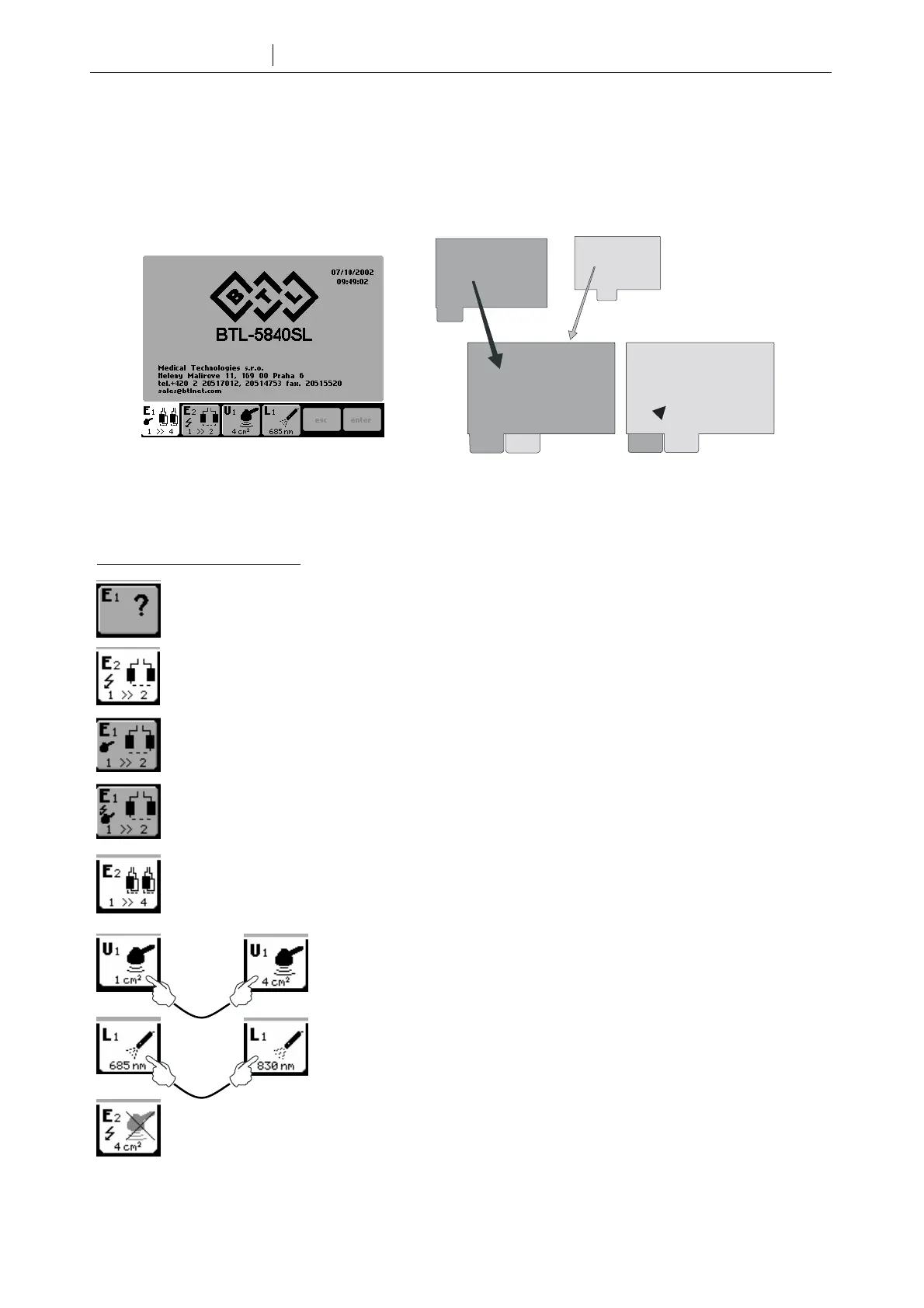
The welcome screen, accessed upon power up, displays channel tabs and icons showing which accessories are
connected. The number of channels displayed depends on the unit configuration. The following diagram shows that
almost the entire display is available for the selected channel.
If more accessories are connected to one generator (e.g. two ultrasound heads connected to a single ultrasound
generator), pressing the channel tab of the generator will switch between accessories.
The colour of the selected channel tab is white.
Examples of information on tabs:
Tab of channel E1 which is not selected and has no accessories
Tab of selected channel E2 with the possibility to apply HVT therapy and with electrotherapy accessory
BTL-236-1 with two electrodes
Tab of channel E1 with electrotherapy accessory BTL-236-1 and possibility to apply combined therapy
Tab of channel E2 with electrotherapy accessory BTL-236-1 and possibility to apply combined and HVT
therapies
Tab of selected channel E2 with electrotherapy accessory BTL-236-2.
Tab of selected generator U1 with connected ultrasound heads. Press the tab to
switch between the 1cm
2
and 4cm
2
heads.
Tab of selected generator L1 with connected laser probes. Press the tab to switch
between the 685nm and 830nm probes.
Tab of selected channel E2 with wrong accessory.









 To Next Page