BTL-5000 SERIES
USER'S MANUAL
page 14 of 56
2.5.3 Setting Therapy Parameters via the ‘diag’ Button
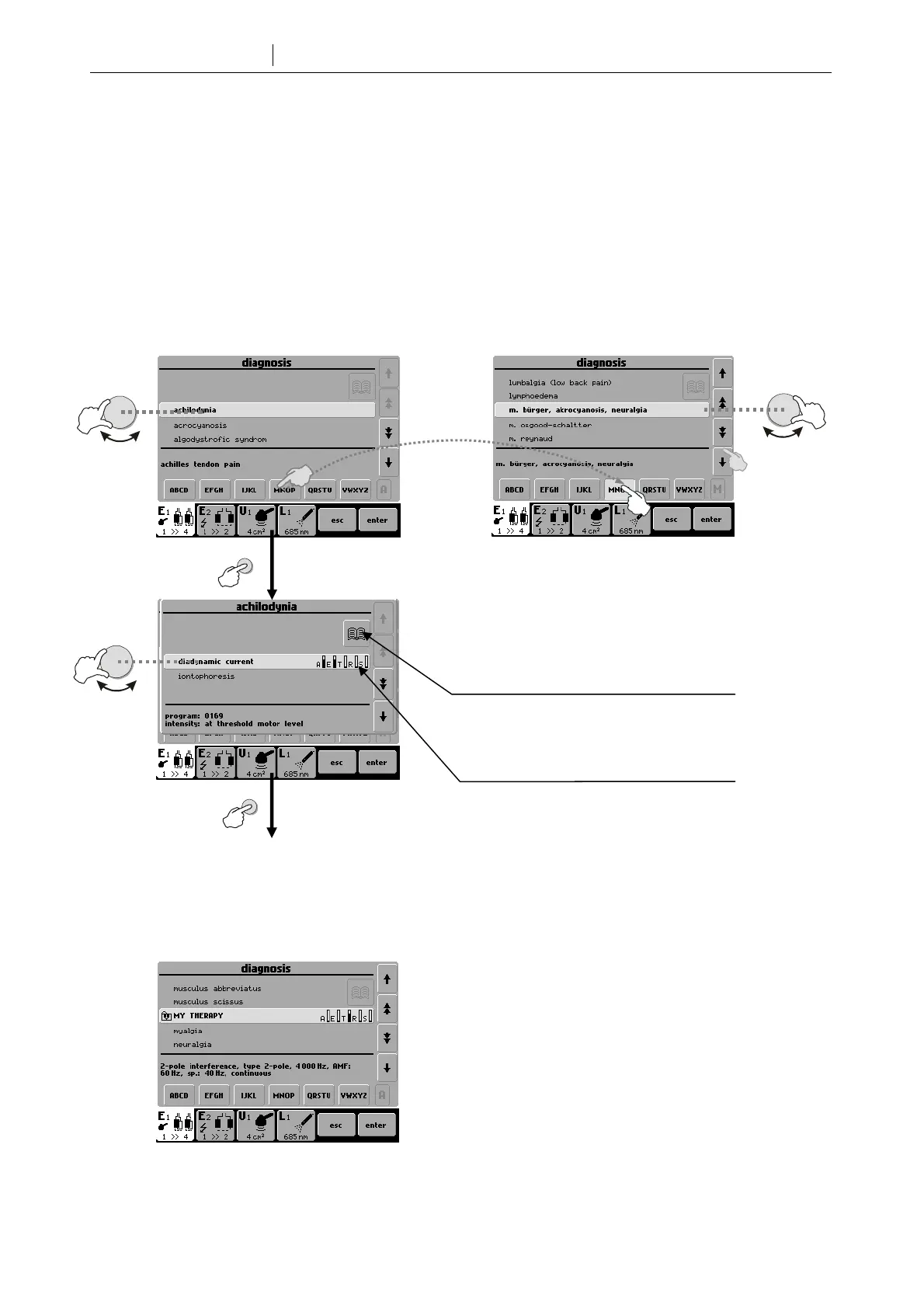
Press the diag (8) button to display a list of therapy protocols / diagnoses. Each channel tab has its own list of therapy
protocols. For example, the channel tab of ultrasound generator includes the list of therapy protocols for ultrasound
treatment. If the tab depicts a HVT or combined therapy symbols (see Chapter 2.5.2 Welcome Screen and Selection
of Channels, Tabs and Accessories), the list includes protocols for HVT or combined therapies.
To find a therapy protocol fast, press the button with the starting letter of the protocol required. The selected letter
depends on how many times the button is pressed. For example, after pressing the MNOP button once, there are
listed protocols starting with the first letter, M. Pressing MNOP twice = N, three times = O and four times = P. The
currently selected letter is displayed in the box to the left of the buttons.
To select the found required diagnosis press the enter button (15). If the protocol has more therapies they are listed
after selecting the protocol.
Your own protocols can be easily recognized by the ‘card’ icon in front of the name of the protocol.
See 2.5.6 Therapy Parameters Screen
Ergonomic,
Standard and Ex
ert Mode
select
select
ente
select
ente
Information on therapy, encyclopaedia
Prevailing physiological effects of
therapy: A-analgesic, E-antiedematous,
T-trophic, R-myorelaxation, S-
myostimulation









 To Next Page