BTL-5000 SERIES
USER'S MANUAL
page 36 of 56
4.2.1.1 Parameters of Sections in Sequence
A sequence consists of a few currents/programs that are called sections. Parameters of sections must be set when
creating a sequence.
Each program includes basic current parameters such as frequency, pulse length, modulation etc.. For more
information, please refer to Chapter 2.9.1 Save Therapy. Set all data in the manual setting screen and save them as
a user-designed program (diagnosis). Insert the program in the sequence. Set the length of time of the section when
inserting the program in the sequence (except laser, where the time of section depends on the currently connected
laser probe). Obviously, the factory-preset programs can also be inserted in the sequences. In the section only the
polarity can be set (for electrotherapy sequence). The other parameters must be specified and saved in the inserted
program.
Example: you want to create a sequence of diadynamic DF current (without base, positive polarity, CC mode, time of
stimulation: 1 minute) and CP-ISO current (base 10%, reversal of polarity in the middle of the set time, CC mode, 10
minutes). Press man to select the manual mode, set diadynamic currents, DF type, without base, positive polarity, CC
mode. Save this setting as (for example) program E-8001. Then set the parameters of the CP-ISO current: base 10%,
positive, reversal, CC mode, and save it as (for example) program E-8002. Select therapy and press new sequence
then press new, set the program number 8001, set the time of section 1:00, positive polarity, and press enter. Then
add the second section in the same way – new, program number 8002, time of section 10:00, positive polarity with
reversal, and press enter. Then press enter again to return to the manual settings screen, press print/save and save
the sequence (for example as number 9501). The cv/cc mode is set globally for the whole sequence before starting it.
4.2.2 Saving New Sequence
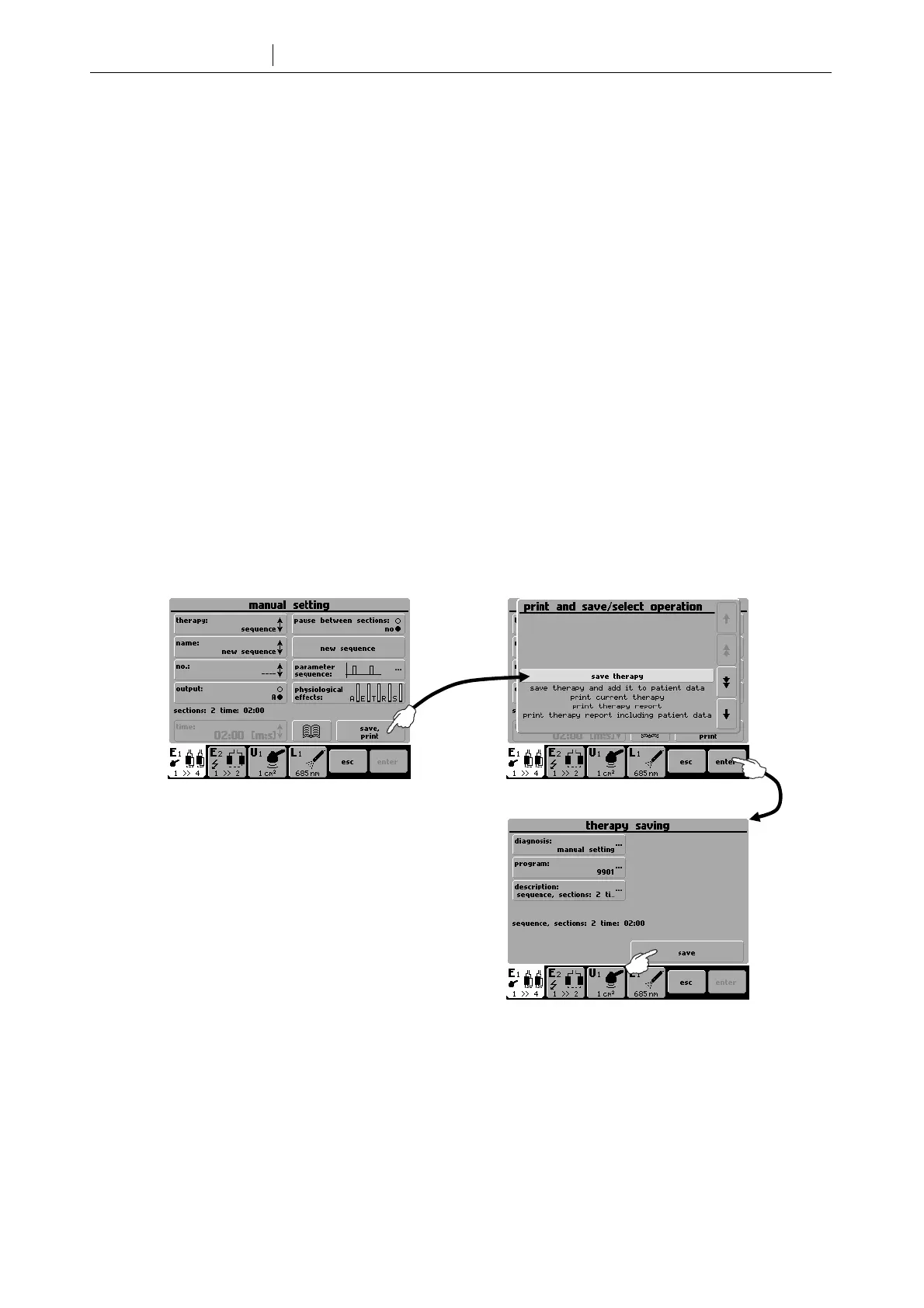
Sequence created according to 4.2.1 Creating New Sequence can be saved as follows:
.
User-made sequences are saved under numbers 9500 - 9999. They can be found in the list of programs, in the list of
diagnoses or in the list of sequences.









 To Next Page