BTL-5000 SERIES
USER'S MANUAL
page 6 of 56
14
15
12
13
9
11
8
7
10
17
18
16
2 INSTRUCTIONS FOR USE
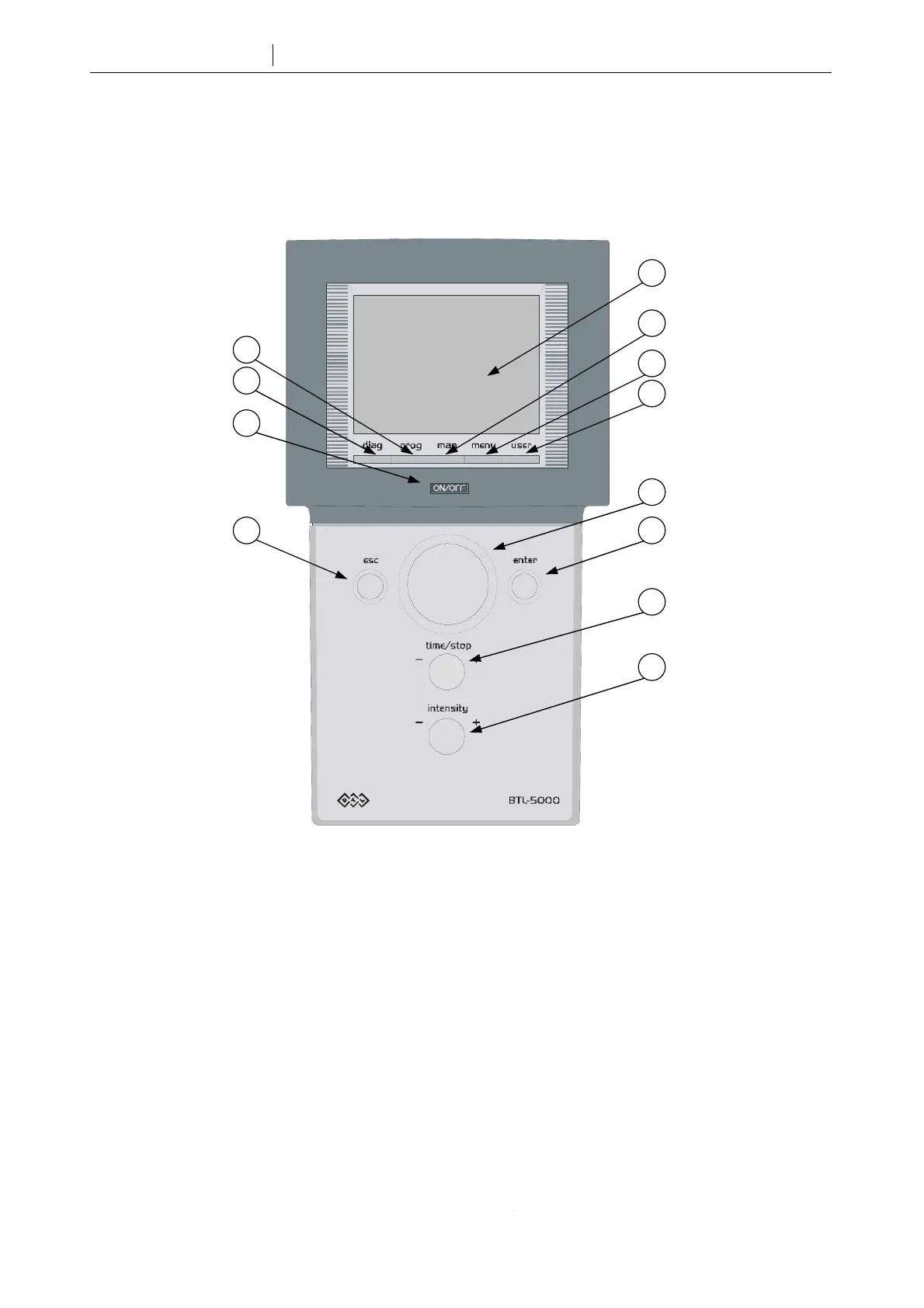
2.1 FRONT VIEW
1 - 6 line outputs for patient cables on the rear panel, see 2.2 Rear View
7 ON/OFF power switch (“ON” status indicated by the blue backlight)
8 diag button to select diagnosis
9 prog button to select program number
10 touch screen
11 man button to set therapy parameters manually
12 menu button to set date, time, language, display contrast, sounds, user options, etc.
13 user button to work with lists of patients, user diagnoses, programs and sequences, recent therapies and
other functions
14 select knob to select individual parameters
15 enter button to confirm selection or setting
16 esc button to cancel selection or setting and return to the original setting
17 time / stop knob to set therapy time, and to start and stop therapy
18 intensity knob to set intensity









 To Next Page