BTL-5000 SERIES
USER'S MANUAL
page 33 of 56
4 USER OPTIONS VIA THE “USER” BUTTON
Pressing the user (13) button opens a screen allowing access to special features of the unit, as well as to data saved
by the user. The following items can be selected:
• patients
• user sequences
• user diagnoses / programs
• recent therapies
• detection of motor point*
• rheobasis – chronaxie*
• accommodation coefficient*
• I/t curve*
* Available only with electrical stimulator equipped with electrodiagnostics (optional).
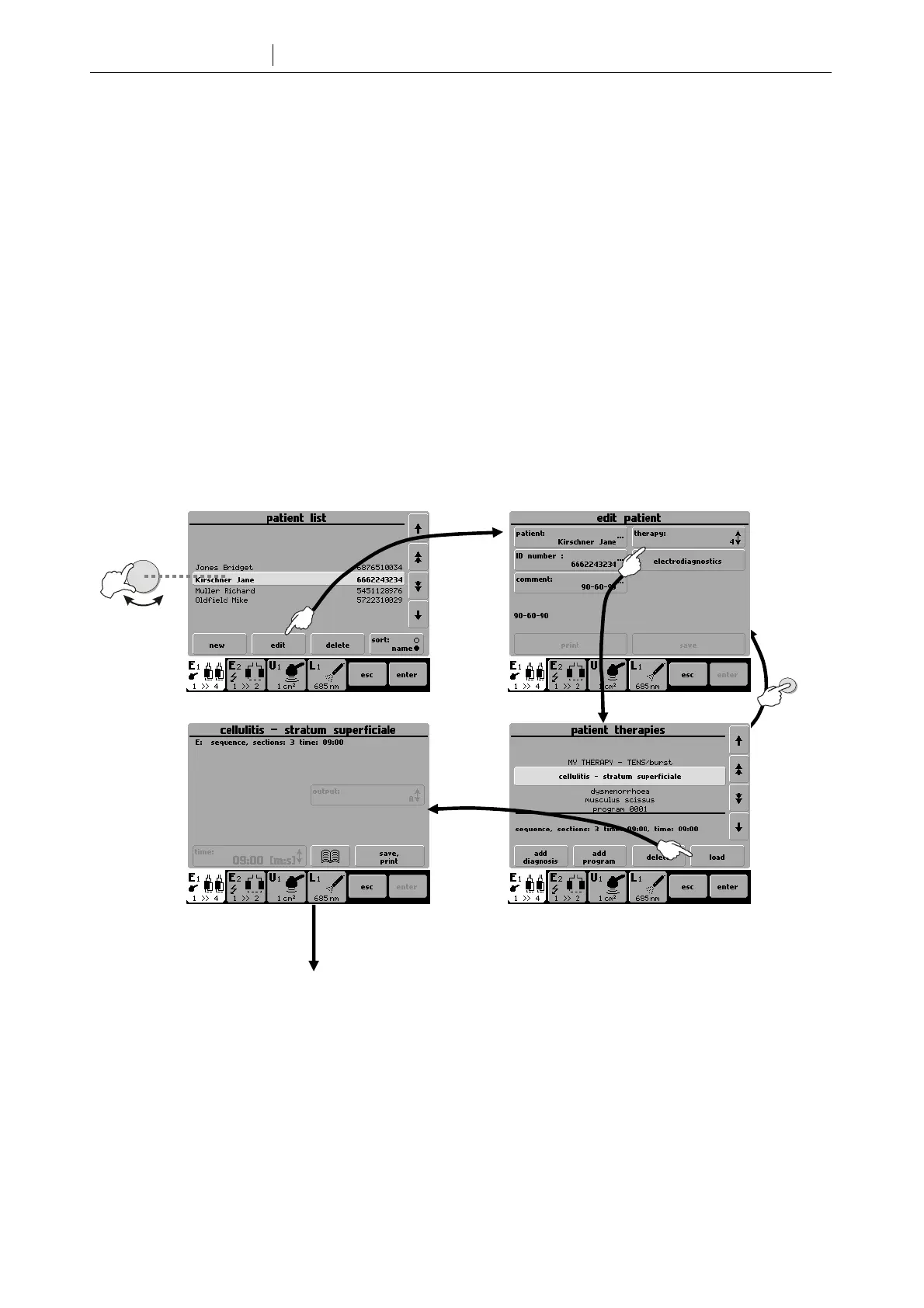
4.1 PATIENTS
Insert, edit, or delete a patient’s name. The patient can be assigned a particular therapy. If your stimulator is equipped
with electrodiagnostics, you can assign to the patient a measured I/t curve, accommodation coefficient, and rheobasis
and chronaxie values.
Patient card
For details on electrodiagnostics, refer to the User Guide for Electrotherapy.
select
enter
Start of therapy









 To Next Page