BTL-5000 SERIES
USER'S MANUAL
page 30 of 56
3.2 UNIT SETTINGS
Provides a list of settings of parameters and user preferences:
• Password setting
• Audio tones setting
• LCD screen saver and auto power off
• Setting of contrast of LCD screen
• Date and time setting
• Language setting
• Operation mode
• Touch panel calibration
• User options
• Way of operation
• Information about the unit
• Service functions
3.2.1 Password Setting
Changes password required to operate the unit after power-up. The units as standard come with this function
disabled.
If the unit includes a laser generator - BTL-5000 Laser, BTL-58xx L, BTL-58xx xL, you cannot disable the password
code (in compliance with the applicable standards). In this case a four-digit code is factory-set to 0000.
3.2.2 Audio Tones Setting
Sets audio signaling of buttons and provides warnings of various operational conditions (start of therapy, stop or
pause of therapy). All audio tones can be switched off or modified as required.
Units with laser generator - BTL-5000 Laser, BTL-58xx L, BTL-58xx xL - cannot have the audio tone of the running
therapy switched off (in compliance with the applicable standards).
Volume can be set in the User options menu (see Chapter 3.2.10 User Options).
3.2.3 Setting of Colours (for colour variant only)
The user can set colours of all elements displayed on the screen: select one of 10 available preset colour schemes or,
if not satisfied with any of them, create and save custom colour schemes. In the custom colour scheme the user
successively selects individual elements.
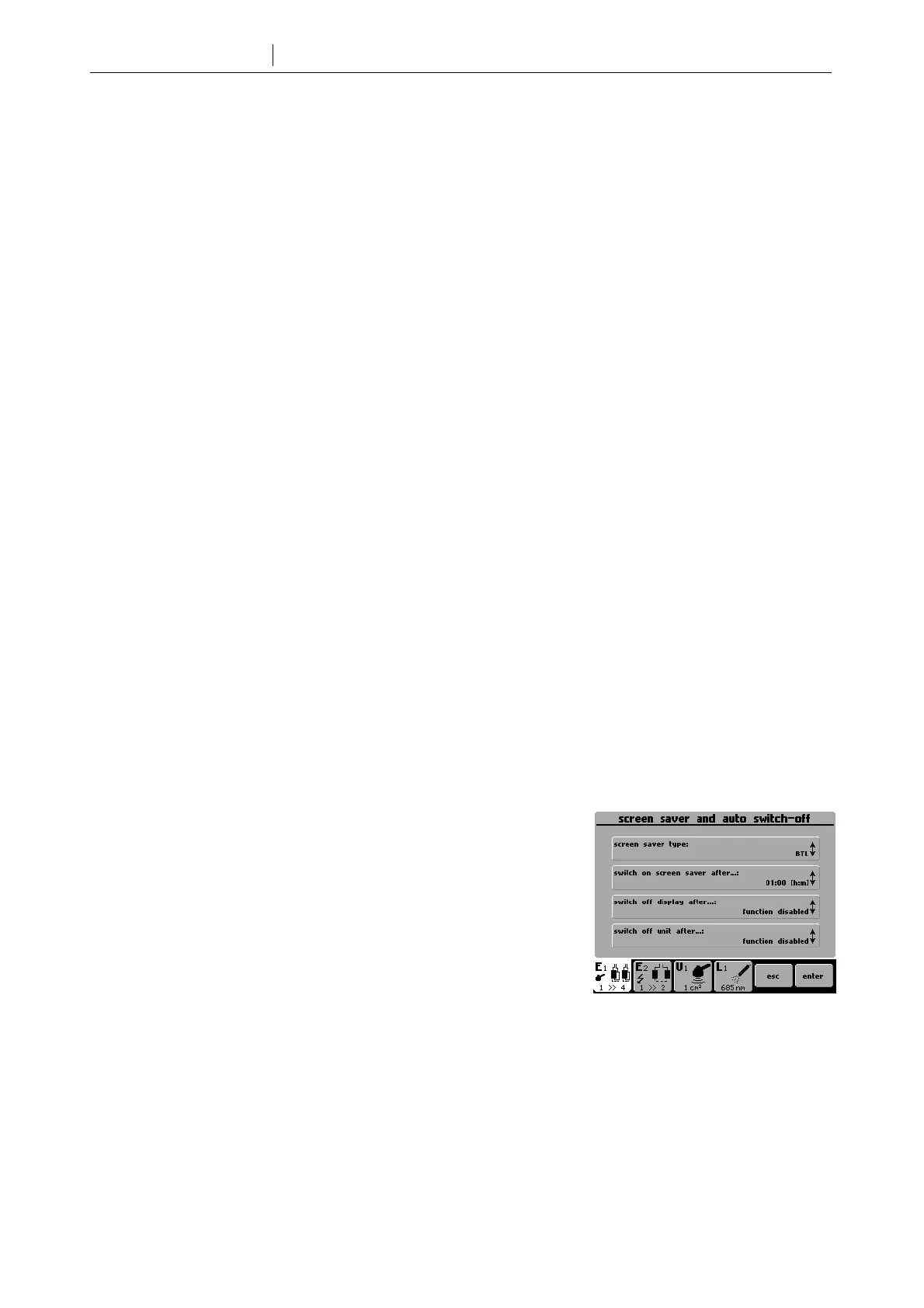
3.2.4 LCD Screen Saver and Auto Power Off
Selects the design of screen saver and sets the time for activation of the
screen saver. Sets auto power off feature for switch-off of the LCD screen
and for switch-off of the equipment.
3.2.5 Setting of Contrast of LCD Screen
Sets the optimum clarity of the screen. Use the select (14) knob.
The contrast of the screen depends on various factors, such as temperature.
For fast and direct screen contrast setting, use the select (14) knob while
simultaneously holding the enter (15) and esc (16) buttons.
3.2.6 Date and Time Setting
Sets the date and time.
3.2.7 Language Setting
Selects the language of the text displays presented on the screen. Factory pre-set is English.









 To Next Page